ValueJet 1304 Service manual
AP-74109 Rev 1.1 4-90
4.9 Replacement of Frame Section Components
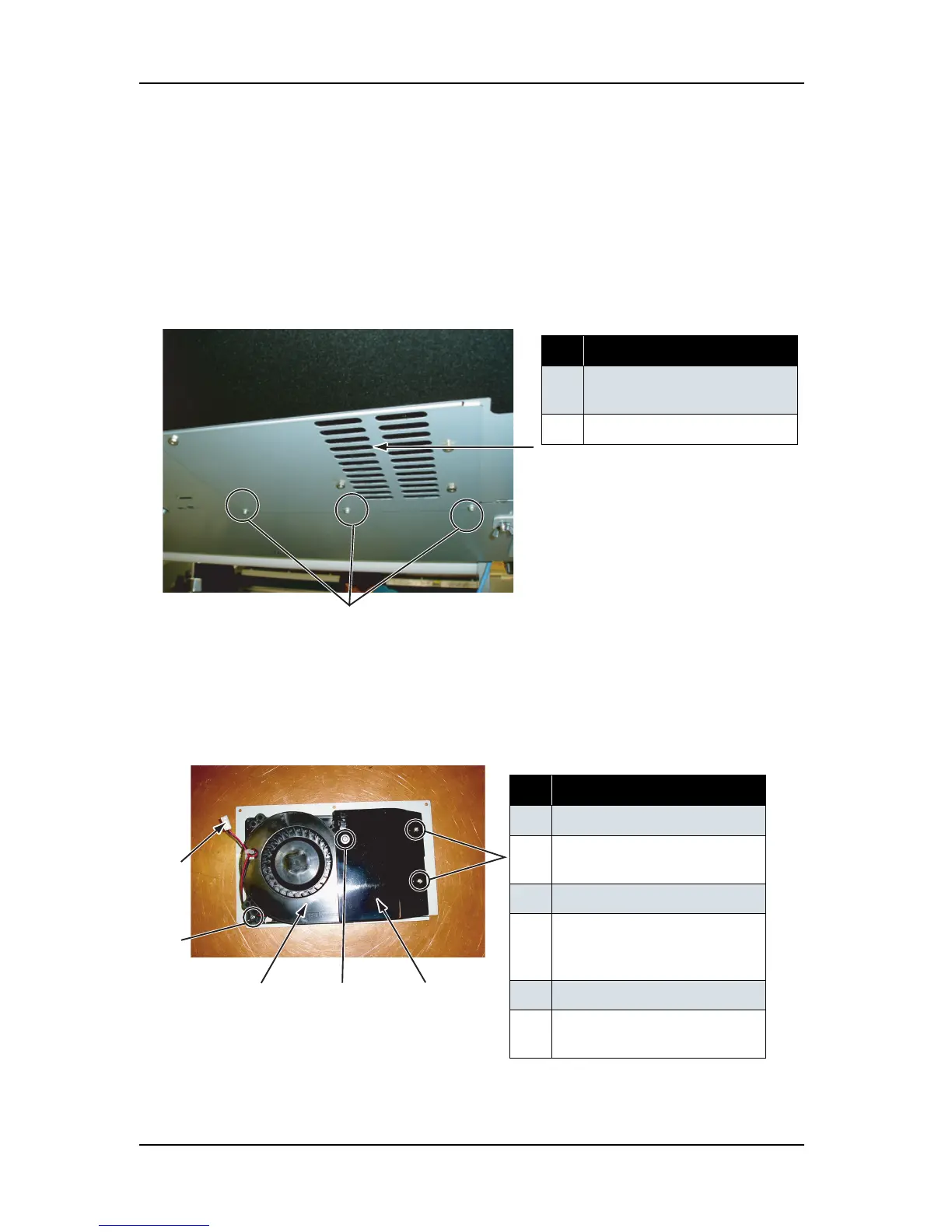
4.9.1 Replacing Suction Fan Assembly
1. Remove the screw retaining the fan plate to the B frame (tapping screw M3 × 6, S tight cup: 3), then
remove the suction fan assembly.
2. Remove the suction fan assembly cable connector, then remove the suction fan assembly from the B
frame.
3. Remove the screw retaining the fan duct (pan head small screw M4 × 5: 2), then remove the fan duct.
表 4-102
No. Part name
1 Fan plate screw (M3 × 6, S tight
cup)
2
Fan plate
表 4-103
No. Part name
1 Suction fan cable connector
2 Suction fan screw (M4
× 8 pan
head small screw
)
3 Suction fan
4 Suction fan screw (M4 × 40
round head spring screw
finishing
)
5 Fan duct
6 Fan duct screw (M4 × 5 pan
head small screw
)















 To Next Page