3.8.9 Replacing Cutter Holder Assy 124
3.8 Replacing Cursor section VJ628XE-M-00
3.8.9 Replacing Cutter Holder Assy
● Tools & Jigs & Maintenance part
Name No. Remarks
Cutter Holder Adjusting Jig DG-45003 Exploded View Other
Phillips screwdriver No.2 Generic
products
-
1 Removing R Side Cover.
3.2.2 Removing Side Cover
2 Remove CR Board Cover.
3.8.3 Removing CR Board Cover
3 Remove P_EDGE Sensor and Cutter
Solenoid from CR Board.
3.8.6 Replacing P_EDGE Sensor
4 Remove P EDGE Sensor and Cutter Solenoid
from the clamps on the path.
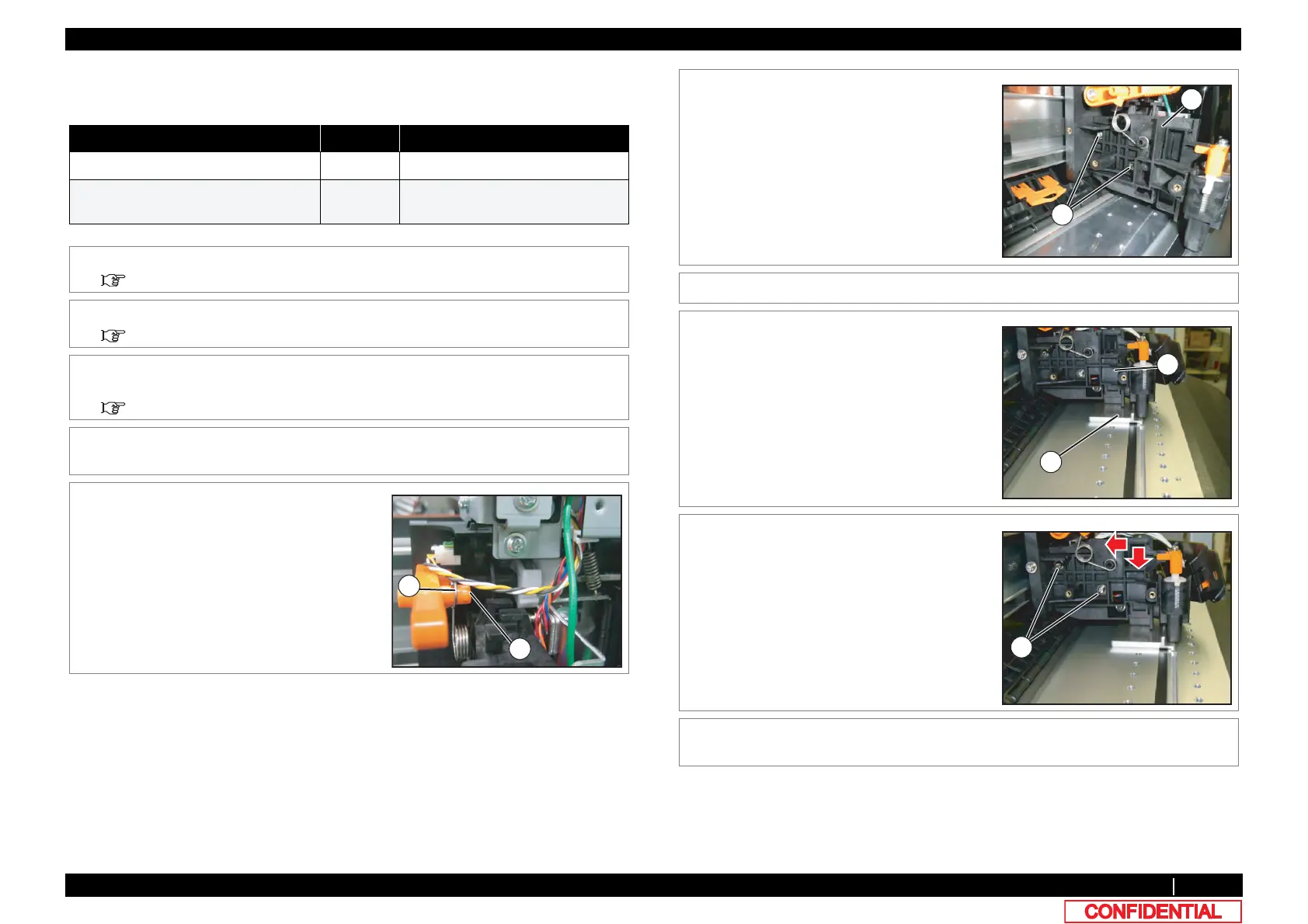
5 Remove Spring from Height Adjusting Lever.
A : Height Adjustment Lever
B : Height Adjustment Lever Spring
6 Remove the screws (2 pieces) retaining Cutter
Holder Assy.
A : Pan-head screw with spring washer and
flat washer M3x8
B : Cutter Holder Assy
7 Remove Cutter Holder Assy From Carriage.
8 Set dedicated Jig on mounting position.
A : Cutter Holder Adjusting Jig
B : Cutter Holder Assy
9 Push Cutter Holder Assy down lightly to
tighten the screws.
A : Pan-head screw with spring washer and
flat washer M3x8
10 To reassemble unit, reverse the removal
procedure.
A















 To Next Page