4.3.11 Diagnostic Mode 210
4.3 Working with MUTOH Service Assistance Software VJ628XE-M-00
4.3.11 Diagnostic Mode
This section describes the procedure to use diagnostic mode on Technician mode.
Each function can be monitored on each window and those windows can be
displayed at the same time.
Before this procedure, make sure to prepare the following:
• Set up the printer, computer and MSA.
"4.3.3Required Environment
• Start the printer on Board manager mode.
"(6)Starting the printer
• Change to Technician mode on MSA.
"(12)Switching to Technician Mode
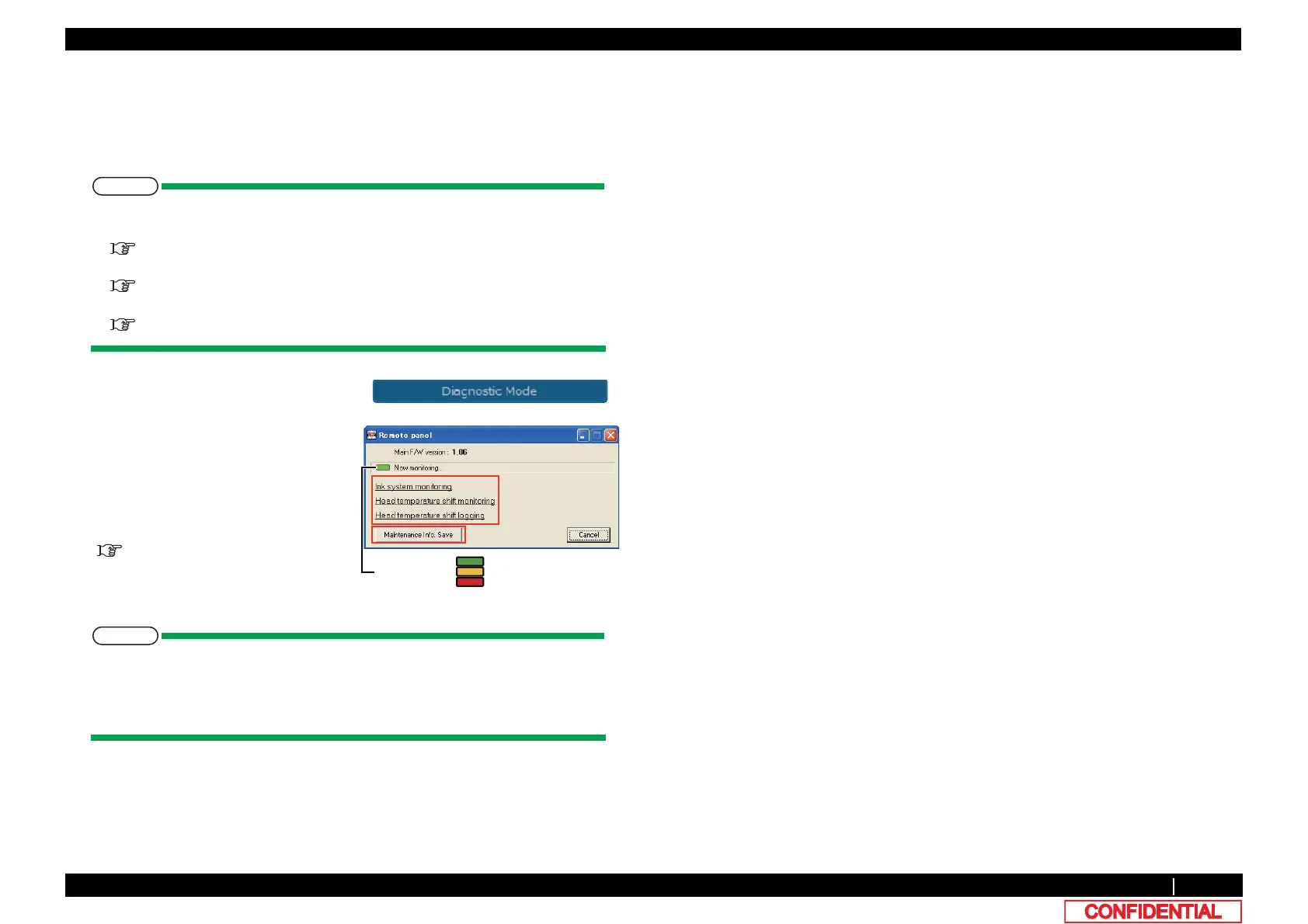
The monitoring information is acquired every time seconds from the printer through
the「Remort Panel」.When a communication error has occurred, the
communication status changes to red, and an error message [Communication error]
is displayed.
1 Click [Diagnostic Mode] on main
window.
2 Click appropriate function to monitor.
*Click [Cancel] to return to the main
window.
3 Click "Maintenance Information Save" to
save maintenance information.
"(5)Saving the maintenance
information
EOLQNLQJ㸸1RUPDO
EOLQNLQJ㸸&URVVHG
EOLQNLQJ㸸$EQRUPDO
6KRZLQJ6WDWXV















 To Next Page