3.5.9 Replacing Cooling FAN 84
3.5 Replacing Board Base section VJ628XE-M-00
3.5.9 Replacing Cooling FAN
● Tools & Jigs & Maintenance part
This section describes the procedure to replace the maintenance part, Cooling FAN
(24V) Assy.
In this section, it is referred to as Cooling FAN.
Name No. Remarks
Cooling FAN (24V)Assy DG-45354 Exploded View Board Box
Phillips screwdriver No.2 Generic
products
-
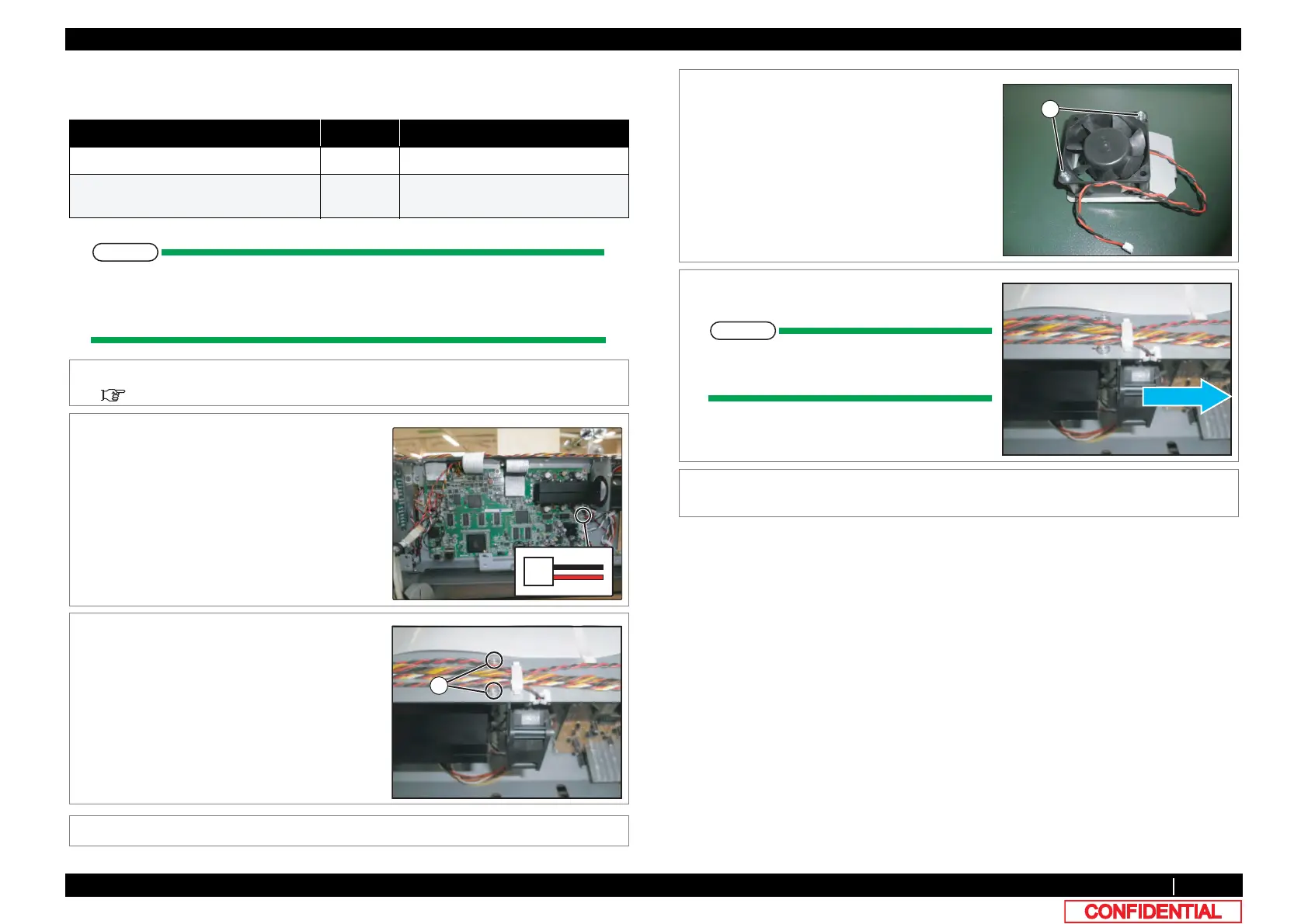
1 Remove Top Cover.
3.2.1 Removing Top Cover
2 Remove connector of Cooling FAN from MAIN
Board Assy.
3 Remove the cables from the clamps on the
path.
4 Remove screws (2 pieces) retaining Cooling
FAN Bracket.
A : Tapping screw M3x6 S Tight cup
5 Remove Cooling FAN Bracket.
6 Remove the screws (2 pieces) retaining
Cooling FAN.
A : Pan-head screw with spring washer and
flat washer M3x30
7 Replace Cooling FAN.
When reassembling Cooling FAN, note
the blowing direction.
8 To reassemble unit, reverse the removal
procedure.















 To Next Page