5.6.12 Solid Print Menu 310
5.6 Adjustment Menu VJ628XE-M-00
5.6.12 Solid Print Menu
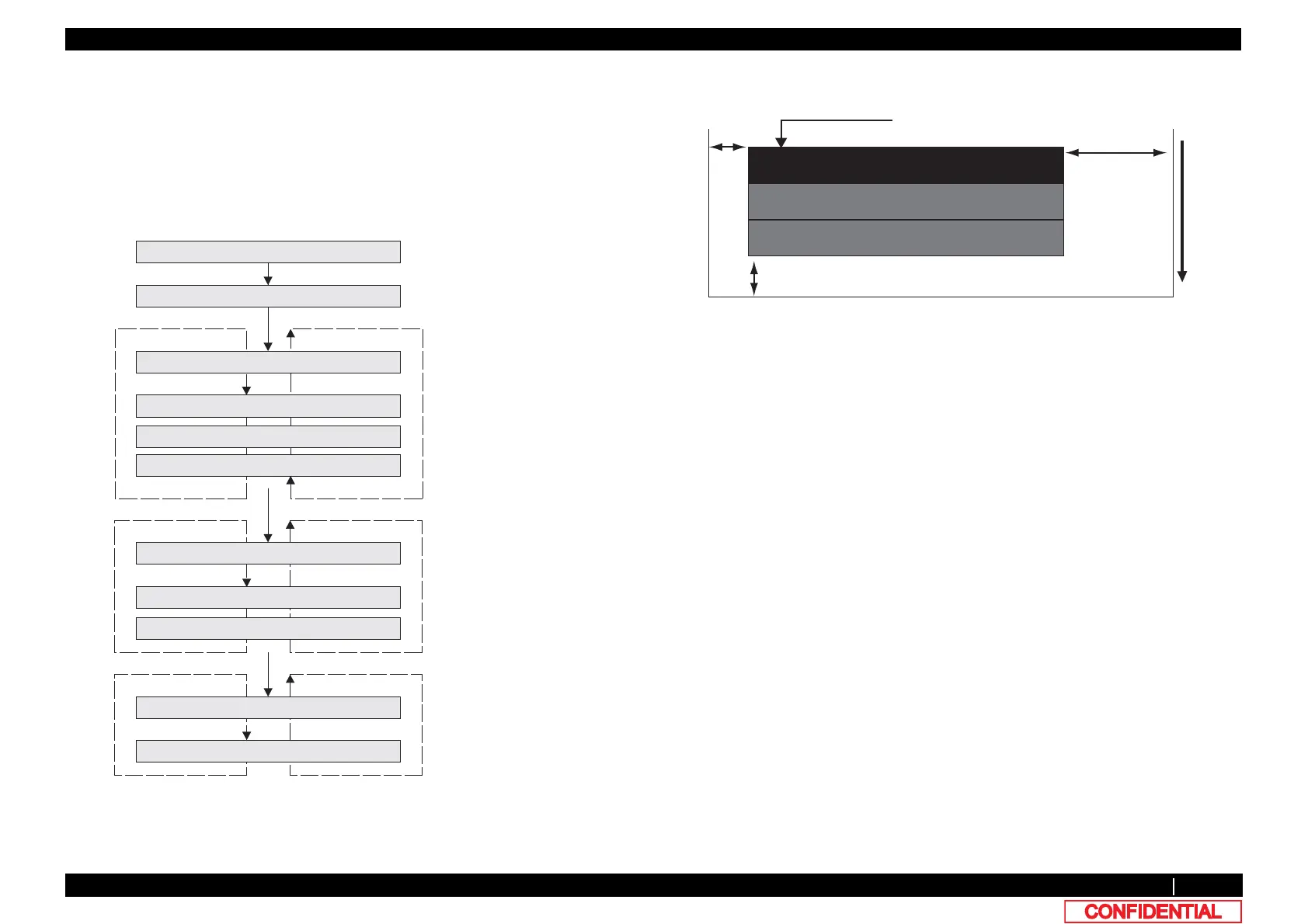
This menu is used to perform solid nozzle print check (color selection, nozzle selection and
print direction) selection are available.
*The order of printing is as follows:
A series & B series
only B series
only A series
• Printing mode: 320cps, VSD4, Large dot
• A printed pattern is as follows:
Press [>] or [<] key to slect
using nozzles to to check.
ALL : All nozzles
ODD : Odd numbered nozzles
EVEN : Even numbered nozzles
Press [>] or [<] key to select
color to check.
Press [>] or [<] key to select
printing direction to check.
>@
㹂㹧㹰㸸㹁㹕
㹂㹧㹰㸸㹁㹁㹕
>!@
[Enter]
>@
㹌㹭㹸㹸㹪㹣㸸㸿㹊㹊
>!@
㹌㹭㹸㹸㹪㹣㸸㹍㹂㹂
㹌㹭㹸㹸㹪㹣㸸㹃㹔㹃㹌
[Enter]
>@
㹁㹭㹪㹭㹰㸸㹉
㸿㹢㹨㸬㸯㸱㸸㹄㹧㹪㹪㹎㹟㹲㹲㹣㹰㹬
㹁㹦㹣㹡㹩ࠉ㸱㸸㸿㹢㹨㹳㹱㹲㹫㹣㹬㹲
>!@
㹁㹭㹪㹭㹰㸸㹁
㹁㹭㹪㹭㹰㸸㹗
㹁㹭㹪㹭㹰㸸㹋
[Enter]
[Enter]
CW : Print by CW scanning
CCW : Print by CCW scanning
Specified color nozzles of both series A and B
Nozzles for series B only
Nozzles for series A only
Paper feeding direction
5mm
5mm
20mm
Solid printing















 To Next Page