3.5.7 Replacing Slide Switch 82
3.5 Replacing Board Base section VJ628XE-M-00
3.5.7 Replacing Slide Switch
● Tools & Jigs & Maintenance part
Unplug Power cable set before replacing Slide Switch. There may be a risk of electric
shock by standby electricity.
This section describes the procedure to replace the maintenance part, Slid Switch
Assy.In this section, it is referred to as Slide Switch.
Name No. Remarks
Slide Switch Assy DG-44719 Exploded View Board Box
Phillips screwdriver No.2 Generic
products
-
1 Remove Top Cover.
3.2.1 Removing Top Cover
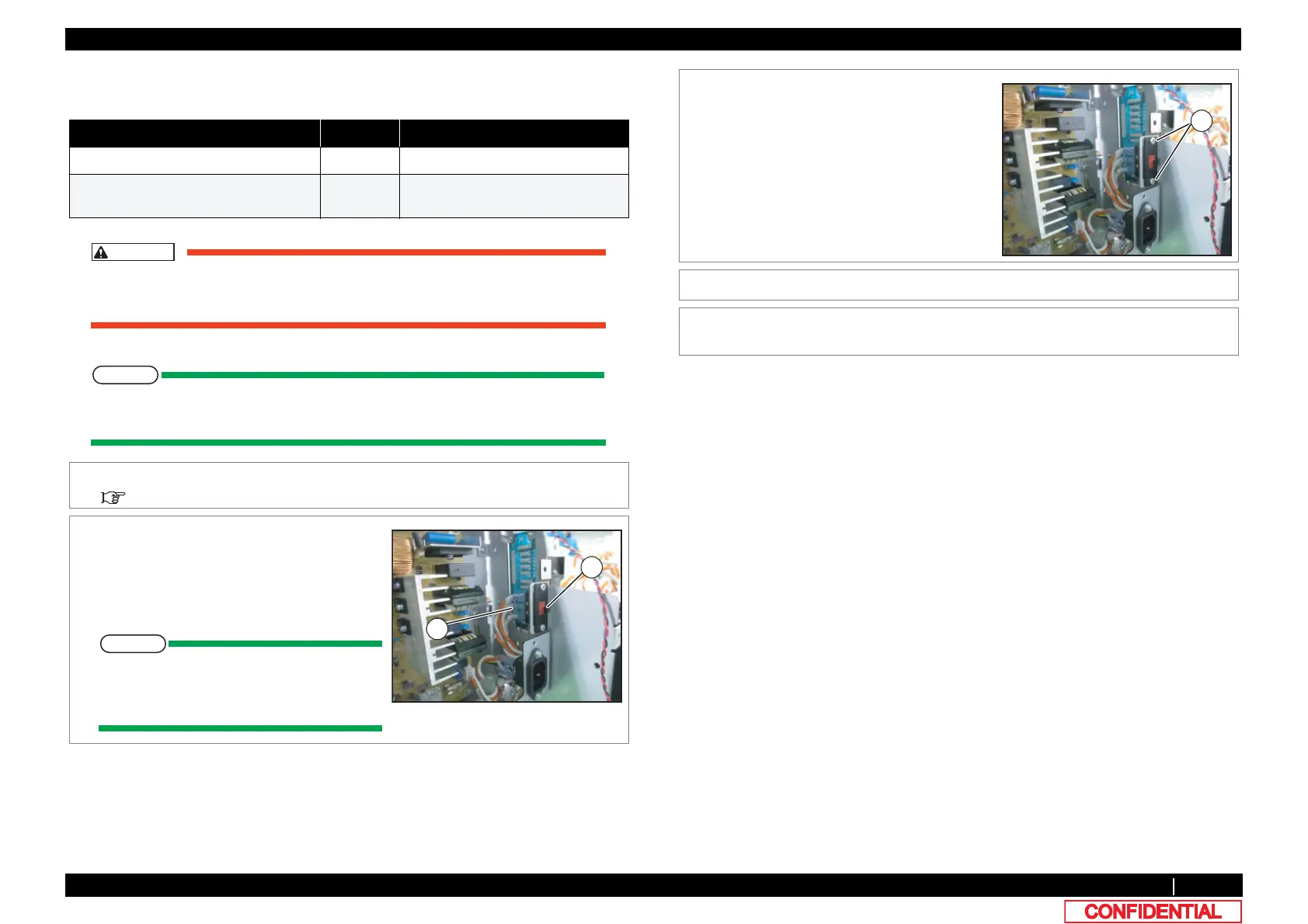
2 Remove the connectors (6 pieces) from Slide
Switch.
A : connector
B : Slide Switch
When connecting, the number (2a, 1a, 2,
1, 2b, 1b) and switch number (2a, 1a, 2, 1,
2b, 1b) of a cable are made to agree.
3 Remove the screws (2 pieces).
A : Tapping screw M3x6 S tight bind
4 Replace Slide Switch.
5 To reassemble unit, reverse the removal
procedure.















 To Next Page