3.11.1 Removing Pump stay 166
3.11 Replacing IH VJ628XE-M-00
3.11 Replacing IH
3.11.1 Removing Pump stay
● Tools & Jigs & Maintenance part
Name No. Remarks
Phillips screwdriver No.2 Generic
products
-
Flat-shaped ratchet driver -
1 Remove Top cover
3.2.1 Removing Top Cover
2 Remove R side cover.
3.2.2 Removing Side Cover
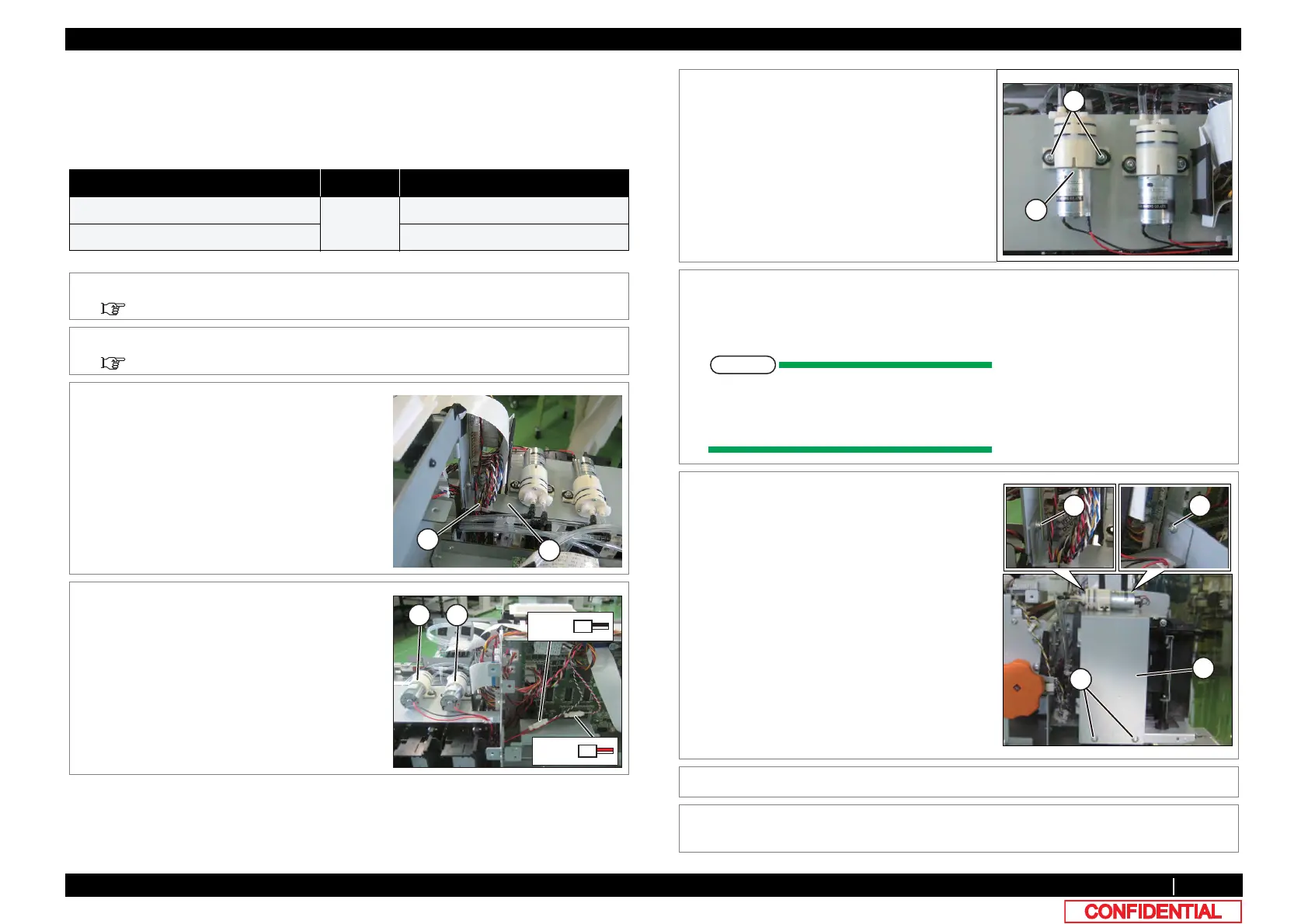
3 Remove the cables from Pump stay.
A : Cables
B : Pump stay
4 Remove Circulation pump relay cable from
Circulation pump.
A : Circulation pump1
B : Circulation pump2
A
B
Pump1
Pump2
5 Remove the screws (x 2) retaining Circulation
pump (x 2).
A : Pan-head screw with spring washer and
flat washer M3x10
B : Circulation pump
6 Remove Circulation pump.
Put the Circulation pump in a state in which
the ink tube no load.
When it takes a load for an ink tube, there
is a risk that ink leaks from a connecting
point.
7 Remove the screws (x 4) retaining Pump stay.
A : Pump stay
B : Tapping screw M3x6 S Tight cup
8 Remove Pump stay.
9 To reassemble unit, reverse the removal
procedure.
A
B
B
B















 To Next Page