5.6.10 Software Counter Initialization Menu 308
5.6 Adjustment Menu VJ628XE-M-00
5.6.10 Software Counter Initialization Menu
This menu is used to initialize various software counters.
The counters are initialized before delivery.Do not initialize them during
maintenance.
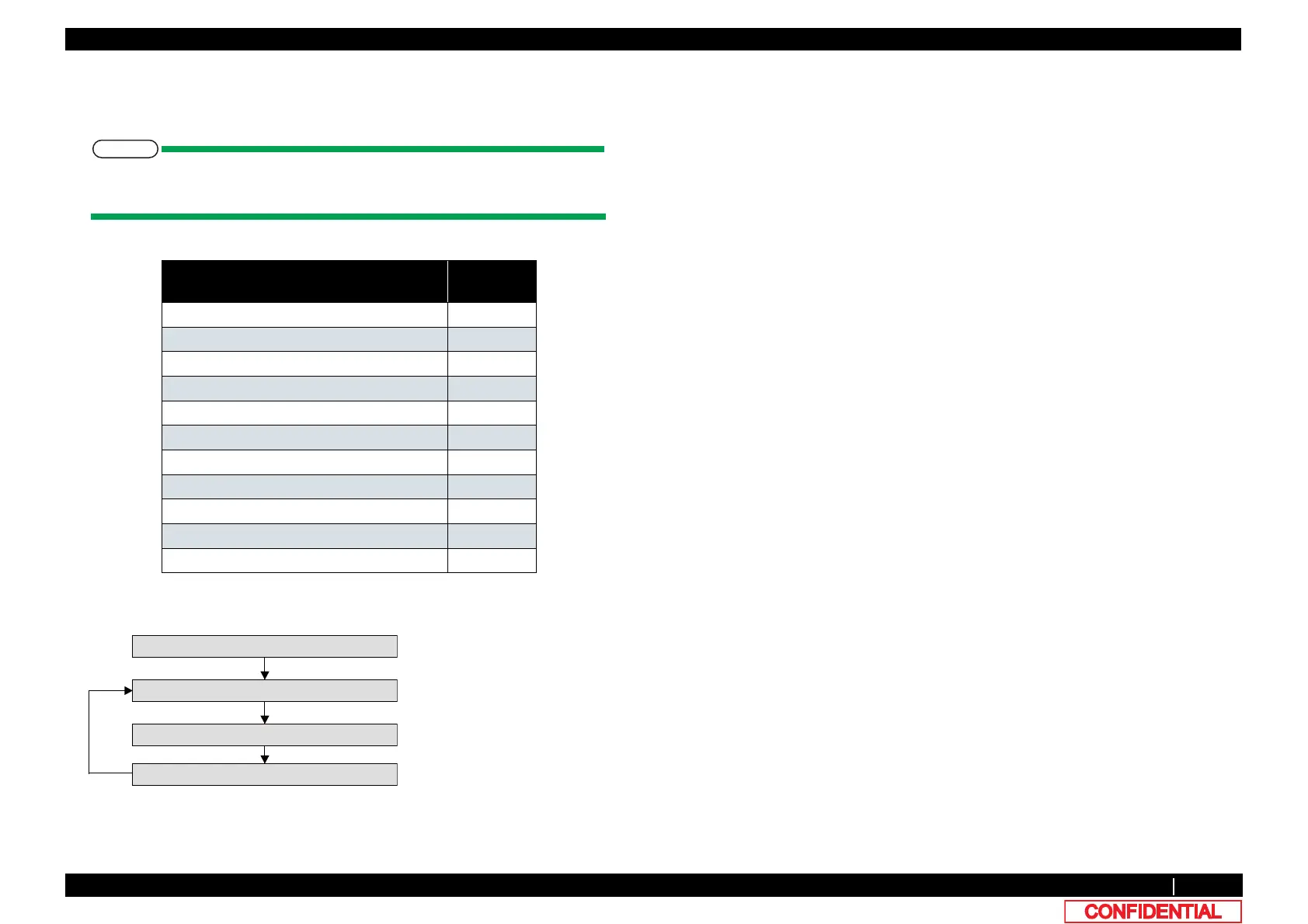
The software counters that can be initialized through this menu are as follows.
Pressing [Enter] key on Operation panel in the “Counter Reset?” screen performs the
software counter initialization.
Counters to be initialized default
values
Cumulative print timer 0
Ink consumption counter (each cartridge) 0
Ink amount count in the cap 0
Waste ink count 0
Use not-filled flag 0
Not-filled flag 1
Use First Start up flag 1
User definition first choice flag 0xFFFFFFF
Plug replacement count of 1L adapter 0
Debug Bit 0
Dot control counter OFF
㹁㹦㹣㹡㹩ࠉ㸱㸸㸿㹢㹨㹳㹱㹲㹫㹣㹬㹲
㹙Enter㹛
㹙Enter㹛
After Initializing
㹁㹭㹳㹬㹲㹣㹰ࠉ㹐㹣㹱㹣㹲㸽
㸿㹢㹨㸬㸯㸯㸸㹁㹭㹳㹬㹲㹁㹪㹣㹟㹰
㹕㹟㹧㹲ࠉ㹤㹭㹰ࠉ㹟ࠉ㹵㹦㹧㹪㹣
㹙Enter㹛















 To Next Page