3.2.1 Removing Top Cover 64
3.2 Removing Covers VJ628XE-M-00
3.2.1 Removing Top Cover
● Tools & Jigs
Name No. Remarks
Phillips screwdriver No.2 Generic
products
-
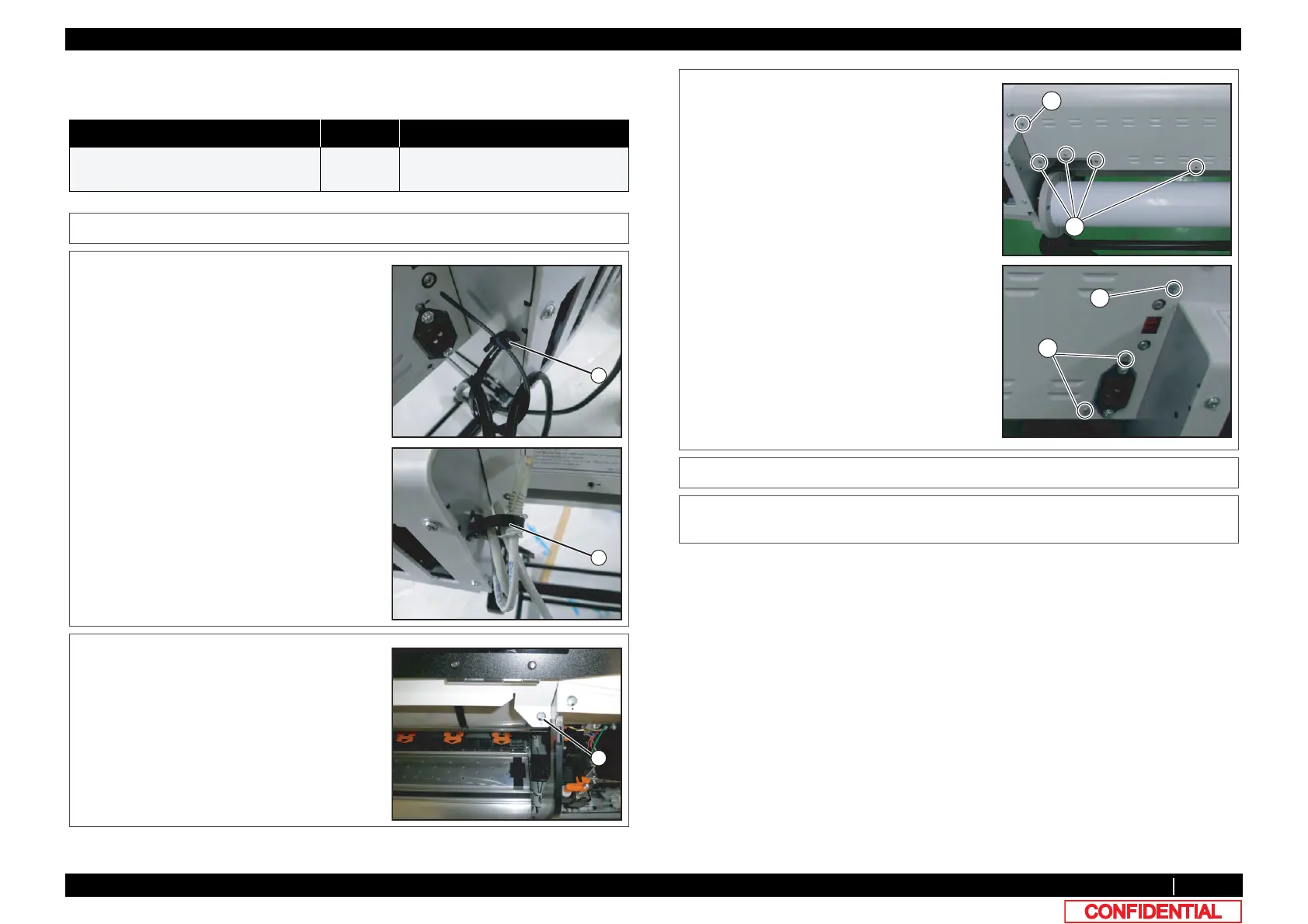
1 Open Front Cover.
2 Remove Reuse Clamp from the main body.
A : Reuse Clamp
3 Remove the screws (2 pieces) retaining the
front side of Front Cover.
A : Tapping screw M4x8 S tight bind
4 Remove the screws (8 pieces) retaining the
back side of Front Cover.
A : Tapping screw M4x8 S tight bind
B : Tapping screw M3x6 S tight bind
5 Remove Top Cover.
6 To reassemble unit, reverse the removal
procedure.
A
B















 To Next Page