4.3.4 Updating Date and Time 196
4.3 Working with MUTOH Service Assistance Software VJ628XE-M-00
4.3.4 Updating Date and Time
This section explains the operating procedure which updates the date and time of a printer
using MSA.
Before this procedure, make sure to prepare the following:
• Set up the printer, computer and MSA.
"4.3.3Required Environment
• Start the printer on Board manager mode.
"(6)Starting the printer
• Change to Technician mode on MSA.
"(12)Switching to Technician Mode
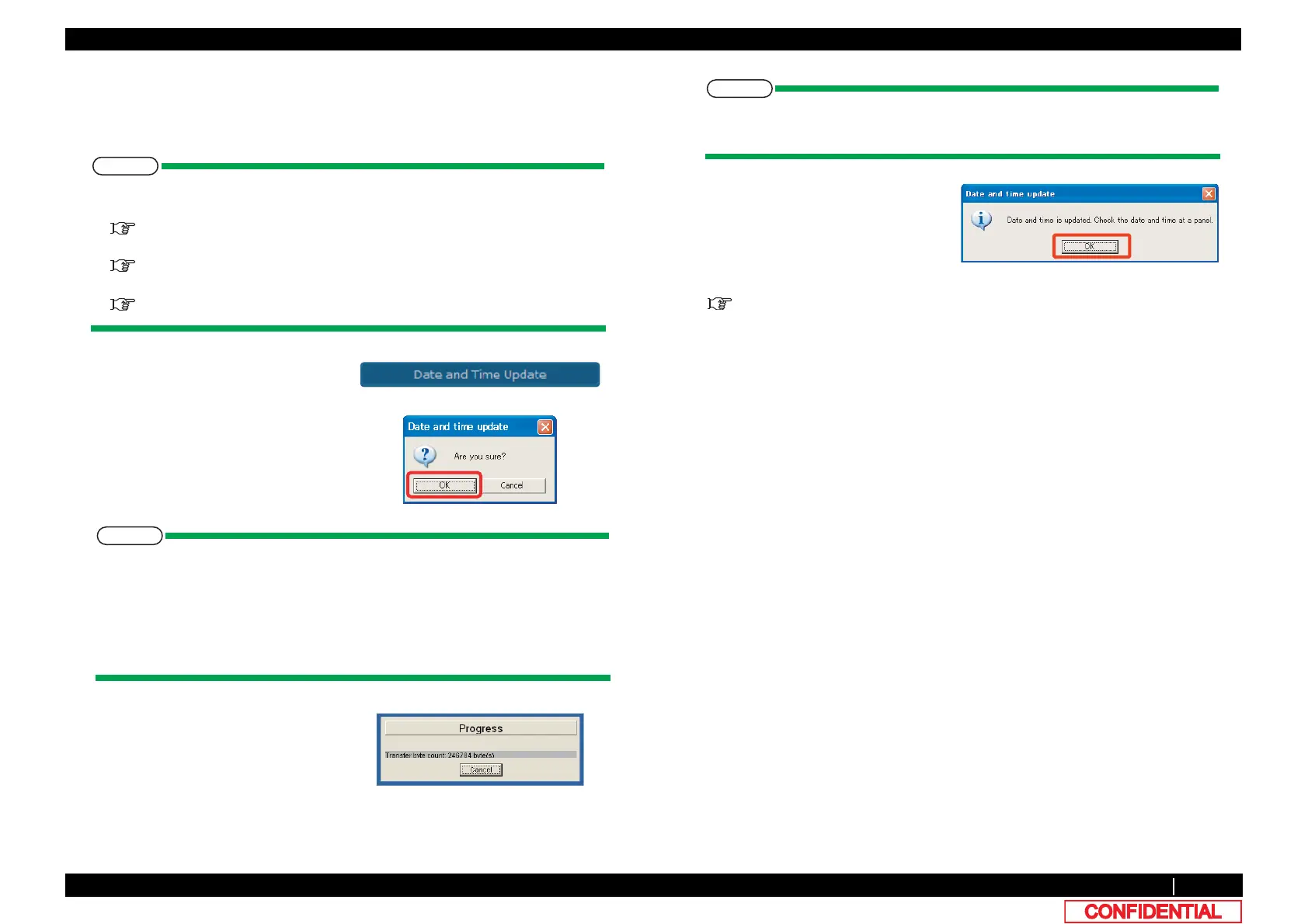
1 Click [Date and Time Update]on main
window.
2 Click [OK]to send the systematic
of the computer to the printer, as the
data of year, month, day, and time.
After clicking [OK], if any communication errors occur such as wrong IP address or
unplugged LAN cable, an error message appears. If any setting errors occur such
as inappropriate model name selection, serial number registration is not finished
or incorrect one is registered, an warning message appears.
In both cases, communication with printer shall be interrupted.
Click [OK] to return to main menu.
3 Once transmission has started, the
「Progress」window is displayed.
When an error message is displayed during updating, if it clicks [OK], it will return
to a main window.
4 Once transmission has completed,
the「Date and time update」 window
is displayed.Click [OK] to close the
window.
5 Make sure that the time displayed on the panel of the printer has been changed.
"5.4.9Time Check Menu















 To Next Page