4.3.11 Diagnostic Mode 211
4.3 Working with MUTOH Service Assistance Software VJ628XE-M-00
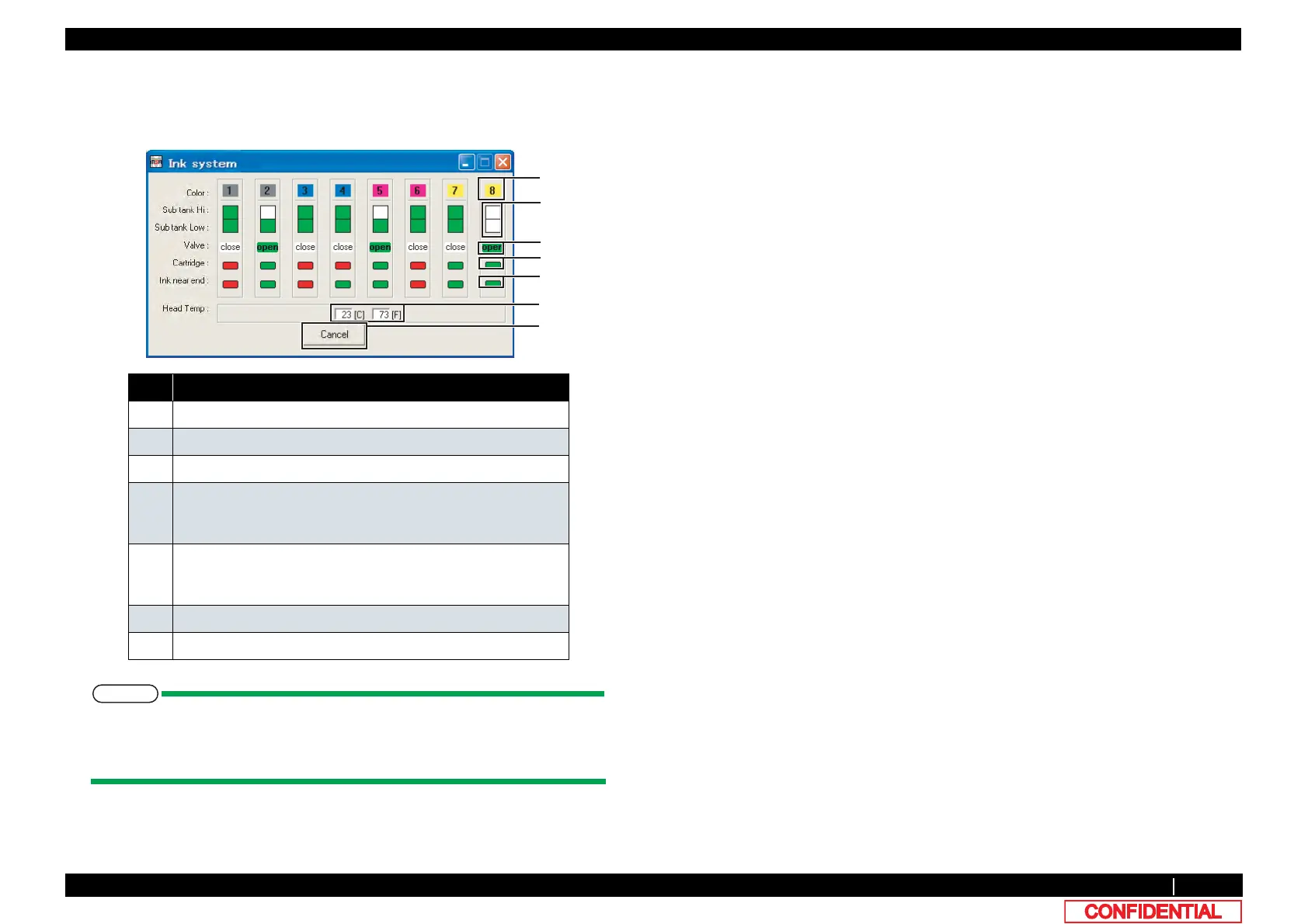
(1) Ink System Monitoring
Click [Ink system monitor] on [Remote panel] to indicate the condition of connected printer ink
system.
Grayed out when some sensors are malfunctioning and their monitoring information
is invalid.
Also grayed out when the function does not apply to the model.
No. Part name
1 Ink color indication
2 Sub tank condition
3 2-way valve condition
4 Condition of cartridge
Green: Cartridge exists
Red : No Cartridges
5 Display the existence of Smart chip card.
Green: Normal
Red : Ink near End
6 Head Temperature (C = Celsius, F = Fahrenheit)
7 Cancel monitoring















 To Next Page