[Enter]
[Enter]
㹁㹦㹣㹡㹩ࠉ㸱㸸㸿㹢㹨㹳㹱㹲㹫㹣㹬㹲
[Enter]
㸿㹢㹨㹳㹱㹲㹫㹣㹬㹲ࠉ㹎㹰㹧㹬㹲
㸿㹢㹨㸬ࠉ㸲㸸㹆㹣㹟㹢㹑㹪㹟㹬㹲
㹆㹣㹟㹢㹑㹪㹟㹬㹲㸸㹑㹪㹟㹬㹲㸯
20mm
after printing
Origin side
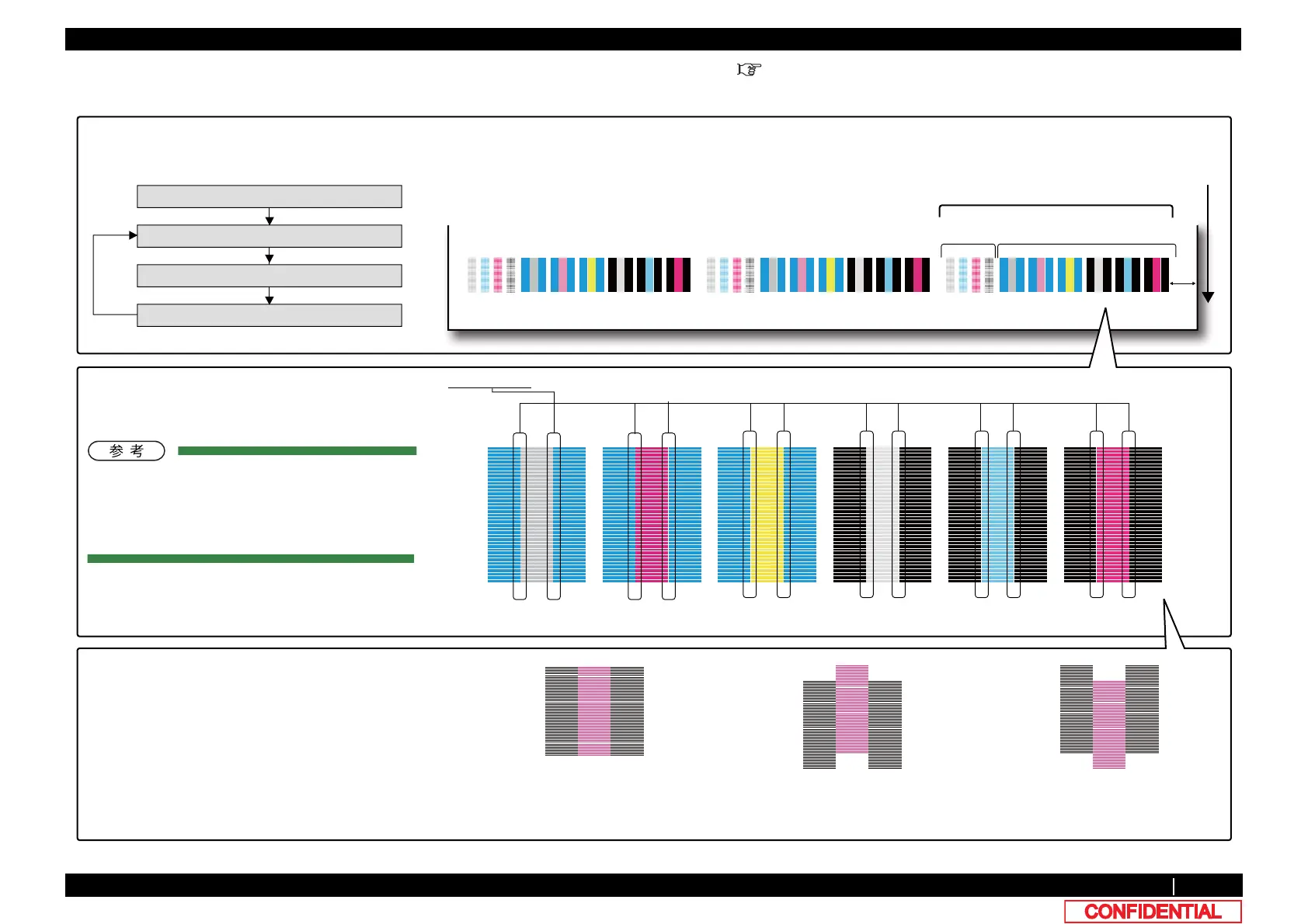
Print the Adjustment pattern
for checking Horizontal slant
for checking Vertical slant
Check Head slant1 (Horizontal)
According to the width of media,
following adjustment pattern is printed on three
places or less.
Paper feed direction
Check the Slant 1 (Horizontal) at Connecting points㸦Refer to the following and an enlargement.㸧
Nozzle
(1)Check the position of Black and each color
In good, No need for adjustments.
In poor, it adjust respectively and be set to
good.
Refer to the Step 5or later.
(2) Repeat printing and adjustment until a result
becomes good.
connecting point enlargement : nozzle A and C
1 passࠉUni-D/Bi-D
PF:360dpiࠉCR:360dpi
for checking horizontal slant:
ࠉIn combination with A/C, A/E, A/G, B/D, B/F and B/H print the
pattern. (CW printing)
ࠉ320cps,VSD1,Small dot
good poor poor
BࠉࠉHࠉࠉBࠉࠉBࠉࠉFࠉࠉBࠉࠉBࠉࠉDࠉࠉBࠉࠉAࠉࠉGࠉࠉAࠉࠉAࠉࠉEࠉࠉAࠉࠉAࠉࠉCࠉࠉA


 To Next Page
 Loading...











