2.3 Troubleshooting Without Error Messages VJ628XE-M-00
2.3.4 Noise Problems 52
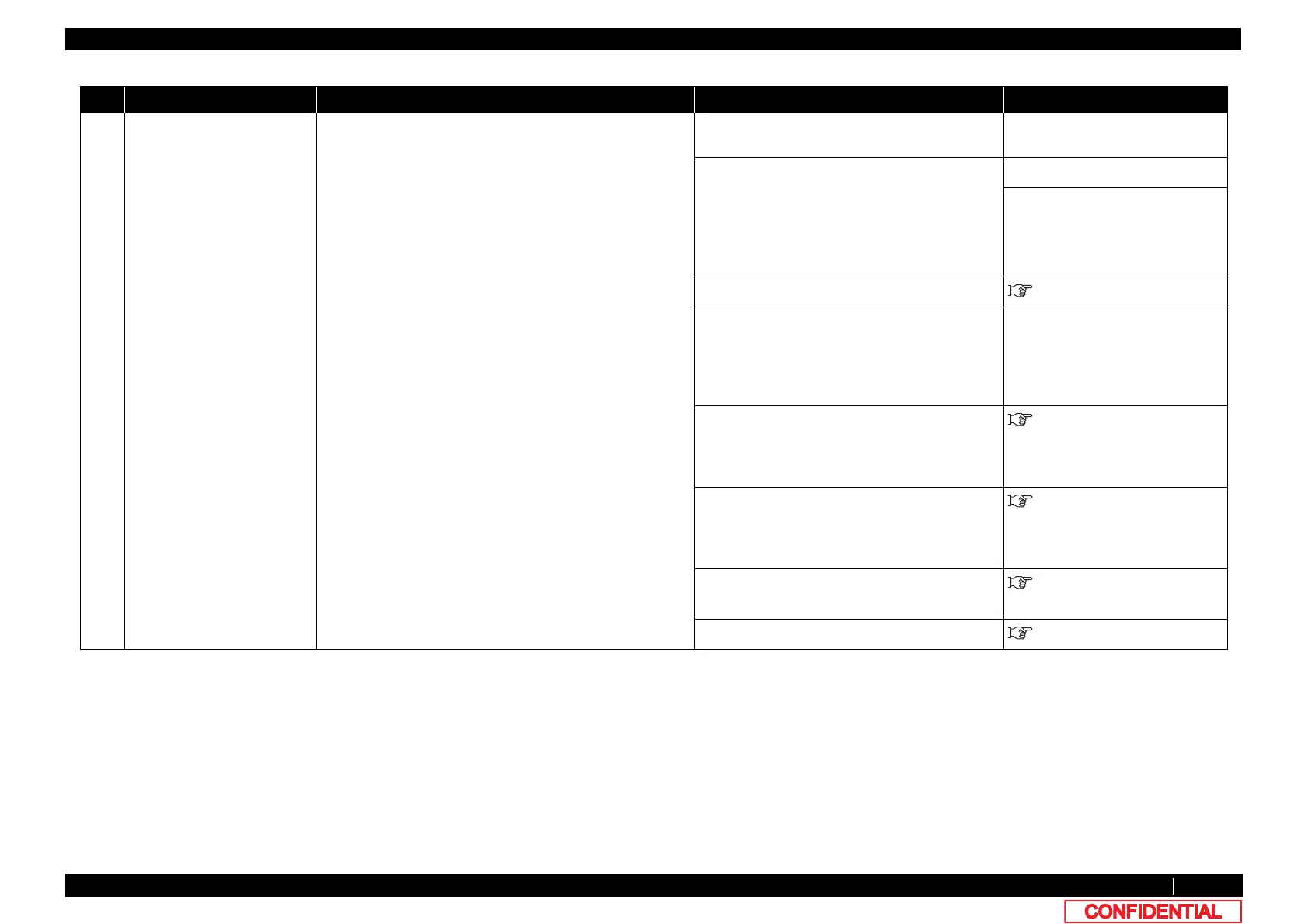
3 Abnormal noise is heard while
Head is moving laterally
1. Is the noise the sound generated by ink discharging
during printing?
Explain the specifications.
-
2. Is the traveling surface of Cursor rail roller dirty? • Clean Cursor rail roller with a dry cloth.
• Remove any foreign substances on
Carriage bearing and Roller guide.
• When cleaning Roller guide, make sure to
camp a cloth with Sumigrease spray to
apply to the surface of Roller guide.
-
3. Does Bearing have any foreign substances on it?
-
4. Is the cause of the noise loose screw(s) on a cover? Retighten the screw(s).
3.2 Removing Covers
5. Does Carriage portion make clattery noise when moved
from side to side?
• Remove any foreign substances on
Carriage bearing and Roller guide.
• When cleaning Roller guide, make sure to
camp a cloth with Sumigrease spray to
apply to the surface of Roller guide.
-
6. Is CR_FFC making noise? • Straighten and fix it.
• If the noise is coming from between Steel
bearer and Tube guide, replace Tube
guide.
3.2 Removing Covers
7. Is the cable connected to CR board on Carriage
touching CR board cover?
• If it is touching, adjust the mounting
position of the relevant part.
• If the situation is not improved after
adjustment, replace the relevant part.
3.9.3 Replacing CR FFC
8. Is the noise coming from Bearing of CR following
movement pulley?
Replace CR following movement pulley.
3.6.11 Replacing CR Return
Pulley Assy
9. Is the noise coming from CR motor? Replace CR motor.
"3.6.1Replacing CR Motor
Table 2-9 Symptoms, Check Items, and Actions for Noise Problems(Continued)
No. Symptom Check item Action Reference















 To Next Page