MLD
631
Managed Switches
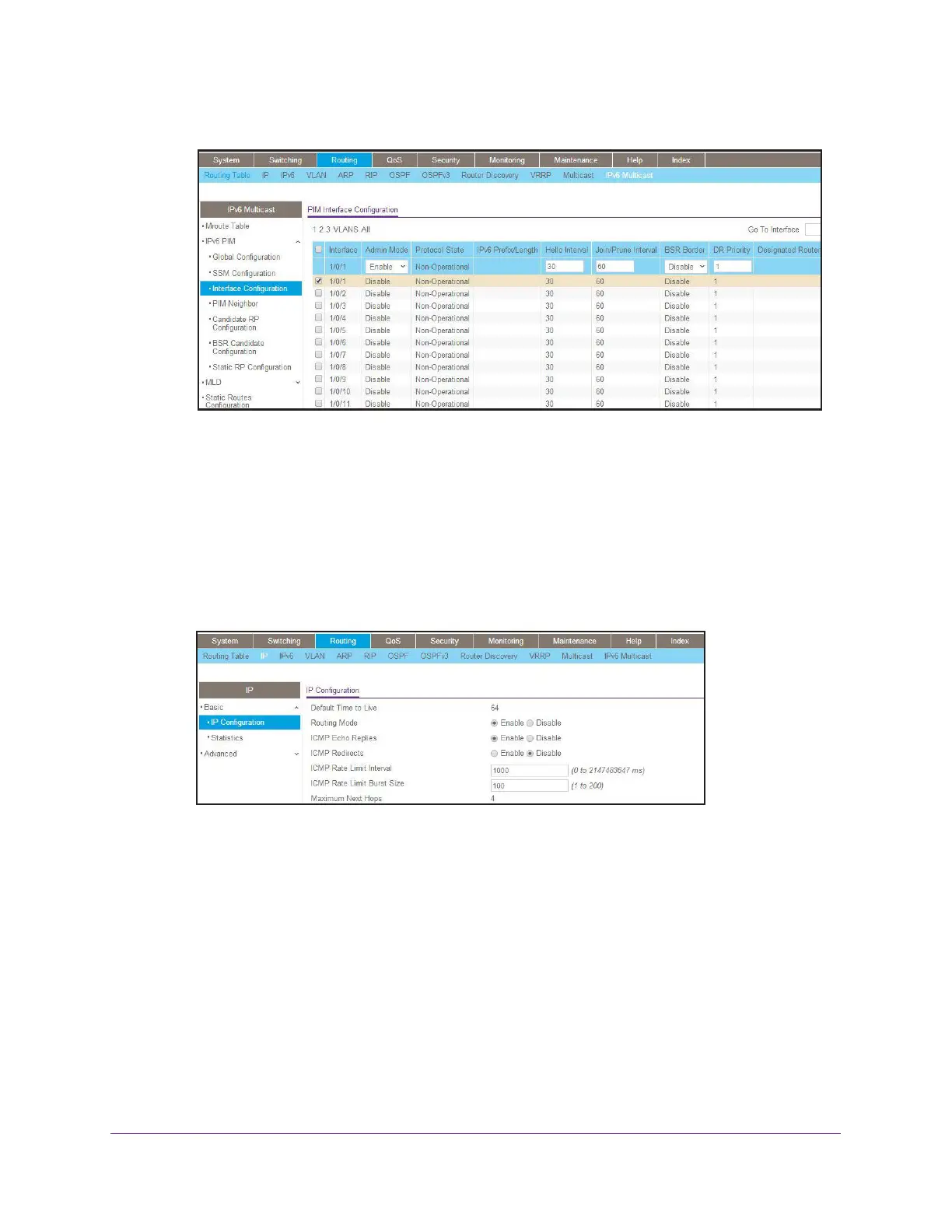
A screen similar to the following displays.
b. Scroll down and select the Interface 1/0/1 and 1/0/13 check boxes.
c. In the Admin Mode field, select Enable.
d. Click Apply to save the settings.
MLD on Switch B
1. Enable IP routing on the switch.
a. Select Routing > IP > Basic > IP Configuration.
A screen similar to the following displays.
b. For Routing Mode, select the Enable radio button.
c. Click Apply.
2. Enable IPv6 unicast routing on the switch.
a. Select Routing > IPv6 > Basic > Global Configuration.




 To Next Page