Chapter 6—Configuring and Managing Partitions Creating a Storage Partition
August 2017 User Guide—Spectra T50e Library
174
Assign a Global Spare Drive
UsethefollowingstepstoconfigureoneormoreGlobalSparedrivesfor
thepartition.SeeGlobalSpareDrivesonpage158forinformationabout
configuringGlobalSpares.
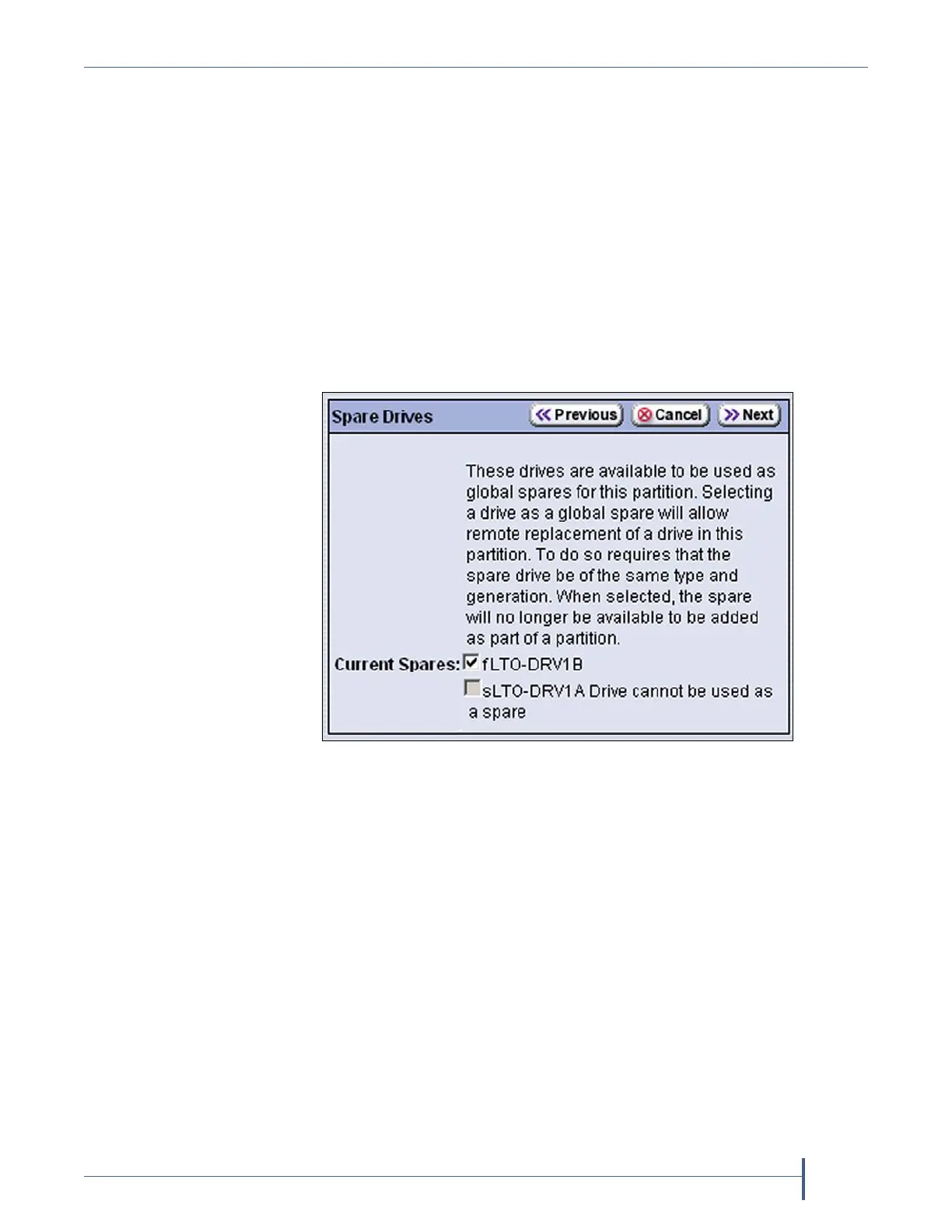
1. FromtheExporterscreen,clickNext.TheSpareDrivesscreenliststhe
drivesthatareavailableforuseasGlobalSpares.
Ifyoudonotwanttoconfiguresparedrivesorifthescreenindicates
thatnodrivesareavailableforuseasaspare,clickNextagainandskip
toAllocateSlotsandDrivesonpage175.
2. Selectoneoftheavailabledrivestobedesignatedasaspare.Thecheck
boxesfordrivesthatcannotbeusedassparesaregrayedout.
Figure 112 Select the drive you want to use as a Global
Spare.



 To Next Page