Chapter 13—Drive Troubleshooting Using a Global Spare Drive
August 2017 User Guide—Spectra T50e Library
405
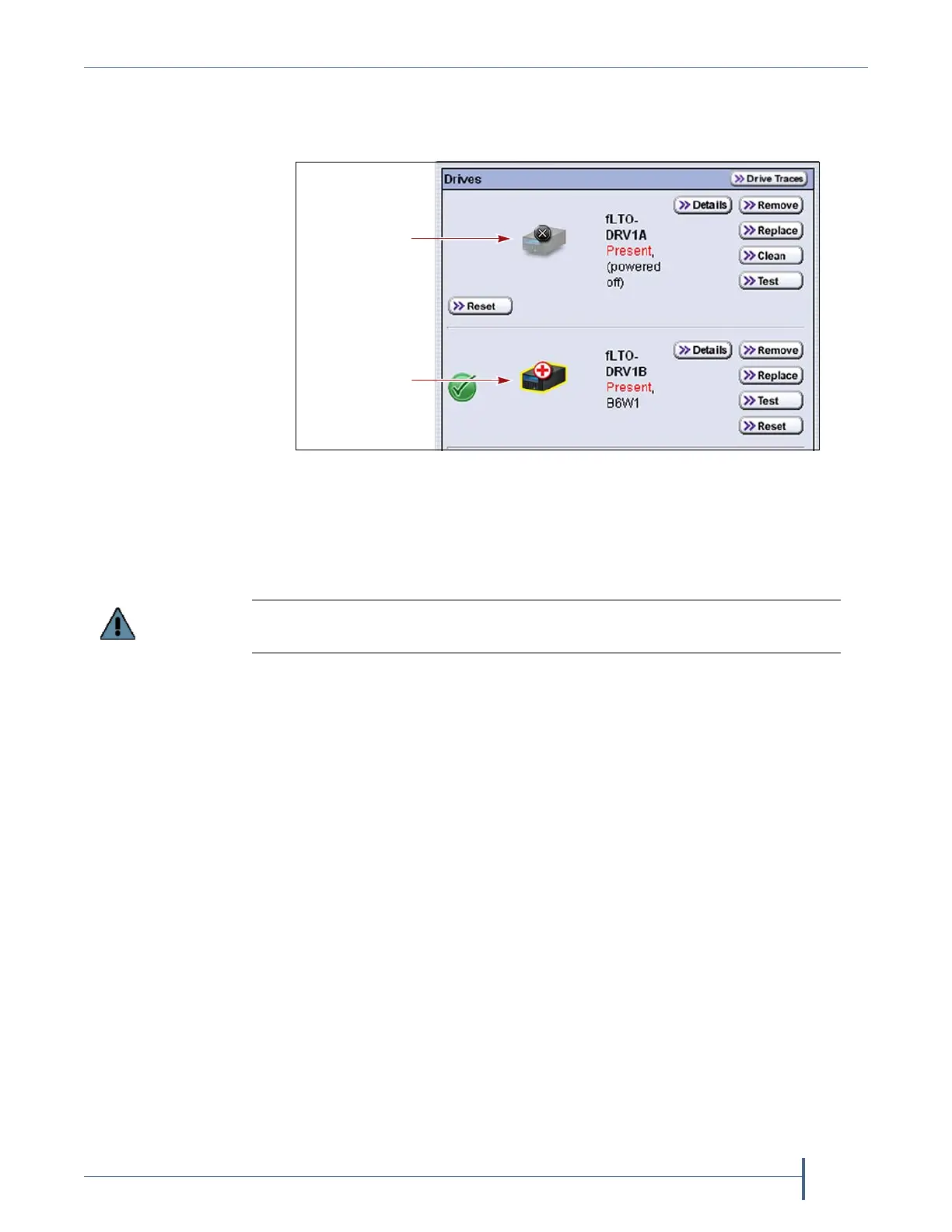
7. Ifdesired,click MENU > Configuration > DLMtoviewtheDrives
screen.Thedriveiconsonthescreenchangetoindicatethefaileddrive
andtheGlobalSparethatreplacedit.
8. Ifnecessary,useyourstoragemanagementsoftwaretobringtheGlobal
Sparedrivethatreplacedthefaileddriveonline.Refertoyourstorage
managementsoftwaredocumentationforinstructions.
Note: IfyourstoragemanagementsoftwarecannotaccesstheGlobal
Sparedrive,confirmthatthedriveisproperlyconnectedtothe
sameSANasthefaileddrive.Youmayalsoneedtoreconfigure
theFibreChannelswitch.
Undo the Global Spare Drive
Afteryouphysicallyreplacethefaileddrive(seeReplaceaDriveon
page459),usethefollowingstepstobeginusingthereplacementdriveand
returntheGlobalSparetothepoolofavailablesparedrives.
1. Logintothelibraryasauserwithsuperuseroradministrator
privileges.
2. Physicallyreplacethefaileddrivewith thenewdrivethatyoureceived
fromSpectraLogic(see
ReplaceaDriveonpage459).
Figure 275 Check the Drives screen to confirm that the failed drive
was replaced by a Global Spare drive.
Failed drive
Global Spare
replacing
failed drive
Replace the failed drive as soon as possible and reconfigure the spare drive to
return it to a Global Spare configuration.



 To Next Page