Chapter 5—Operating the Library Controlling the Library Power
August 2017 User Guide—Spectra T50e Library
135
CONTROLLING THE LIBRARY POWER
Thelibrarypoweriscontrolledusingthefrontpanelpowerbutton.
Power On the Library
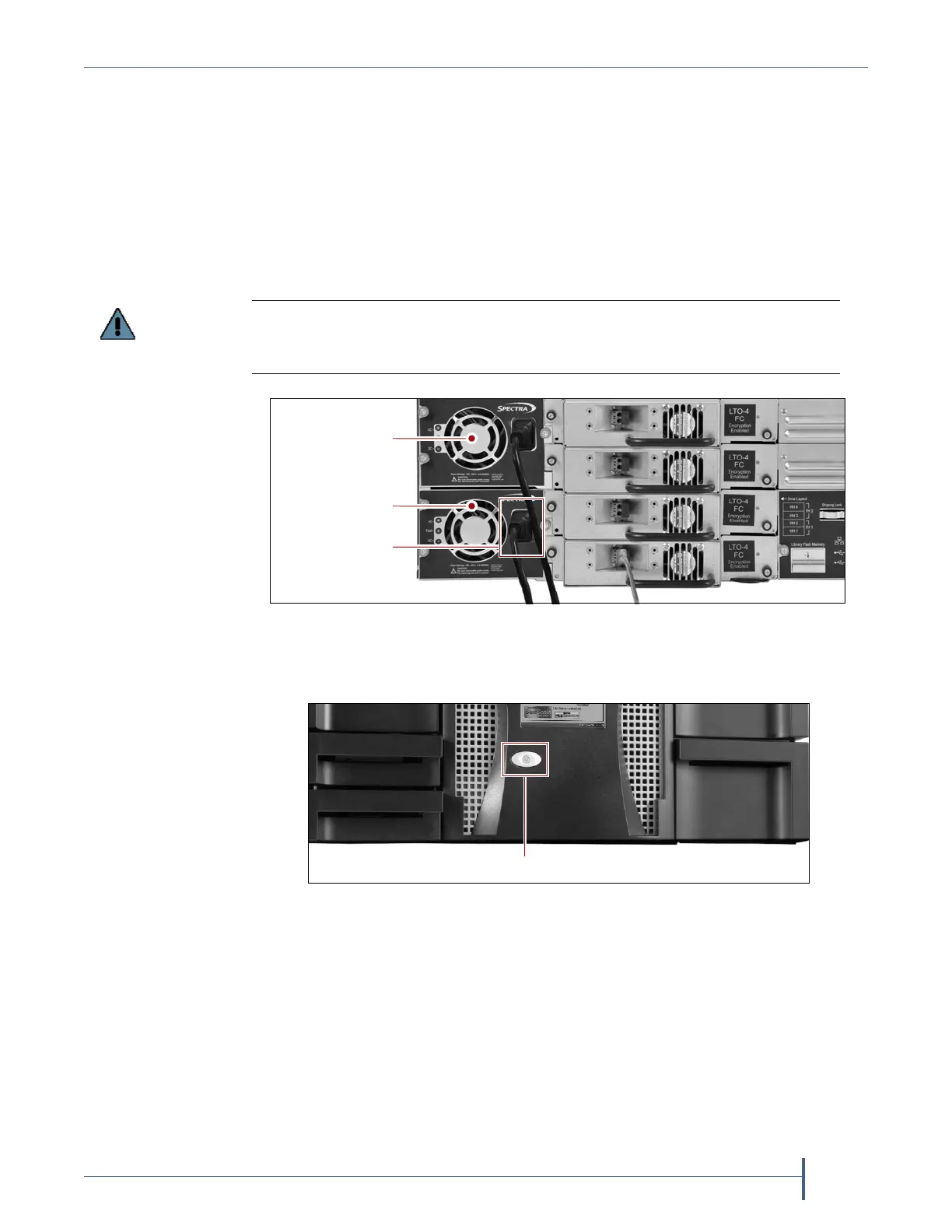
1. Makesurethatoneorbothofthelibrary’spowercablesareplugged
intoACoutlets.Makesurethatthecordisfullyseatedintheconnector.
2. Pressandholdthefrontpanelpowerbuttonfortwotothreeseconds
untilthebutton’sLEDilluminates.
3. Waitwhilethelibrarycompletesitspower‐onsequence,whichtakes six
tonineminutes,dependingonthelibraryconfiguration.Afterthe
librarycompletesitspower‐onsequence,theLibraryInitialization
screendisplays(seeFigure28onpage64).Thisscreenliststherequired
initializationstepsandcurrentstatusofthelibrary’smajorcomponents
(Robotics,RCM,andLCM).Textboxesprovidedescriptionsaboutthe
currentlyactivetasks.
Note: IfyourlibraryhasastaticIPaddress,youcanaccessthelibrary
usingtheremotelibrarycontroller(RLC)assoonastheLibrary
Initializationscreendisplays.
For redundant AC power configurations, connect each input to a separate branch
circuit, which allows for failover in the event of a power failure in one of the circuits
(see
Power Specifications on page 493 for additional requirements).
Figure 82 Connect the AC power cords (redundant power supply shown).
Figure 83 Press and hold the front panel power button.
AC power cord
Redundant
power supply
Primary
power supply



 To Next Page