Chapter 14—Maintaining the Library Updating the BlueScale Software and Library Firmware
August 2017 User Guide—Spectra T50e Library
416
Check the Library BlueScale Software Version
UsethefollowingstepstodeterminetheBlueScalesoftwareversion
currentlyrunningonthelibrary.
1. Logintothelibraryasauserwithsuperuseroradministrator
privileges.
2. DeterminetheBlueScalesoftwareversioncurrentlyrunningonthe
library.
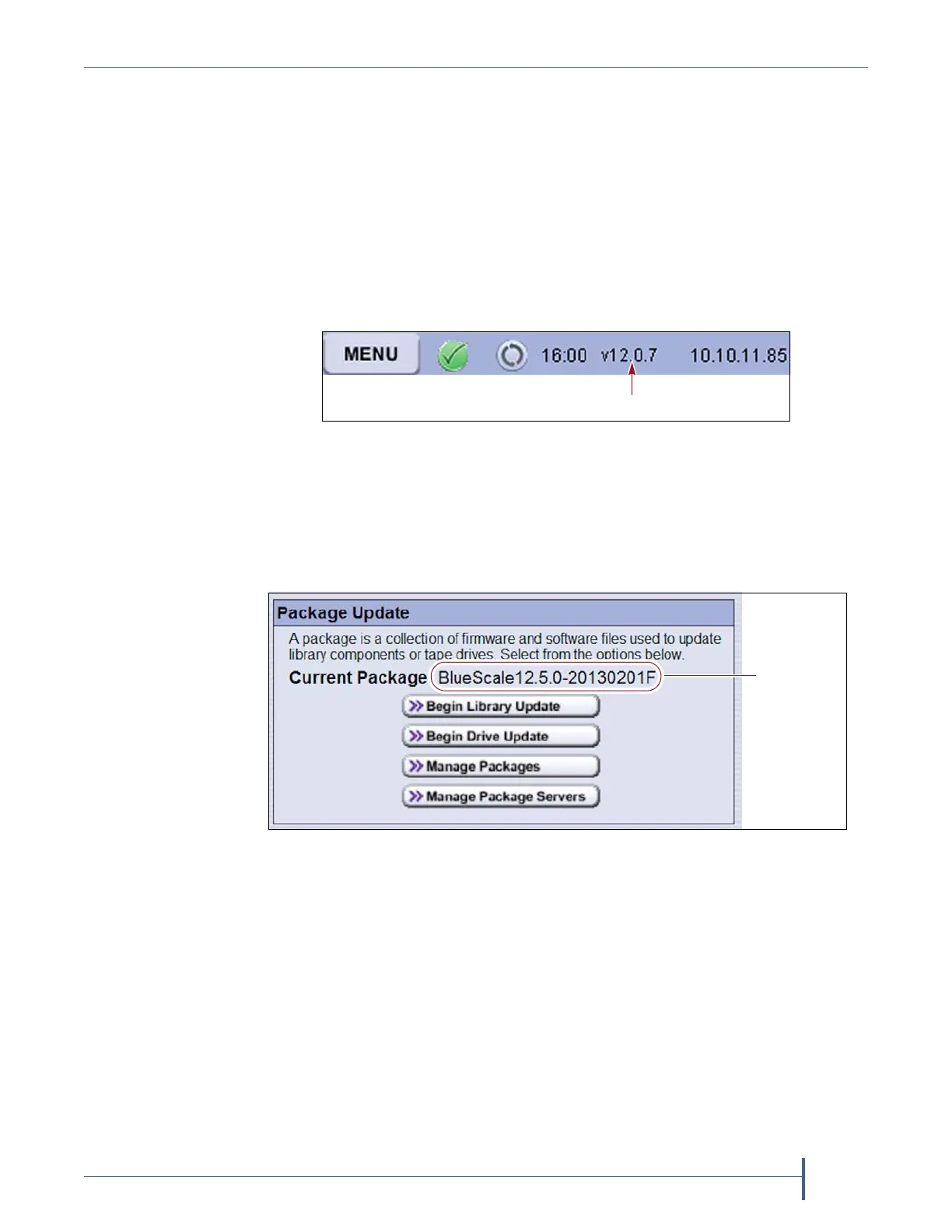
ThestatusbaratthebottomofeachBlueScalescreenshowsthe
BlueScaleversionrunningonthelibrary.
—OR—
ClickMENU,thenselectMaintenance > Package Updatetoviewthe
fullversionnumberforthecurrentpackageonthePackageUpdate
screen.
Check Component Firmware Versions (Optional)
Note: ThisprocedureisnotnecessaryunlessrecommendedbySpectra
LogicTechnicalSupport.
1. Logintothelibraryasauserwithsuperuseroradministratorprivileges.
Figure 285 Locate the BlueScale software version on the
status bar.
Figure 286 The BlueScale version shown on the Package Update screen.



 To Next Page