Chapter 14—Maintaining the Library Removing a Capacity Expansion Slot
August 2017 User Guide—Spectra T50e Library
435
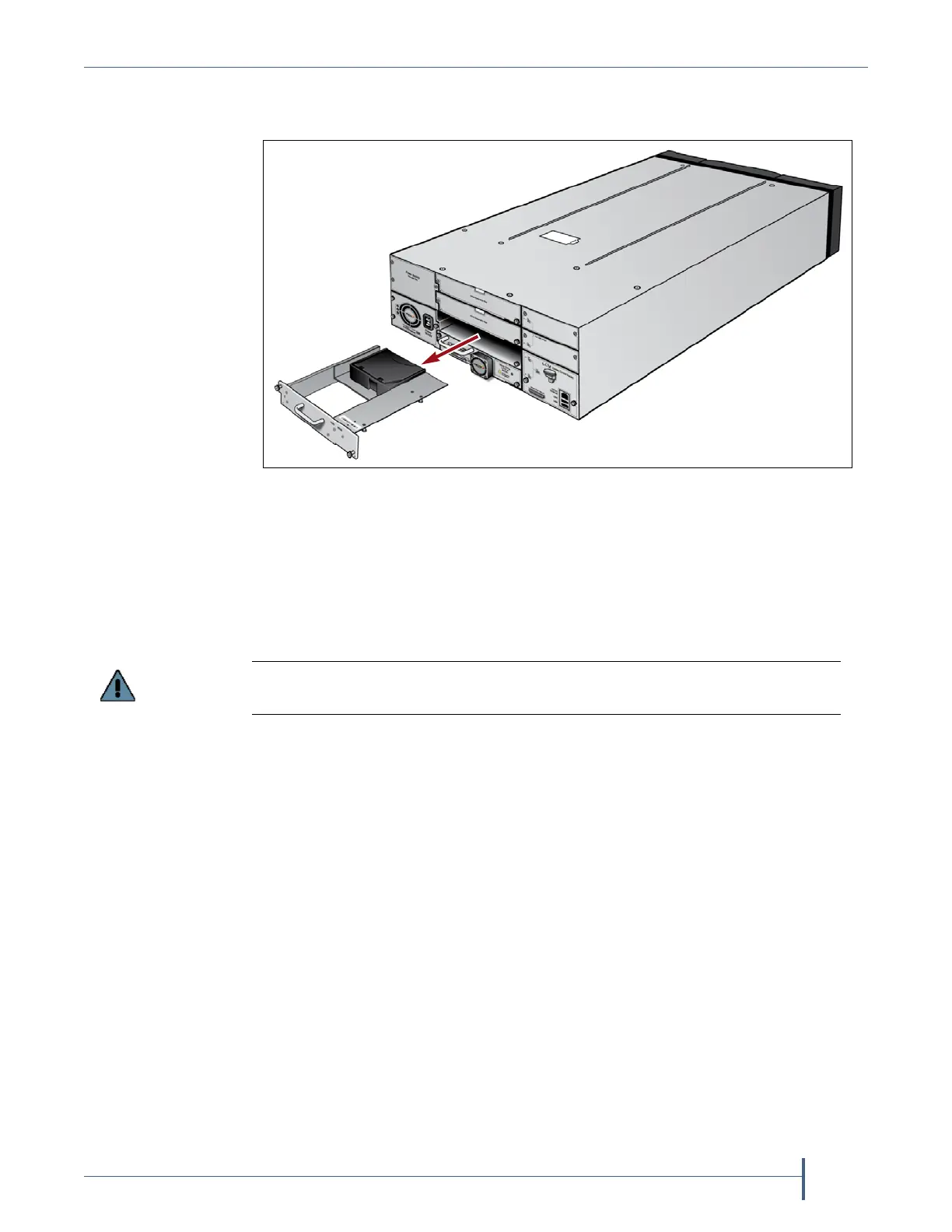
4. Slidethecapacityexpansionslotstraightoutofthelibraryandplaceit
initsoriginalpackaging.
5. Installahalf‐heightdriveinthelocationpreviouslyoccupiedbythe
capacityexpansionslot(seeInstallingtheTapeDrivesonpage52).
—OR—
Replacethedrivebaycoverthatyouremovedwhenyouinitially
installedthecapacityexpansionslot(seeFigure23onpage61).
6. Powerthelibraryon(pressandholdthefrontpanelpowerbuttonfor
twotothreesecondsoruntilthebutton’sLEDilluminates).Waitwhile
thelibrarycompletesitspower‐onsequence,whichtakessixtoseven
minutes,dependingonthelibraryconfiguration.Duringthepower‐on
sequence,thelibraryinitializesallofitsinstalledcomponentsand
performsinventory.
Figure 302 Removing a capacity expansion slot.
Do not leave any openings uncovered. All openings must be covered for safety and
for proper library cooling.



 To Next Page