Chapter 11—Configuring and Using AutoSupport Configuring AutoSupport
August 2017 User Guide—Spectra T50e Library
330
Configure AutoSupport Profiles
Usethefollowingstepstocreateormodifyaprofileforeachperson
assignedtoworkwithSpectraLogicTechnicalSupporttotroubleshoot
problemswiththelibraryordrives.
1. Logintothelibraryasauserwithsuperuseroradministrator
privileges.
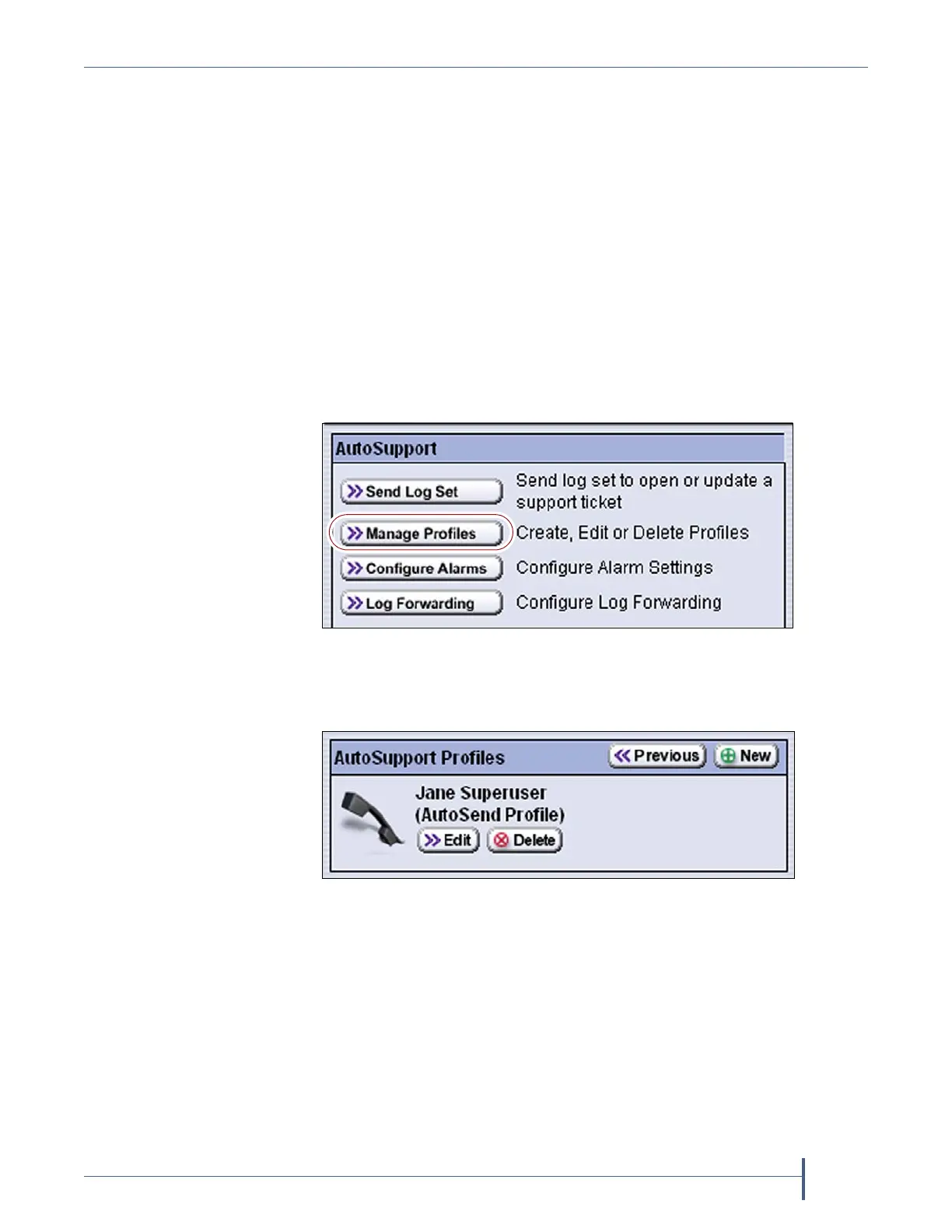
2. ClickMENU,thenselectMaintenance > AutoSupport.TheAutoSupport
screendisplays.
Notes: IfyouhavenotyetconfiguredanAutoSupportprofile,the
Send Log Setbuttonisgrayedout.
IfyouhavenotconfiguredaprofileforAutoSend,the
Configure Alarmsbuttonisgrayedout.
3. ClickManage Profiles.TheAutoSupportProfilesscreendisplays.
Figure 221 Click Manage Profiles to create, modify, or
delete an AutoSupport profile.
Figure 222 Use the AutoSupport Profiles screen to manage
profiles.



 To Next Page