Chapter 10—Encryption and Key Management BlueScale Key Management
August 2017 User Guide—Spectra T50e Library
310
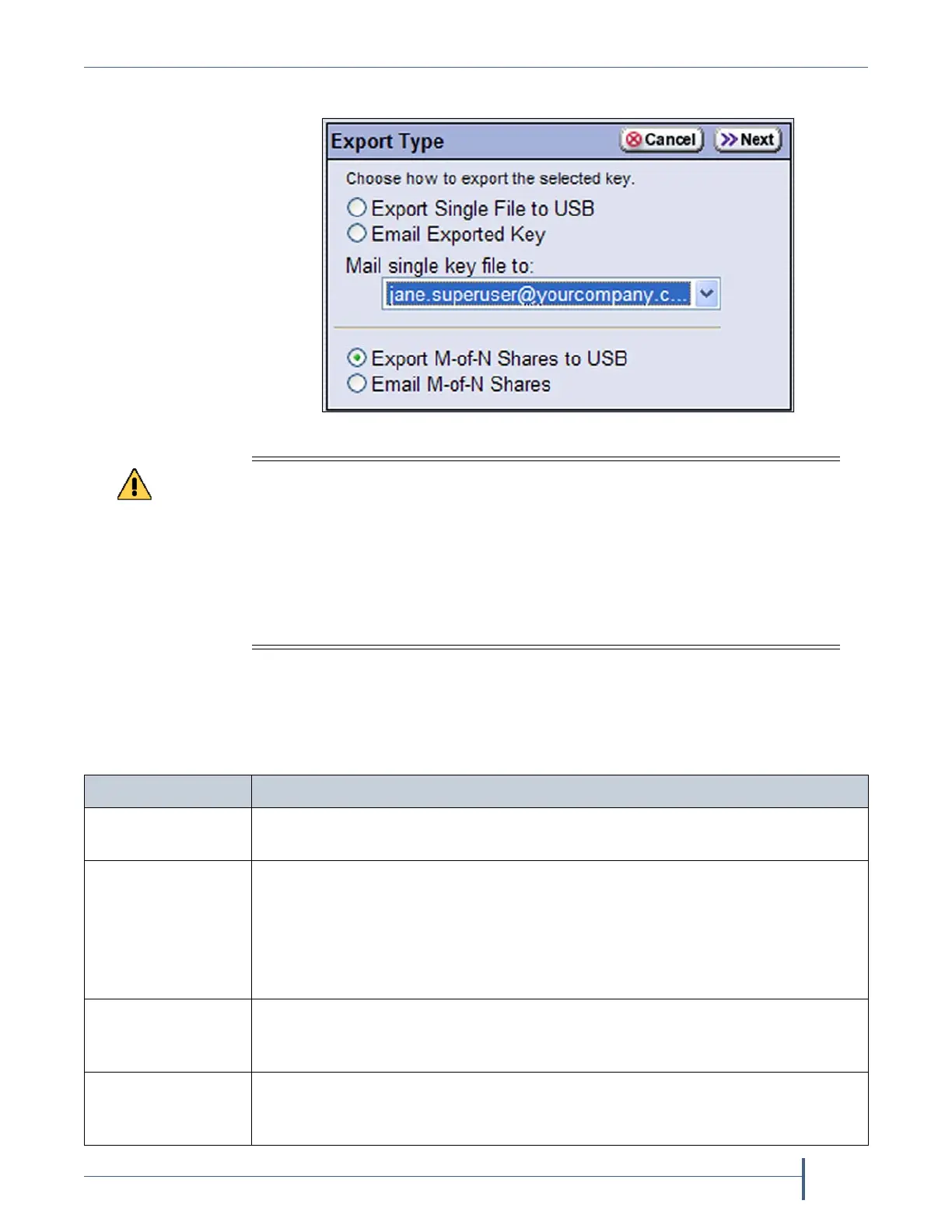
4. OntheExportTypescreen,selectthedesiredexportoption.
Note: TheoptionstoexportM‐of‐Nsharesareonlyavailablewith
BlueScaleEncryptionProfessionalEdition.SeeExportasM‐of‐N
Sharesonpage308fordetailedinformationaboutusingthese
options.
Figure 203 Choose the method for exporting the key.
As a matter of best practice, Spectra Logic recommends exporting encryption keys
to a USB device instead of using email.
Although emailing encryption keys is supported by the library, using email
presents security issues, including the following:
Copies of encryption keys may be left on the email servers used for sending and
receiving email and are thus subject to compromise.
The difficulty in verifying where all the copies of emailed encryption keys may
be located can make security audits more challenging.
Select.... To...
Export Single File
to USB
SavetheexportedencryptionkeytotheUSBdeviceconnectedtotheLCM.
Email Exported Key Sendtheencryptionkeyasanemailattachmenttoapreviouslyconfigured
mailrecipient(see
ConfigureMailUsersonpage104).UsetheMail single key
file to:drop‐downlisttoselectthedesiredrecipient.
Note: Donotusethedefaultautosupport@spectralogic.comemailrecipient.
SpectraLogicdoesnotsaveemailedfilesunlesstheyarespecificallyrequested
fortroubleshooting.
Export M-of-N
Shares to USB
Dividetheexportedkeyintomultipleshares,witheachsharesavedtoa
separateUSBdevice.Whenyouselectthisoption,haveonhandaseparateUSB
deviceforeachshare(N).
Export M-of-N
Shares
Dividetheexportedkeyintomultipleshares,witheachsharesentasanemail
attachmenttoaseparate,previouslyconfiguredmailrecipient(see
Configure
MailUsersonpage104).



 To Next Page