Chapter 10—Encryption and Key Management BlueScale Key Management
August 2017 User Guide—Spectra T50e Library
325
2. ClickMENU,thenselectGeneral > Import/Export.TheImport/Export
screendisplaysshowingtheinformationforthelastpartitionthatwas
viewedoneithertheImport/ExportscreenortheInventoryscreen.
3. Selectthepartitionthatcontainsthecartridgesyouwanttorecycle
fromthedrop‐downlist,thenclickGo.TheImport/Exportscreen
refreshestoshowthecurrentstatusoftheslotsassignedtotheselected
partition.
Note: Ifthelibraryonlyhasonepartitionconfigured,theImport/Export
screenshowsthatpartitionanddoesnotincludeadrop‐downlist.
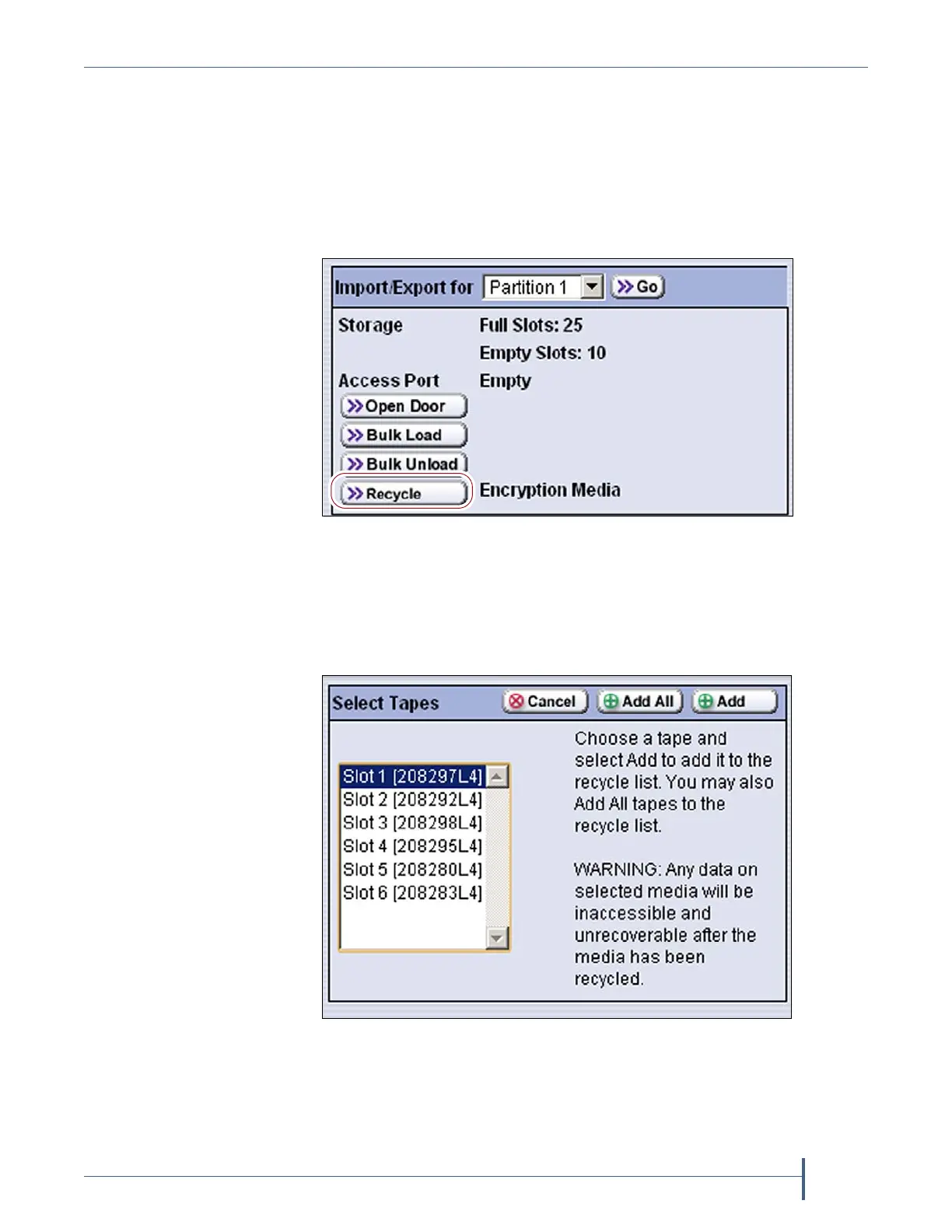
4. ClickRecycle.TheSelectTapesscreendisplaysalistofallofthe
cartridgescurrentlyinthepartition,bothencryptedandunencrypted.
Figure 217 Click Recycle on the Import/Export screen.
Figure 218 Select the first cartridge to recycle.



 To Next Page