Chapter 11—Configuring and Using AutoSupport Configuring AutoSupport
August 2017 User Guide—Spectra T50e Library
333
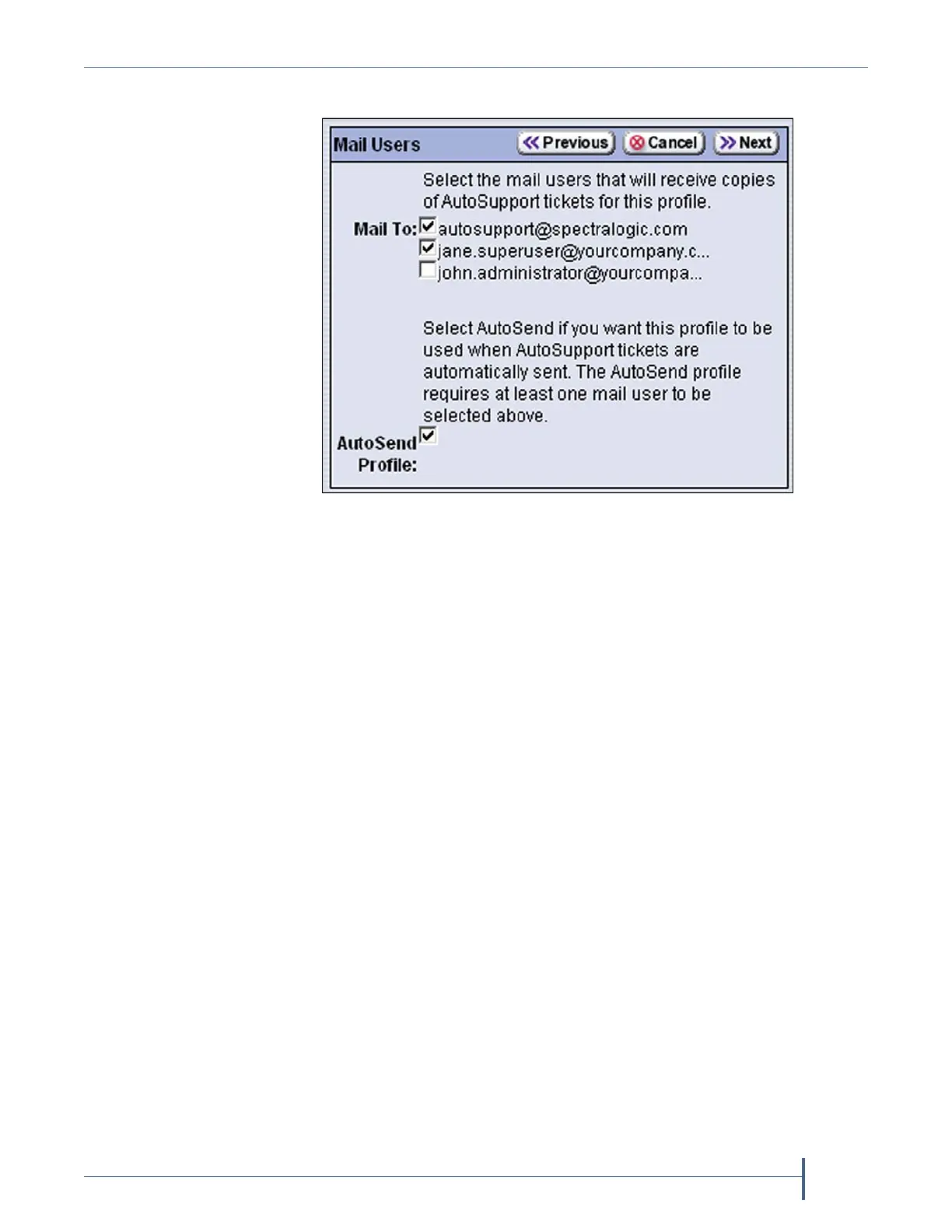
4. ClickNext.TheMailUsersscreendisplays.
Selectthemailuser(s)whomyouwanttoreceivecopiesof
AutoSupportticketsfromtheMail Tochoicespresented.Onlymail
recipientsthatwerepreviouslyconfiguredarelisted(seeConfigure
MailUsersonpage104).
Note: Youmustselectautosupport@spectralogic.comasoneofthe
recipientsifyouwantthelibrarytosendanAutoSupportticket
requesttoSpectraLogicTechnicalSupport.
UsetheAutoSend Profilecheckboxtoconfigurethecurrentprofile
astherecipientforcriticalalarmlogsetsautomaticallysentbythe
library.
Notes: OnlyoneprofilecanbeconfiguredastheAutoSendprofile.
Theprofilecanincludemultiplemailusersasrecipientsfor
theAutoSupportticketsandcriticalalarmlogsets.
ConfiguringoneoftheprofilesastheAutoSendrecipient
enablestheConfigure AlarmsbuttonontheAutoSupport
screen(see
Figure221onpage330).
Figure 226 Select the mail users who are associated with the
profile.



 To Next Page