Chapter 11—Configuring and Using AutoSupport Configuring AutoSupport
August 2017 User Guide—Spectra T50e Library
336
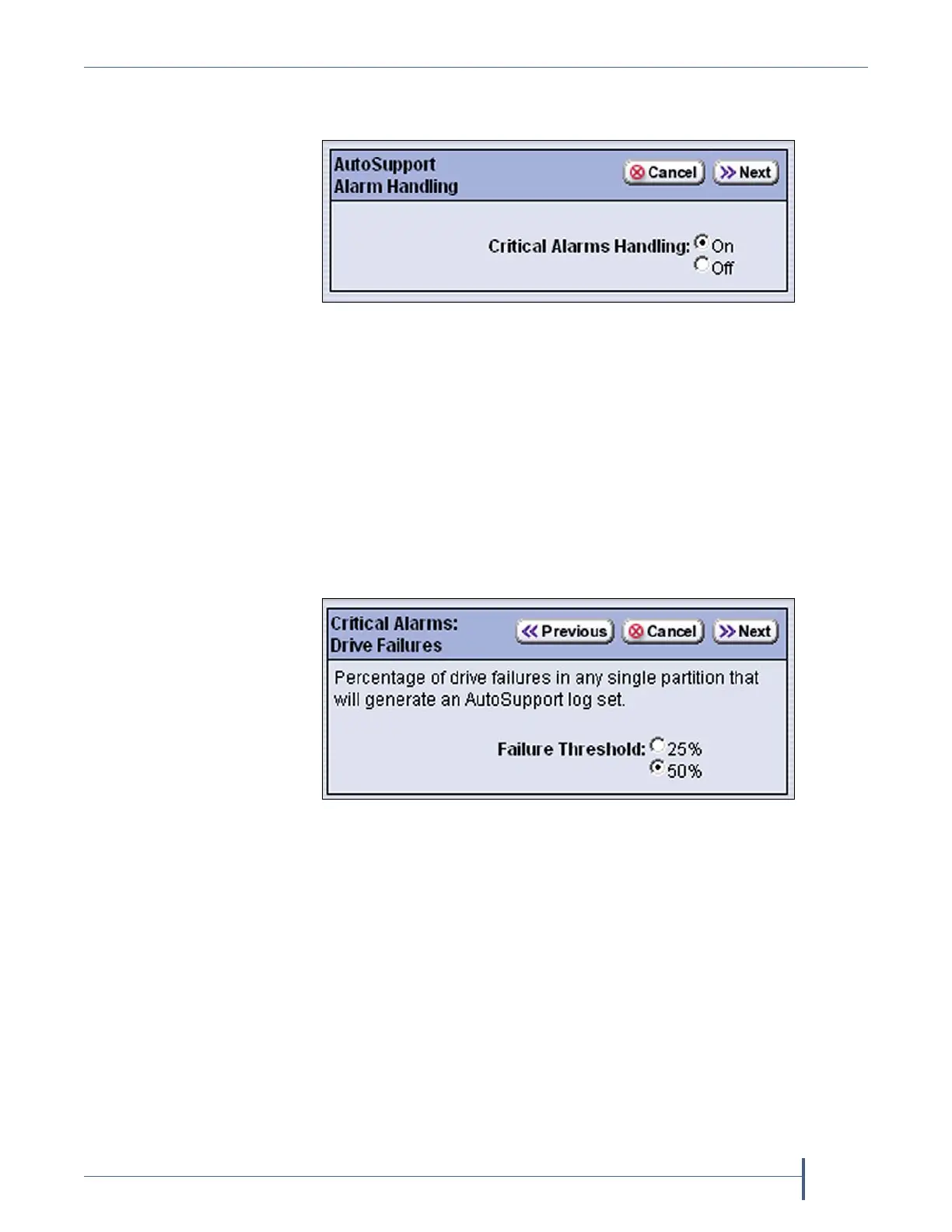
3. ClickConfigure Alarms.TheAutoSupportAlarmHandlingscreen
displays.
4. SelectOntoenableCritical Alarm Handling.Whenenabled,thelibrary
generatesanASLfilewheneveroneofthecriticaleventslistedunder
CriticalAlarmsonpage328occurs.AnyASLfilethatisgeneratedasa
resultofacriticaleventisautomaticallysenttoalloftherecipients
selectedintheAutoSendprofile.
Note: Theautosupport@spectralogic.comaddressmustbeselectedasa
mailrecipientintheAutoSendprofileifyouwantthelibraryto
sendcriticaleventASLfilestoSpectraLogicTechnicalSupport.
5. ClickNext.TheCriticalAlarms:DriveFailuresscreendisplays.
6. Ifdesired,changethesettingfortheFailure Thresholdforfaileddrives
inthelibrary.Thisthresholdistheonlyconfigurablecriticalevent.
Thefailurethresholdisthepercentageofalldrivesinapartitionwhose
failurecausesanAutoSupportticketrequesttobegenerated.Youcan
select25%or50%;thedefaultis50%.Thethresholdappliestoall
partitionsinthelibrary.
Figure 230 Select On for Critical Alarms Handling to enable
the critical alarm handling.
Figure 231 Select the Failure Threshold for the drives in any
single partition.



 To Next Page