CDM-570 Satellite Modem with Optional IP Module Revision 12
Base Modem Web Server Interface MN/CDM570L.IOM
7–16
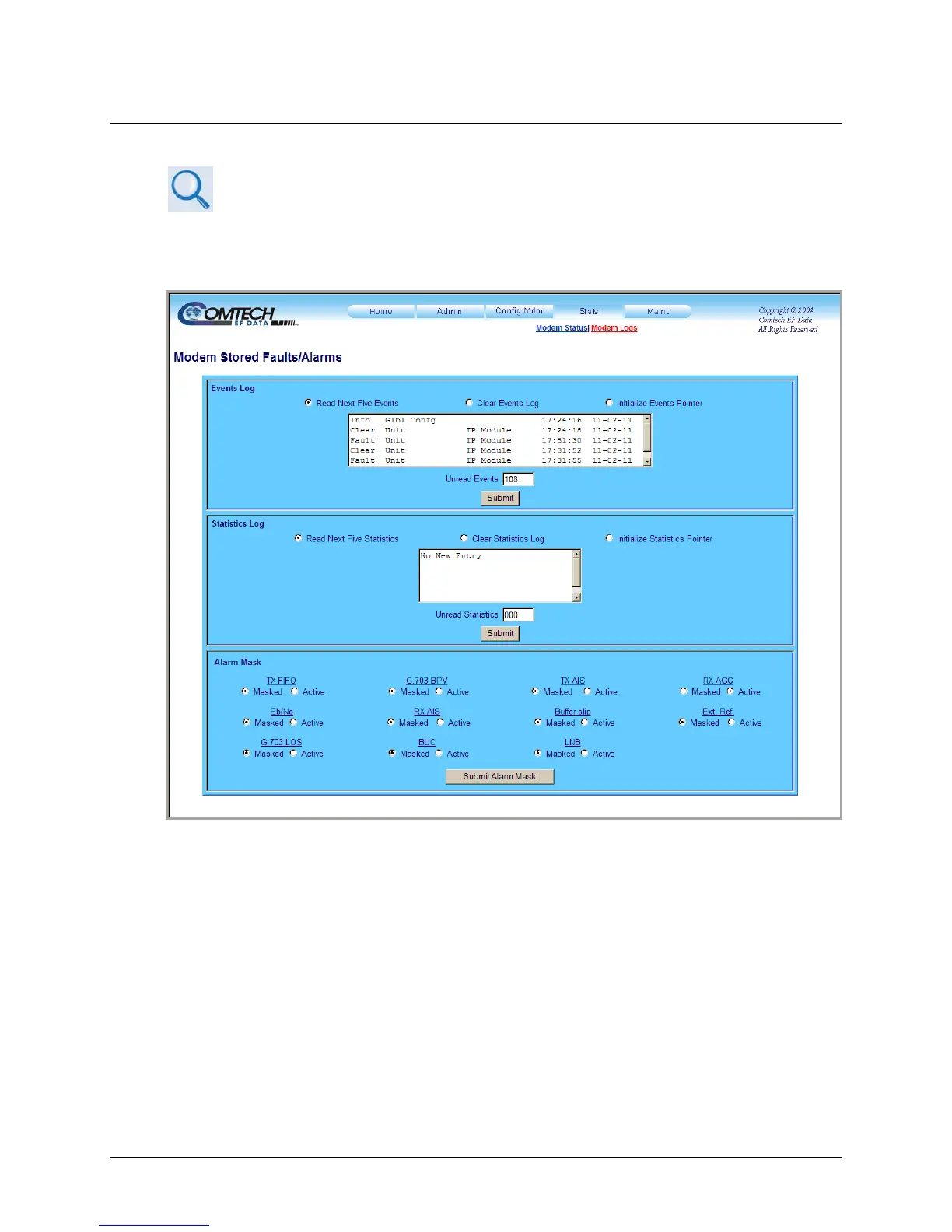
7.3.4.2 Stats | Modem Logs
For details on the configuration parameters available for this page, see Chapter
5. FRONT PANEL OPERATION.
Use this page to control how Events, Stored Statistics, or Alarm Masks are processed and
reported by the unit.
Figure 7-12. Stats | Modem Logs page
Event Log / Statistics Log
The scrollable Unread Events and Unread Statistics windows for these sections provide read-
only counters of available unread information, as tallied since the last time the associated log file
was cleared.
Select the desired log action in either section – Read Next Five Events/Statistics, Clear
Events/Statistics, or Initialize Events/Statistics Pointer. Click [Submit] to save.
Alarm Mask
Each available Alarm Mask may be selected as Masked or Active. Select the desired Alarm
Mask action, and then click [Submit Alarm Mask] when done.



 To Next Page