CDM-570/570L Satellite Modem with Optional IP Module Revision 12
Ethernet IP Module - CLI and Telnet Operation MN/CDM570L.IOM
14–67
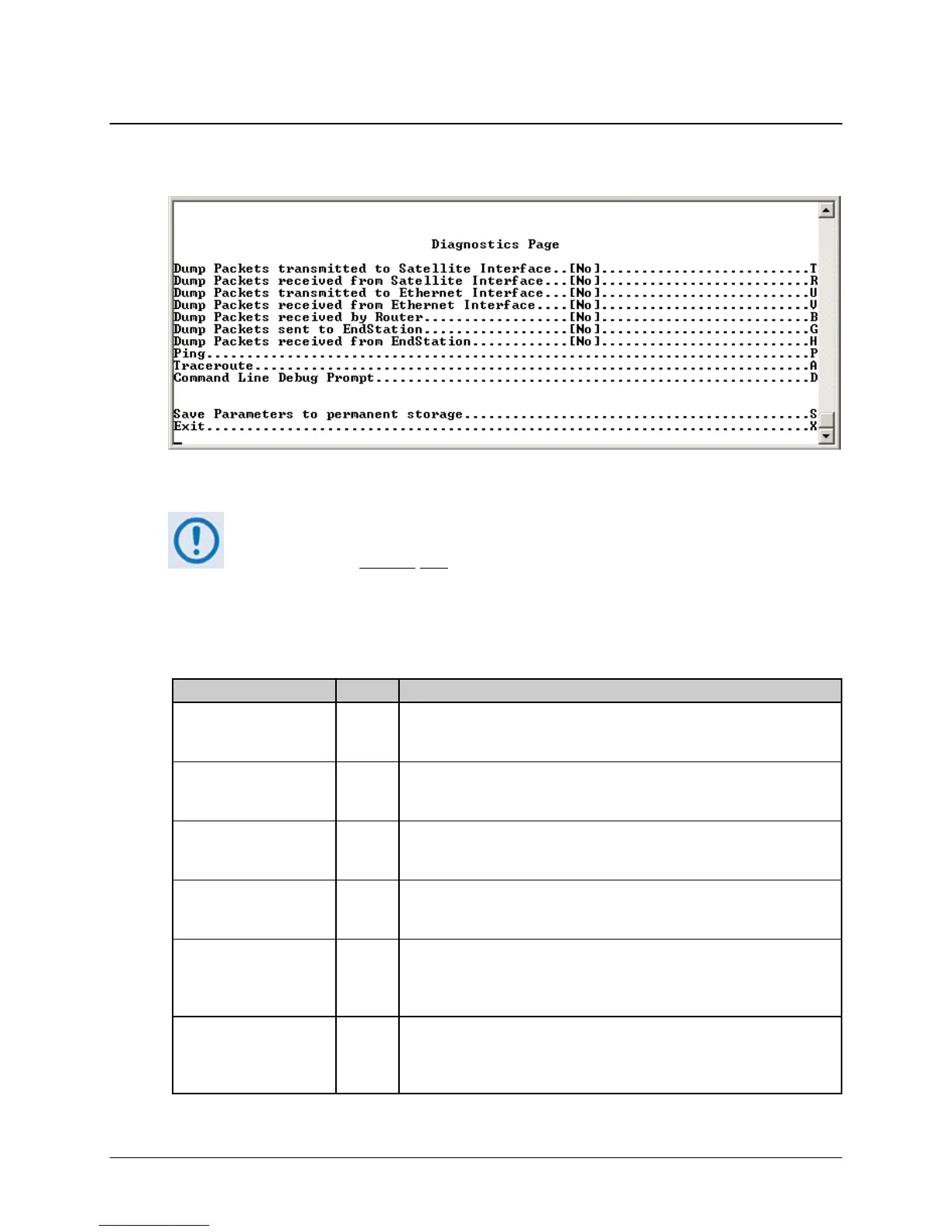
14.2.11.5 Diagnostics Page
Activate the Diagnostics Page from the Operations and Maintenance page.
Figure 14-48. Diagnostics Page
Using Dump Packets Diagnostics Utilities
1. The Dump Packet Utilities will display a hexadecimal representation of each
packet and
should not
be used when the IP Module is on a “live” network.
2. Selecting the menu option a second time terminates the dump operation.
Each selection toggles the value of the dump engine.
The Diagnostics Page contains the following options/fields:
Selection Entry Description
Dump Packets transmitted
to Satellite Interface
T Toggle [Yes] or [No].
Forces the IP Module to dump a hexadecimal representation of each packet
transmitted over the Satellite Interface.
Dump Packets received
from Satellite Interface
R Toggle [Yes] or [No].
Forces the IP Module to dump a hexadecimal representation of each packet
received from the Satellite Interface.
Dump Packets transmitted
to Ethernet Interface
U Toggle [Yes] or [No].
Forces the IP Module to dump a hexadecimal representation of each packet
transmitted to the Ethernet Interface.
Dump Packets received
from Ethernet Interface
V Toggle [Yes] or [No].
Forces the IP Module to dump a hexadecimal representation of each packet
received from the Ethernet Interface.
Dump Packets received
by Router
B Toggle [Yes] or [No].
Forces the IP Module to dump a hexadecimal representation of each packet
received by the routing engine.
Note: Does not apply when in Managed Switch Mode.
Dump Packets sent to
EndStation
G Toggle [Yes] or [No].
Forces the IP Module to dump a hexadecimal representation of each packet
received by and destined for this modem. This traffic includes Pings, SNMP,
Telnet, HTTP, and FTP traffic types.



 To Next Page