CDM-570/570L Satellite Modem with Optional IP Module Revision 12
Appendix K MN/CDM570L.IOM
K–22
For each detailed status display, the available status indications are as follows:
Summary Status Designates
OK OK – No Fault
FT Fault
NA Not Applicable
Typical for all nested screens, press ENTER or CLEAR to return to the ODU: Enable Æ Status
submenu.
K.4 ODU Operations via the CDM-570 Base Modem HTTP Interface
K.4.1 ODU-Accessible Base Modem HTTP Interface – Overview
The CDM-570 Satellite Modem’s embedded HTTP application provides an easy to
use interface to configure and monitor all aspects of the CSAT-5060 or
KST12000A/B Transceivers (ODUs). For a complete overview of the features for
this interface, see Chapter 7. BASE MODEM HTTP INTERFACE.
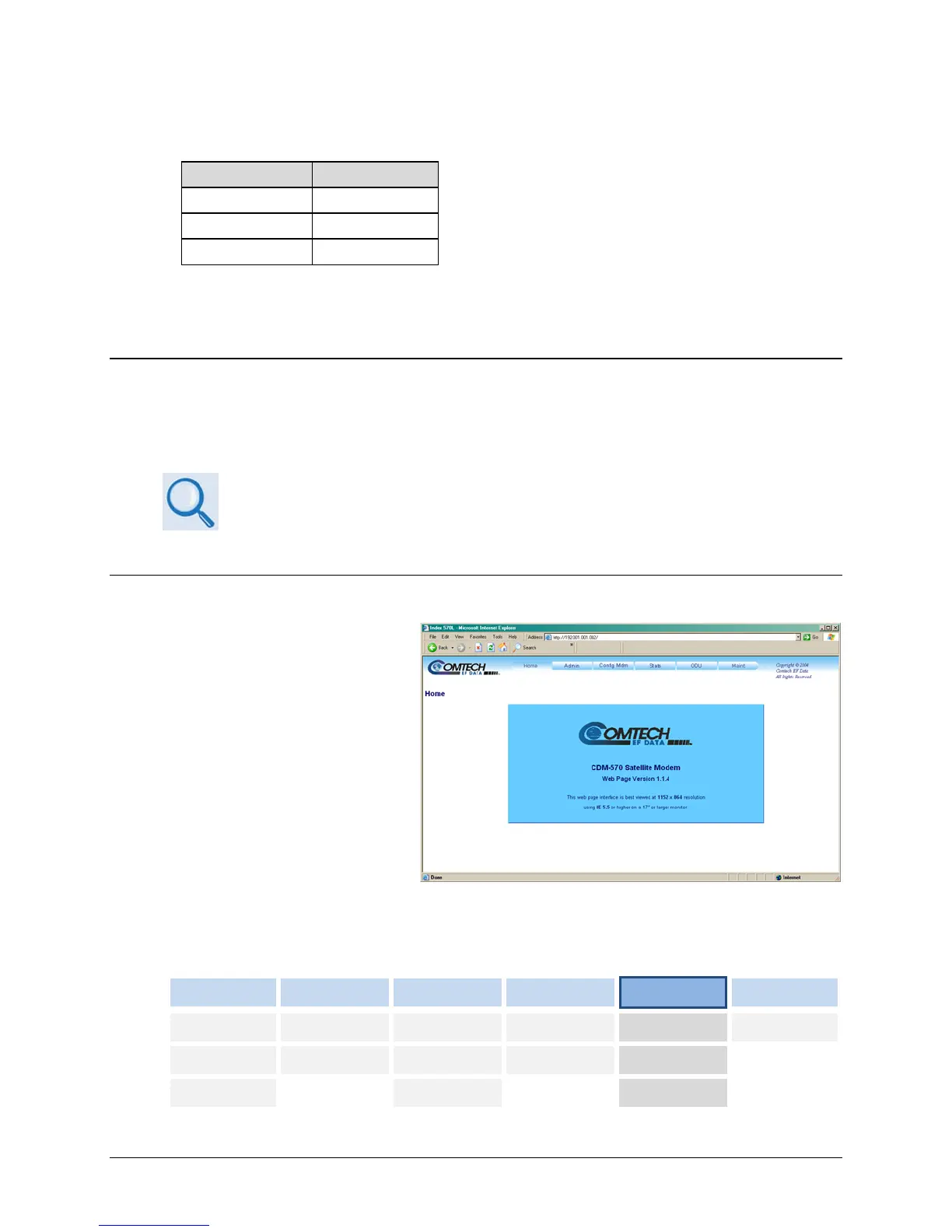
K.4.1.1 Base Modem HTTP Interface – Home Page and Menu Tree
Once a Web browser is opened
and a valid IP address has been
entered, the CDM-570 Satellite
Modem HTTP Interface “splash”
page is displayed:
The ODU-accessible features for this interface are illustrated with the following menu tree.
Operations not specific to the ODU appear dimmed in this diagram and are explicitly defined in
Chapter 7. BASE MODEM HTTP INTERFACE:
Home Admin Config Mdm Stats
ODU
Maint
Home Access Modem Modem Status
Config
Unit Info
Contact Remote Modem Utilities Modem Logs
Status
Support AUPC
Utilities



 To Next Page