CDM-570/570L Satellite Modem with Optional IP Module Revision 12
Ethernet IP Module - CLI and Telnet Operation MN/CDM570L.IOM
14–11
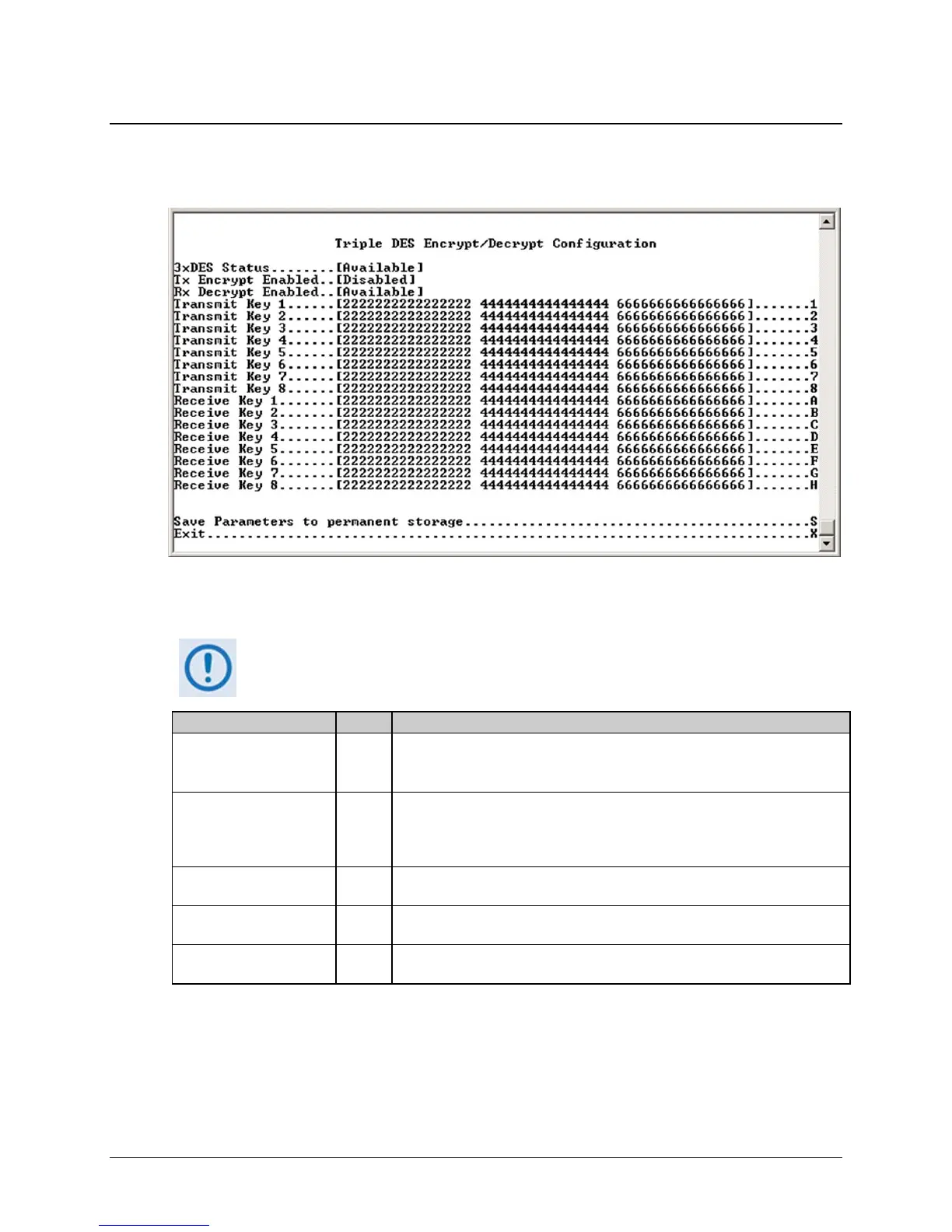
14.2.2.4 3xDES Encrypt/Decrypt Configuration Page
Activate the 3xDES Encrypt/Decrypt Configuration page from the Administration page.
Figure 14-6. 3xDES Encrypt Configuration page
The 3xDES Encrypt/Decrypt Configuration page contains the following options/fields:
This menu is accessible only if the 3xDES FAST feature has been purchased
and the license key has been entered through the modem front panel.
Selection Entry Description
3xDES Status [RO] Displays status as [Available] or [Unavailable]:
• [Available] is displayed when the 3xDES feature has been installed.
• [Unavailable] is displayed when the 3xDES feature has not been installed.
Transmit Encrypt Enabled [RO] Displays feature status. This field updates via the Features Configuration
menu. If Transmit Encrypt is disabled, then all traffic processed by the IP
Module is transmitted in the clear regardless of the 3xDES encryption key
specified in the Route table.
Receive Decrypt Enabled [RO] Displays feature status. This field updates via the Features Configuration
menu.
Transmit Key 1 – 8 1 – 8 Use these 3xDES keys to encrypt traffic being sent over the Satellite Interface.
The key is entered in HEX (48 digits max)
Receive Key 1 – 8 A – H Use these 3xDES keys to decrypt traffic being received from the Satellite
Interface. The key is entered in HEX (48 digits max)



 To Next Page