CDM-570/570L Satellite Modem with Optional IP Module Revision 12
Ethernet IP Module Interface MN/CDM570L.IOM
13–62
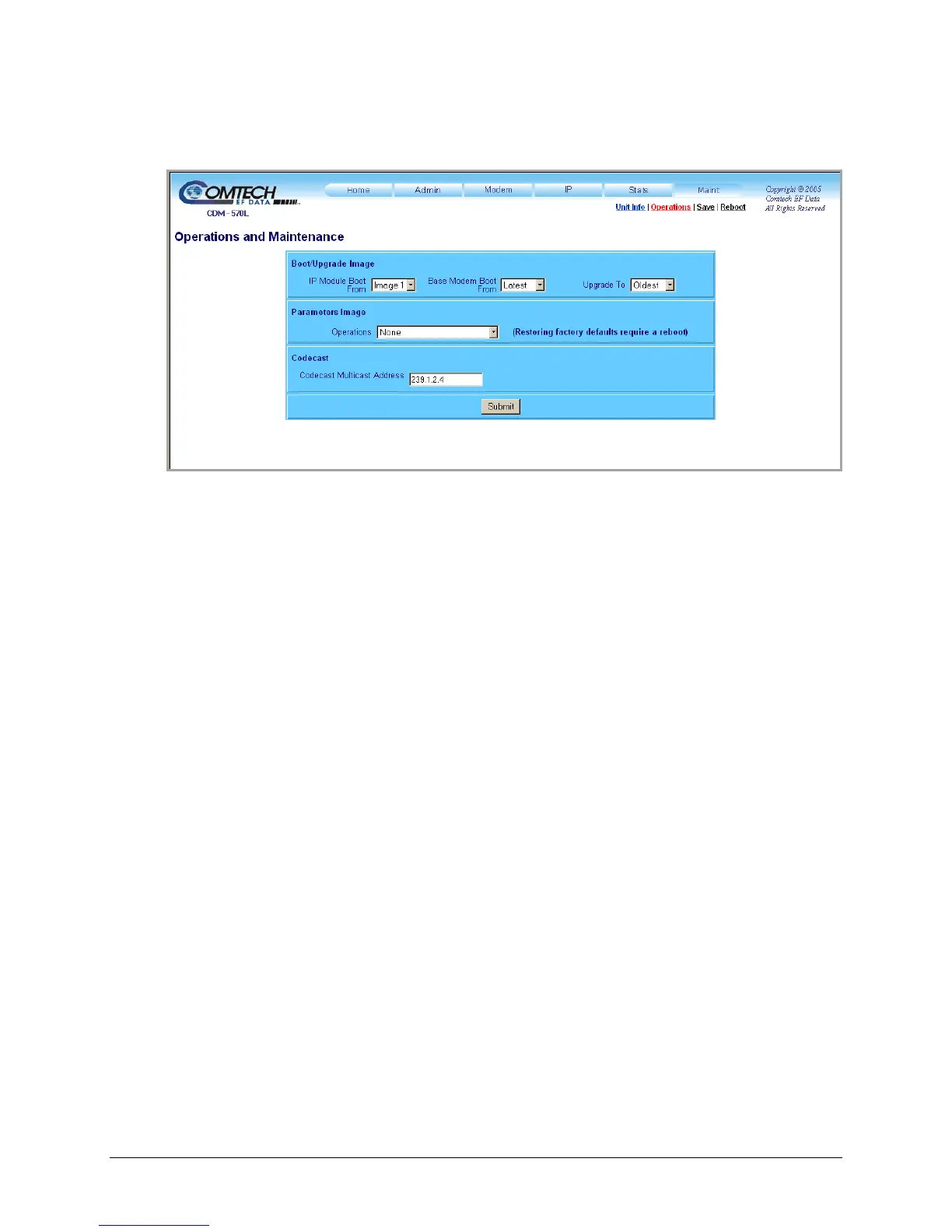
13.6.2.6.2 Maint | Operations
Figure 13-35. Maint | Operations page
Boot/Upgrade Image
Use the drop-down menus in this section to specify how to control the firmware on the IP Module
and in the Base Modem:
• IP Module Boot From – Select Latest, Image 1, or Image 2.
• Base Modem Boot From – Select Latest, Image 1, or Image 2.
• Upgrade To – Select Oldest, Image 1, or Image 2.
Parameters Image
Use the drop-down menu in this section to control how the parameters file is managed:
• Operations – Select None, Save Parameters to Flash, Load Parameters from Flash, or
Restore Factory Defaults. Note that restoring from factory default requires reboot of the
modem.
Codecast
The Codecast feature allows multiple modems to be upgraded at the same time. The Codecast
Multicast Address is configured to match the Multicast Address in the VLOAD application.
Click [Submit] to save changes made on this page.



 To Next Page