CDM-570/570L Satellite Modem with Optional IP Module Revision 12
Ethernet IP Module - CLI and Telnet Operation MN/CDM570L.IOM
14–46
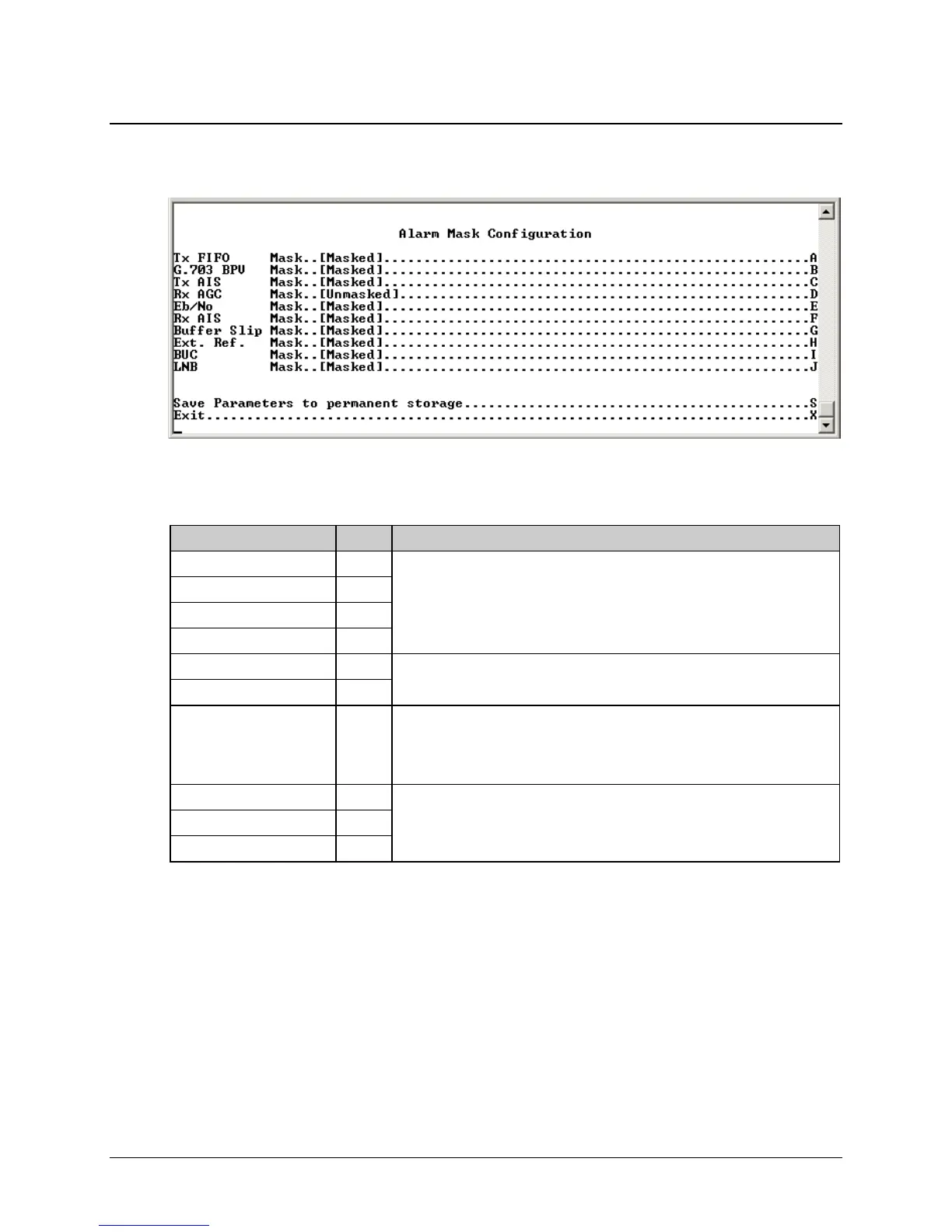
14.2.9.6 Alarm Mask Configuration
Activate the Alarm Mask Configuration page from the Configuration page.
Figure 14-31. Alarm Mask Configuration Page
The Alarm Mask Configuration page contains the following options/fields:
Selection Entry Description
Tx FIFO A
Select as Masked or Unmasked.
NOTE: This setting should always be set as Masked with IP as the data
interface.
G.703 BPV B
Tx AIS C
RX AGC D
E
b
/N
0
E
Select as Masked or Unmasked.
Rx AIS F
Buffer Slip G Select as Masked or Unmasked.
NOTE: This setting should always be set as Masked with IP as the data
interface.
External Reference H
Select as Masked or Unmasked.
BUC I
LNB J



 To Next Page