CDM-570/570L Satellite Modem with Optional IP Module Revision 12
Ethernet IP Module - CLI and Telnet Operation MN/CDM570L.IOM
14–14
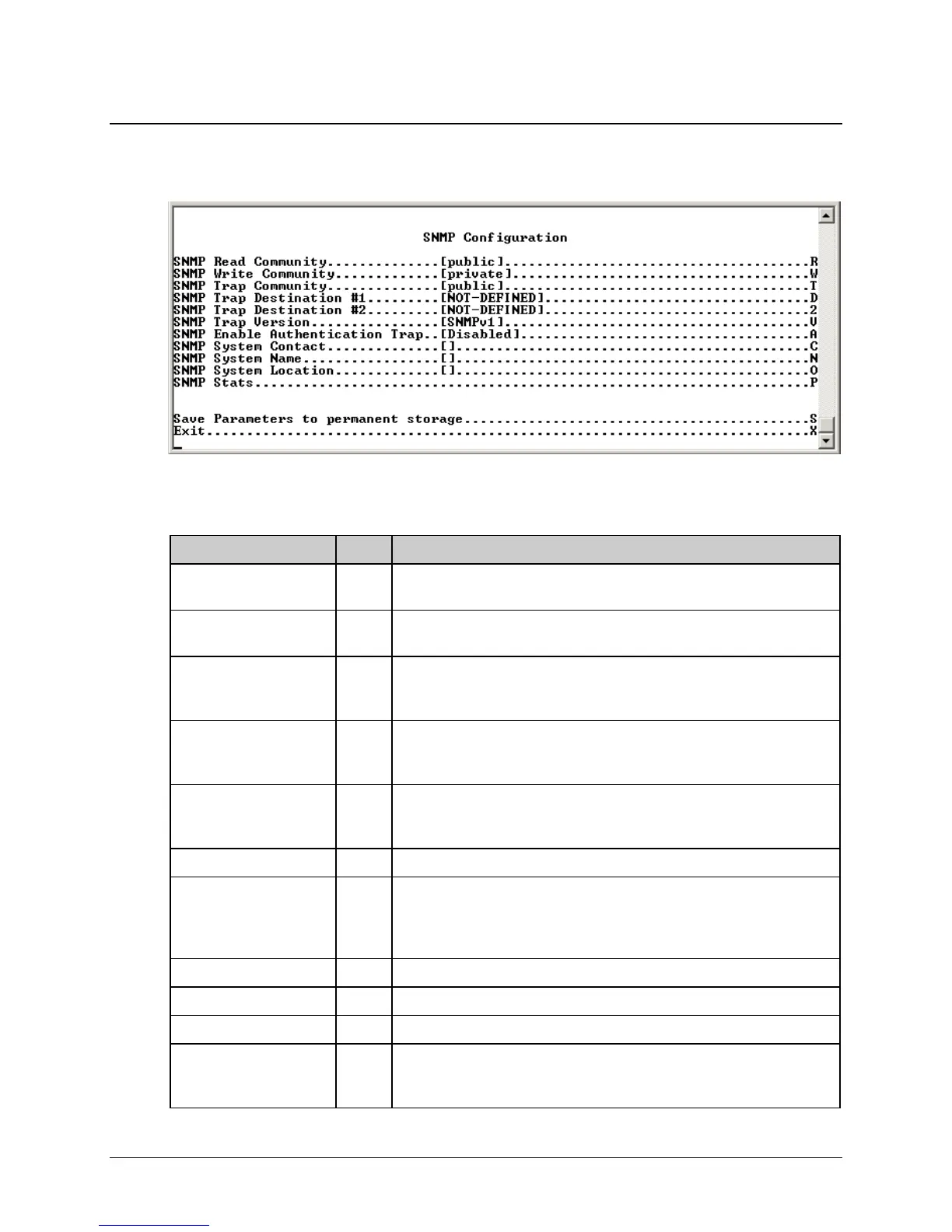
14.2.2.6 SNMP Configuration Page
Activate the SNMP Configuration page from the Administration page.
Figure 14-8. SNMP Configuration page
The SNMP Configuration page contains the following options/fields:
Selection Entry Description
SNMP Read Community R (GET community sting) Allows GET operations to all portions of the IP
Module Controller and CDM-570/570L modem MIBs.
SNMP Write Community W (SET community string) Allows SET operations to all portions of the IP
Module Controller and CDM-570/570L modem MIBs.
SNMP Trap Community T This string is set in the Community field of all outgoing traps. The network
manager application checks this field on the trap PDU to determine if the
trap comes from a “trusted” agent.
SNMP Trap Destination
#1
D This is the first IP address where all traps/notifications are sent. If a network
management application is running in the network, configure it to receive
traps and enter its IP address here.
SNMP Trap Destination
#2
2 This is the second IP address where all traps/notifications are sent. If a
network management application is running in the network, configure it to
receive traps and enter its IP address here.
SNMP Trap Version V Determines whether an SNMPv1 trap or SNMPv2 notification is sent.
SNMP Enable
Authentication Trap
A Determines whether a MIB2 authentication trap is sent when a PDU with an
invalid community string is encountered. A community string is invalid when
it does not match the Admin, the Read Write, or the Read Only community
strings.
SNMP System Contact C This is the user-defined SNMP Contact information.
SNMP System Name N This is the user-defined SNMP Name information.
SNMP System Location O This is the user-defined SNMP Location information.
SNMP Stats P
Displays statistics concerning the operation of the SNMP agent (number of
IN SNMP packets, number of OUT SNMP packets, number of OUT Traps,
etc.)



 To Next Page