CDM-570/570L Satellite Modem with Optional IP Module Revision 12
Ethernet IP Module - CLI and Telnet Operation MN/CDM570L.IOM
14–6
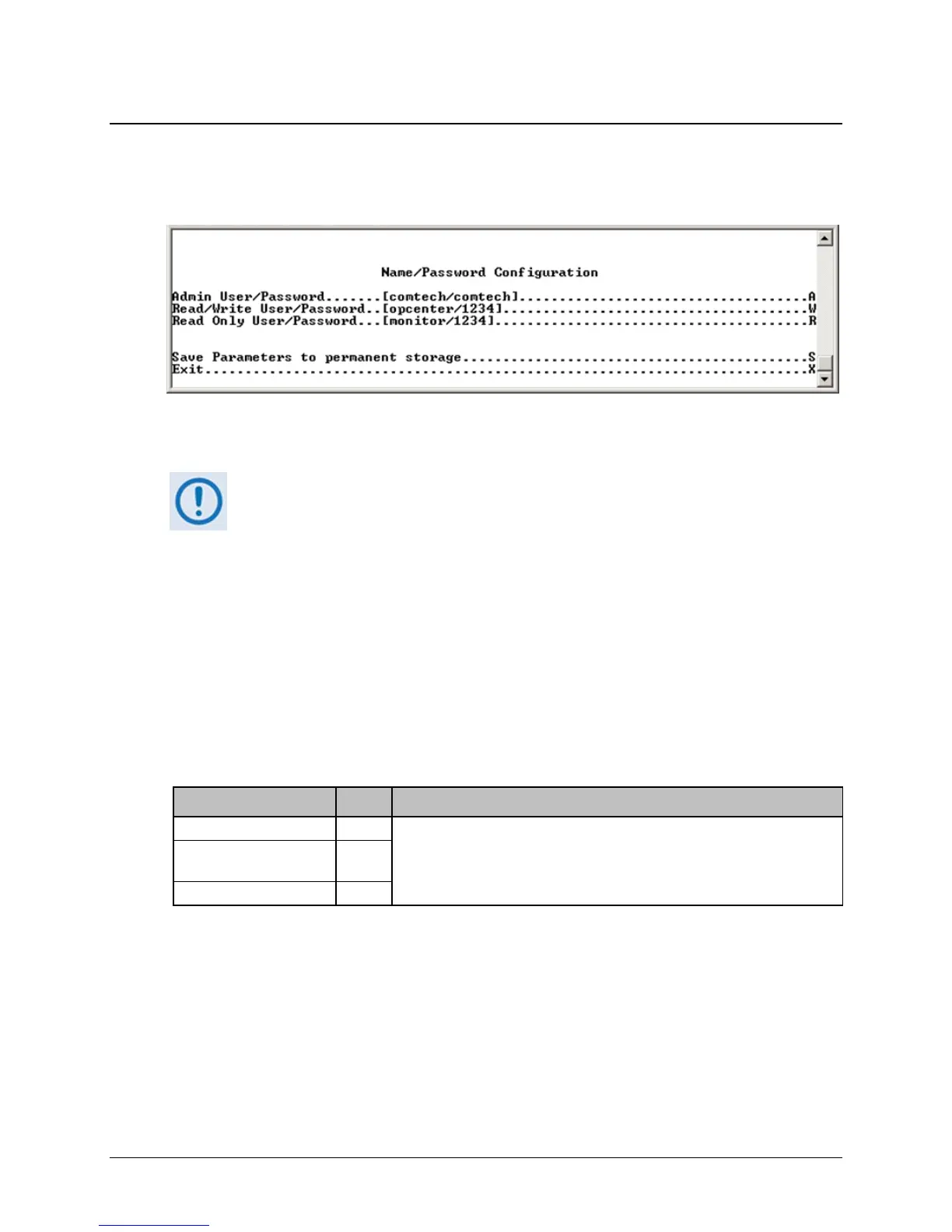
14.2.2.1 Name/Password Configuration Page
Activate the Name/Password Configuration page from the Administration page. Use this page to
define the passwords required to access via HTTP, FTP, and Telnet.
Figure 14-3. Name/Password Configuration page
• All Usernames and Passwords are case sensitive.
• There is a minimum of 1 and maximum of 11 characters.
• Any or all of the Usernames and Passwords can be removed by entering
“NONE NONE” from the CLI or Telnet.
• Removing all Usernames and Passwords would only allow access to the
IP functions when connected via the Terminal Emulator (serial)
connection (because there is no log in).
• FTP access is restricted to Admin Username/Password only. FTP is only
used to upgrade the IP SOFTWARE or to load or retrieve the IP Parameter
or IP Event log files.
The Name/Password Configuration page contains the following options/fields:
Selection Entry Description
Admin User/Password A
Enter the user name and password with a space delimiter.
Example: <user> <passwd>
Enter NONE NONE to erase
Read/Write
User/Password
W
Read Only User/Password R



 To Next Page