CDM-570/570L Satellite Modem with Optional IP Module Revision 12
Appendix K MN/CDM570L.IOM
K–30
Redundancy Box Mode
Select Automatic or Manual, and then click [Submit] to save this setting.
ODU Date and Time
• Use the international format HH:MM:SS to enter the time (where HH = hour [00 to 23],
MM = minutes [00 to 59], and SS = seconds [00 to 59])
• Use the European continental format DD/MM/YY to enter the date (where DD = day [01 to
31], MM = month [01 to 12], and YY = year [00 to 99])
Click [Enter Date/Time] to save any changes made to this section.
ODU Stored Events
This window provides a visual record of the ODU stored events in a scrollable window.
• Read Next Five Events: Click to buffer the next group of five stored events into the Events
window
• Clear Stored Events: Click to wipe clean the stored events log
• Initialize Events Pointer: Click to reset the log’s internal pointer
• Unread Events: Displays the total number of unread stored events in the Events window. As
stored event groups are displayed, this number decrements accordingly
Click [Submit] to save any changes made to this section.
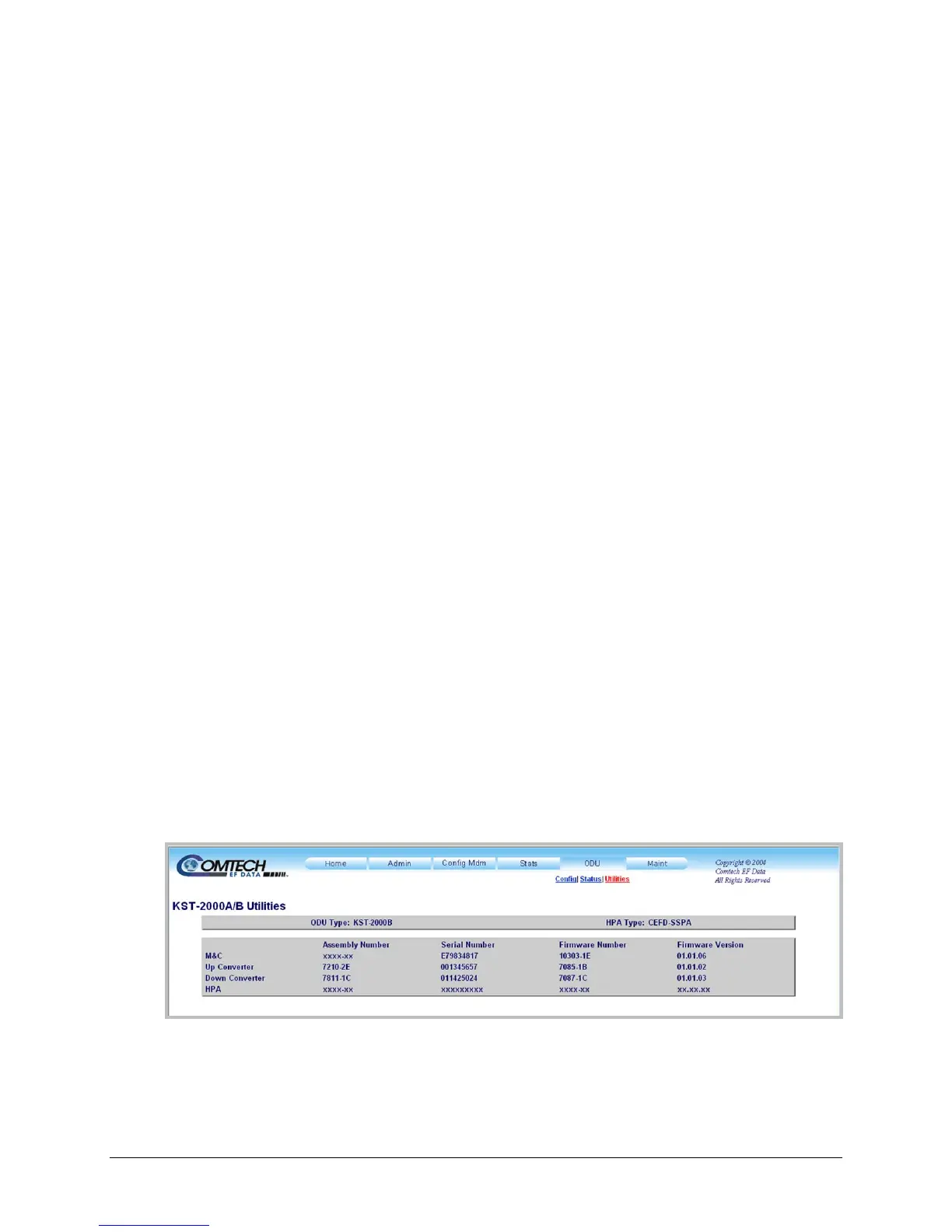
K.4.1.2.3.2 ODU | Utilities (KST-2000A/B)
Figure K-10 shows the ‘ODU | Utilities’ page, as it appears with the KST-2000A/B configured as
the ODU. The message bar at top identifies the ODU Type and HPA Type (in this example,
KST-2000B and CEFD-SSPA, respectively).
Use this page to review the read-only status information that identifies the configured ODU
chassis’ installed component assembly numbers and serial numbers, and firmware numbers and
versions.
Figure K-10. ODU | Utilities page (KST-2000A/B)



 To Next Page