CDM-570/570L Satellite Modem with Optional IP Module Revision 12
Ethernet IP Module - CLI and Telnet Operation MN/CDM570L.IOM
14–64
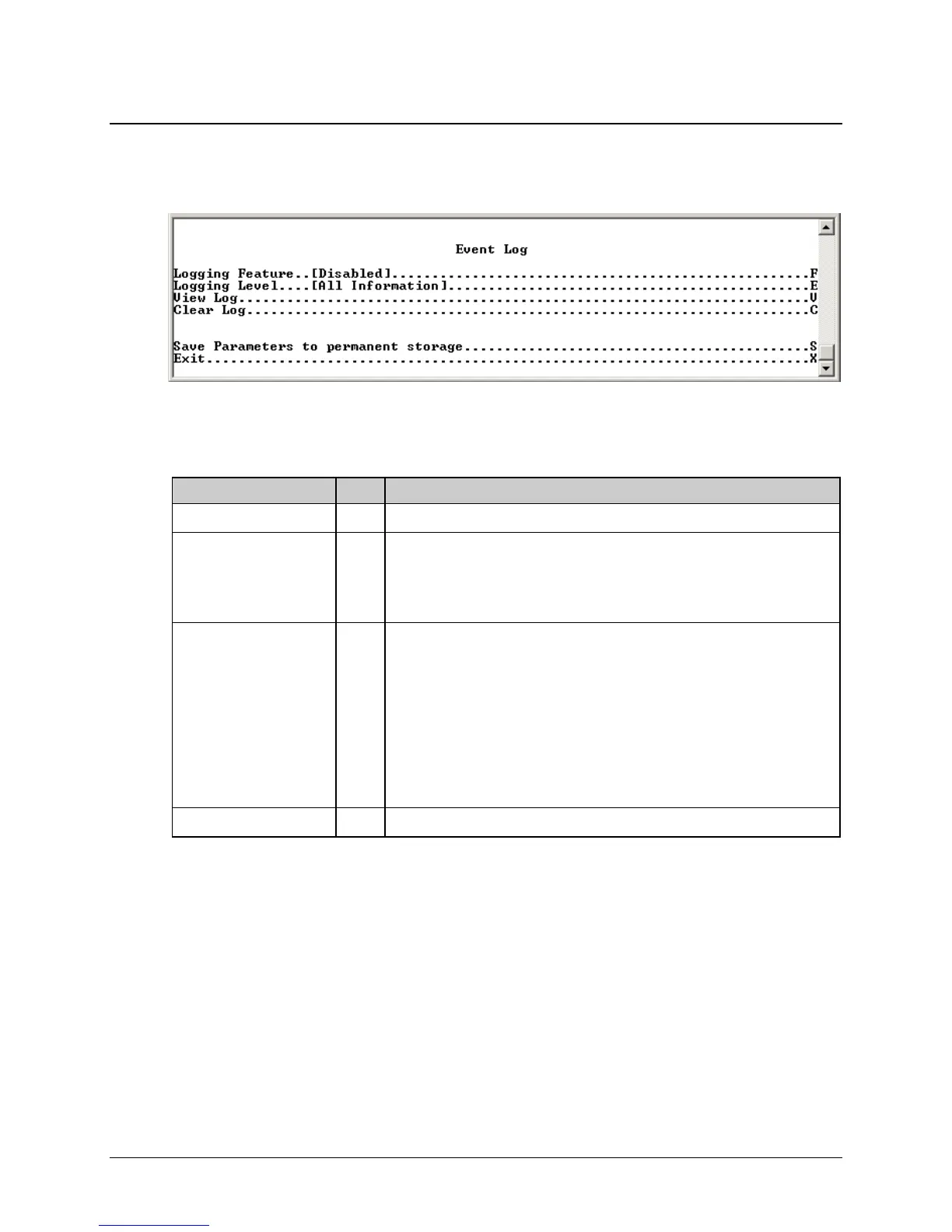
14.2.11.3 Event Log Page
Activate the Event Log page from the Operations and Maintenance page. Use this page to view
all logged IP Module events.
Figure 14-46. Event Log page
The Event Log page contains the following options/fields:
Selection Entry Description
Logging Feature F Select to Enable/Disable Logging
Logging Level E Select
1 – Errors Only
2 – Errors and Warnings
3 – All Information
View log V Select to view log. Will display most recent events. Press any key to scroll
through events or Escape to exit. All events will display
Type – Error, Warning, or Information
Date/Time – NOTE: During bootup, multiple Boot Events are created, but a
Date/Time will only be seen when the bootup has completed.
Category – Boot, Database, FTP logins, upgrade file transfers, Ethernet Link
status change.
Description – Event details
Clear log C Select to clear log contents.



 To Next Page