CDM-570/570L Satellite Modem with Optional IP Module Revision 12
Ethernet IP Module Interface MN/CDM570L.IOM
13–49
13.6.2.4.5.3 IP | QoS (DiffServ Mode)
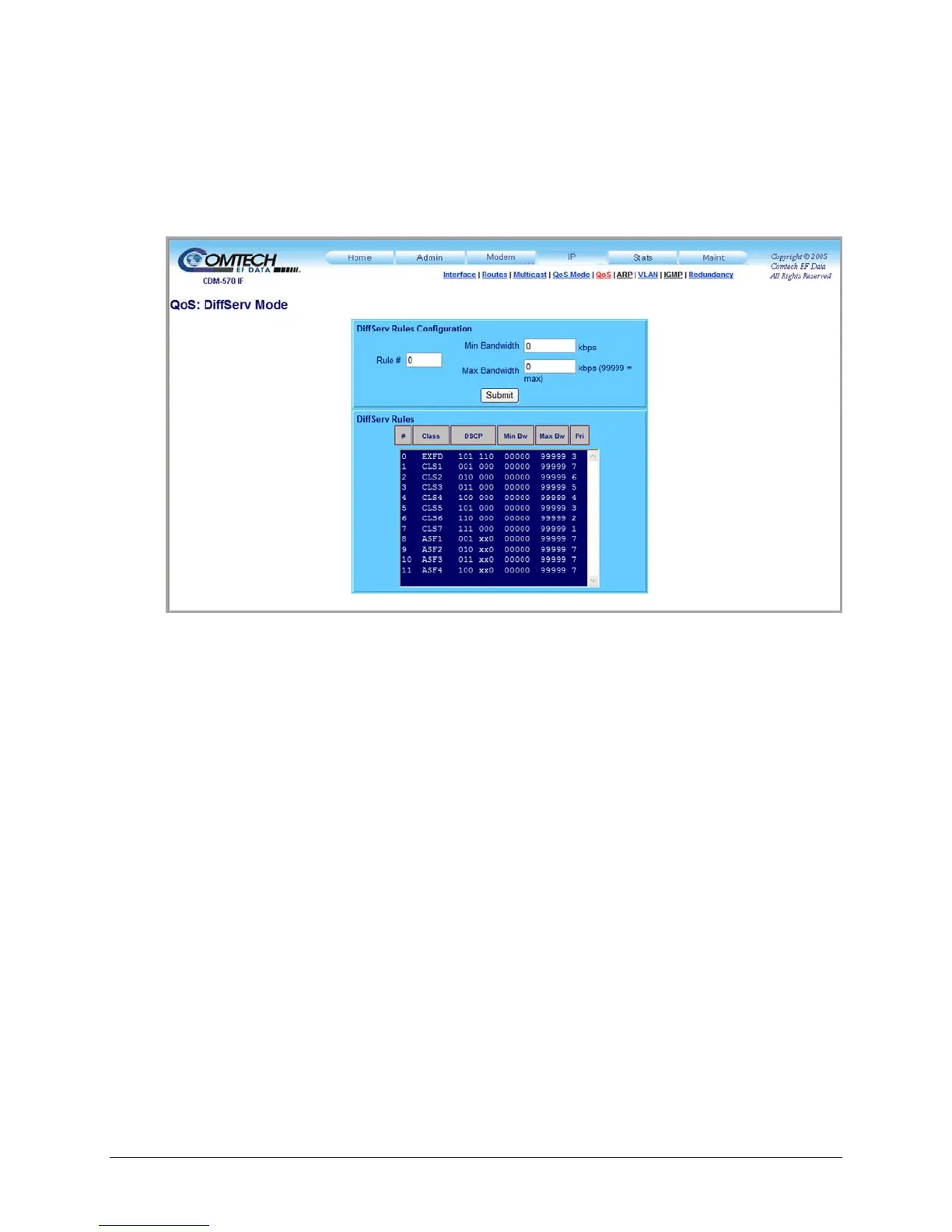
Use the ‘IP | QoS’ page, as it appears when DiffServ Mode is active (Figure 13-23), to make IP
Module QoS fully compliant to the Differential Services QoS RFC standards. See Sect. 13.4.5.3
for full information on this page’s functionality.
Figure 13-23. IP | QoS Mode page (DiffServ Mode)
DiffServ Rules Configuration
Use the text boxes to enter the following information:
• Rule #
• Min Bandwidth (kpbs)
• Max Bandwidth (kbps)
Click [Submit] to save the rules settings changes made on this page.
DiffServ Rules
This read-only window displays the currently active DiffServ Rules.



 To Next Page