CDM-570/570L Satellite Modem with Optional IP Module Revision 12
Ethernet IP Module - CLI and Telnet Operation MN/CDM570L.IOM
14–34
Selection Entry Description
Base B To allow editing on any of the 256 entries that can be defined (use the ARP
Table menu to view up to 8 different ARP definitions per screen), select a
base address to control which 8 ARP entries are displayed.
For example, if the user wants to edit static ARP Entries 32-40, then a Base
value of 32 should be defined.
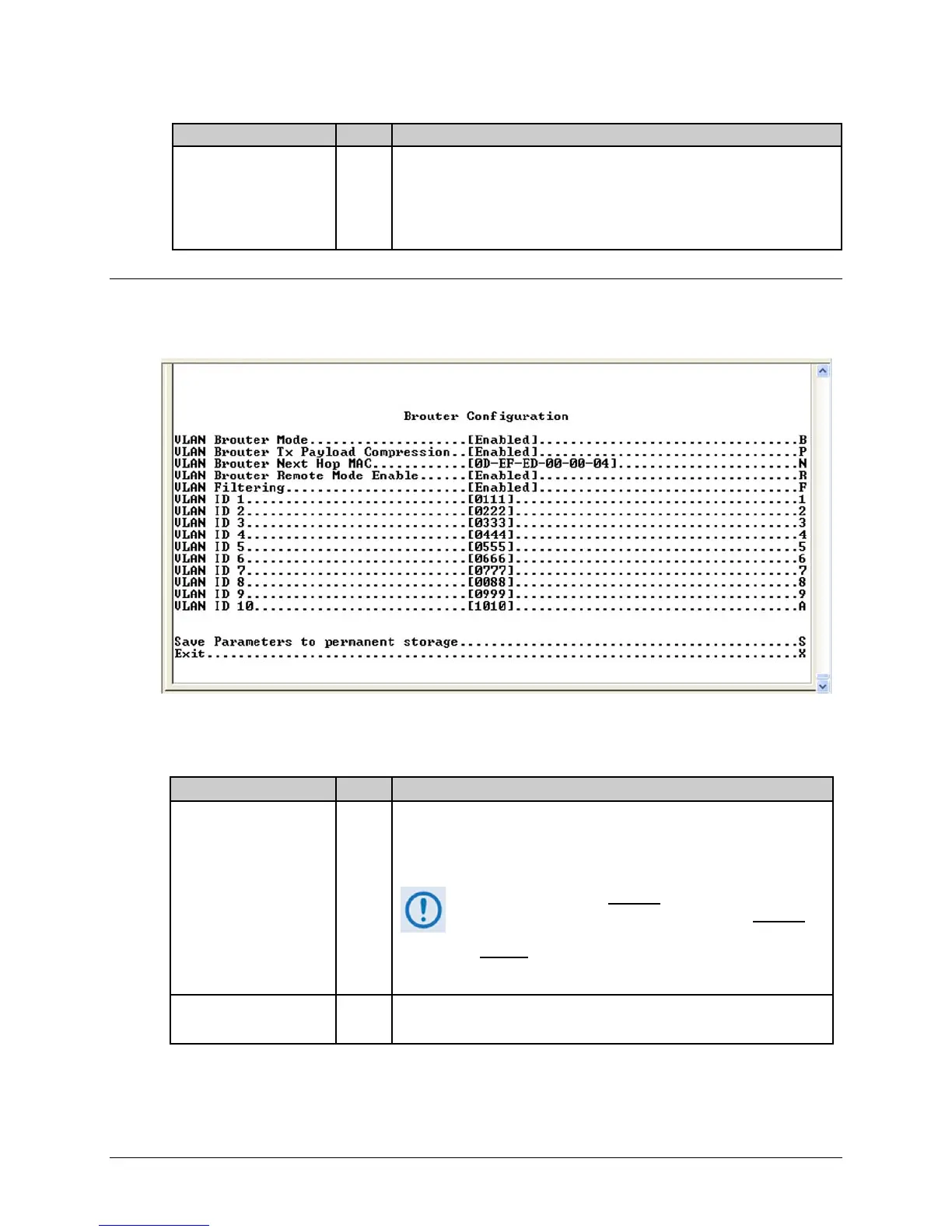
14.2.6.3 Brouter Configuration Page
Activate the Brouter Configuration page from the Protocol Configuration Page.
Figure 14-22. Brouter Configuration page
The Brouter Configuration Page contains the following options/fields:
Selection Entry Description
VLAN Brouter Mode B
Toggle [Enabled] or [Disabled].
If enabled, any packet arriving at the Ethernet interface with a VLAN
header is automatically forwarded to the WAN interface. In this mode ALL
VLAN packets are sent – no filtering of any kind.
Brouter Mode may be disabled only when both Brouter
Remote Mode and VLAN Filtering are also disabled
. If
selection is attempted while either or both of these features
are enabled
, the following message displays:
“Disable VLAN-Filter & Remote Mode, And
Then Disabled Brouter Mode”
VLAN Brouter Tx Payload
Compression
P
Toggle [Enabled] or [Disabled].
Enables/disables Payload Compression for all "Brouted" VLAN packets.



 To Next Page