CDM-570/570L Satellite Modem with Optional IP Module Revision 12
Ethernet IP Module - CLI and Telnet Operation MN/CDM570L.IOM
14–23
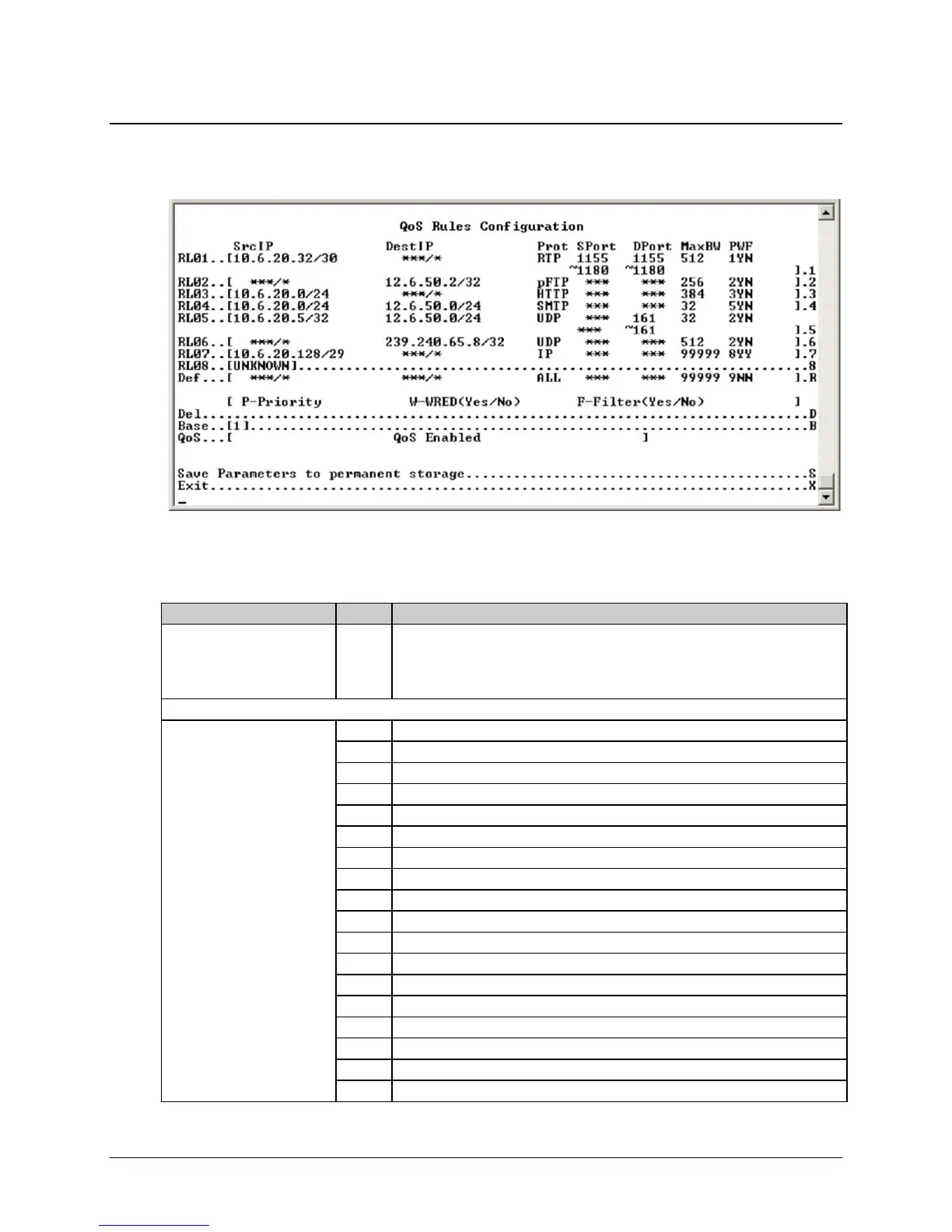
14.2.4.1 QoS Rules Configuration Page – Max/Priority Mode
Activate the QoS Rules Configuration page from the QoS Configuration page.
Figure 14-15. QoS Rules Configuration page (Max/Priority mode)
The QoS Rules Configuration page contains the following options/fields when in Max/Pri Mode:
Selection Entry Description
(Rule) RL01-RL08 (32)
(The 8 currently displayed
QoS Rules; define up to 32
rules).
1 – 08 Assign Max/Pri QoS to up to 32 different types of definable flows. Define flows
by any combination of Protocol (FTP, UDP, RTP, etc.), Source/Destination IP
(specific or range), and/or Layer 3 Source/Destination Port.
When selecting a QoS Rule, define the following:
Specify Protocol for the rule 1 UDP – User Datagram Protocol
2 TCP – Transmission Control Protocol
3 ICMP – Internet Control Message Protocol
4 RTP – Real Time Protocol (includes all RTP – VOCE, VDEO, and RTPS)
5 VOCE – Voice RTP
6 VDEO – Video RTP
7 RTPS – RTP Signaling
8 FTP – File Transfer Protocol only
9 HTTP – Hypertext Transfer Protocol
10 TELN – Telnet
11 SMTP – Simple Mail Transfer Protocol
12 SNMP – Simple Network Management Protocol
13 SAP – Service Announcement Protocol
14 ORCL – Oracle application traffic
15 CTRX – Citrix application traffic
16 SQL – Structured Query Language
17 IP – Internet Protocol (all inclusive)
18 N-IP – Non-Internet Protocol (all inclusive)



 To Next Page