CDM-570/570L Satellite Modem with Optional IP Module Revision 12
Appendix K MN/CDM570L.IOM
K–27
Unit Parameters
• AGC (Automatic Gain Control): Select On or Off from the drop-down menu
• Reference Oscillator Adjust: Enter a value from 0 to 255
• Circuit ID: Enter a Circuit Identification name of up to 24 alphanumeric characters
• Lock Mode: Select On or Off from the drop-down menu
Click [Submit] to save any changes made to this page.
K.4.1.2.2 ODU | Status Pages
The appearance of the ‘ODU | Status’ page changes depending on which type of
ODU had been configured for operation with the CDM-570. These pages provide
read-only status windows pertaining to the current operating condition for either
the CSAT-5060 or the KST-2000A/B ODUs.
K.4.1.2.2.1 ODU | Status (CSAT-5060)
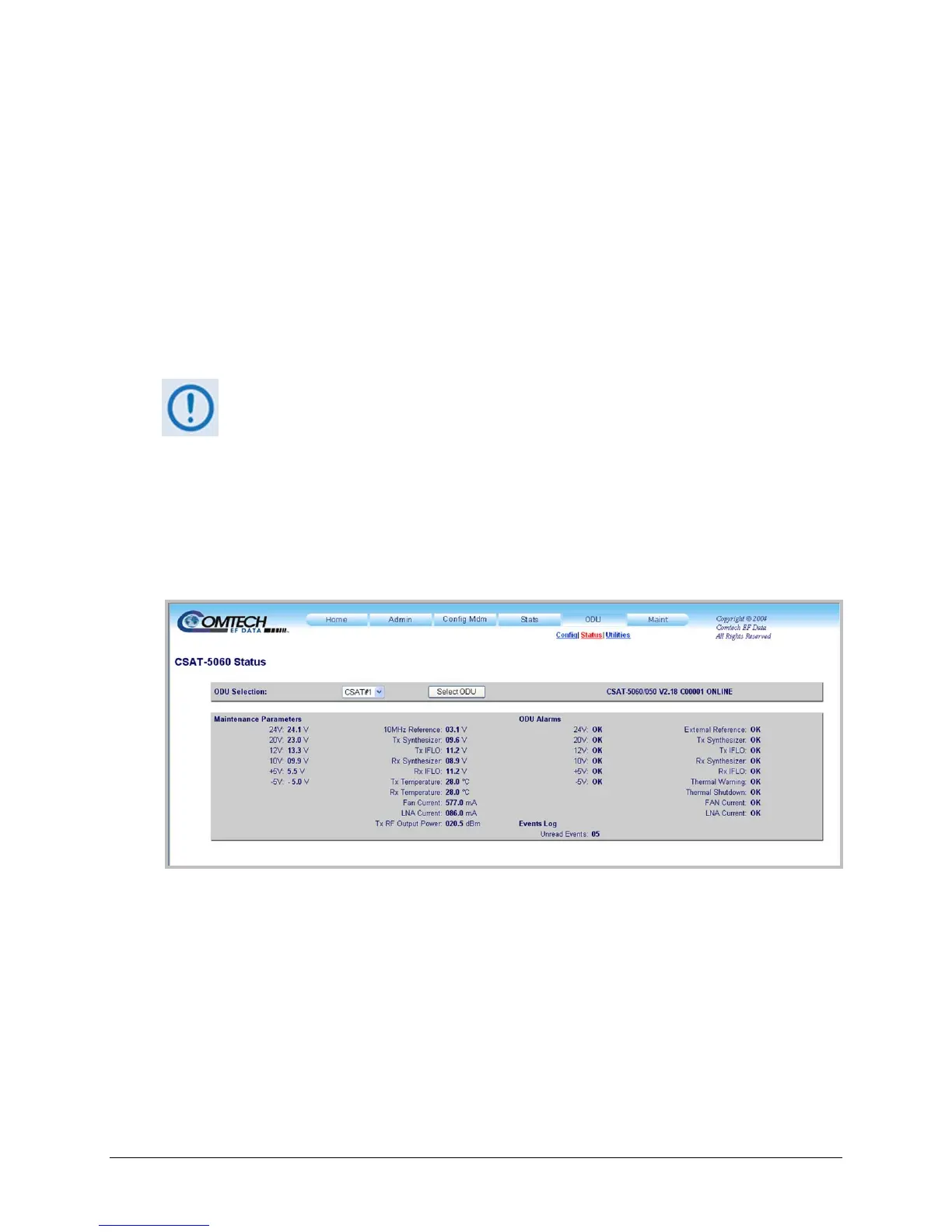
Figure K-7 shows the ‘ODU | Status’ page as it appears with the CSAT-5060 configured as the
ODU. Use this page to review read-only status information pertaining to the CSAT-5060
Maintenance Parameters; ODU Alarms; and the number of Unread Events in the Events Log.
Figure K-7. ODU | Status page (CSAT-5060)
ODU Selection
If redundant ODUs are used, the CSAT-5060 ‘ODU | Status’ page can toggle between the Online
and Offline units. Select CSAT #1 or CSAT #2 from the ODU Selection: drop-down menu, and
then click [Select ODU]. A message identifies the currently active unit as ‘ONLINE’ in the
right-hand side of the box.



 To Next Page