CDM-570/570L Satellite Modem with Optional IP Module Revision 12
Ethernet IP Module - CLI and Telnet Operation MN/CDM570L.IOM
14–50
Selection Entry Description
Management Subnet
Prefix Length (Redundant
Unit)
[RO]
If standalone CDM-570/570L – not used.
• If Online Redundant CDM-570/570L – displays Redundant Management
Subnet
• If Offline Redundant CDM-570/570L – displays Redundant Management
Subnet
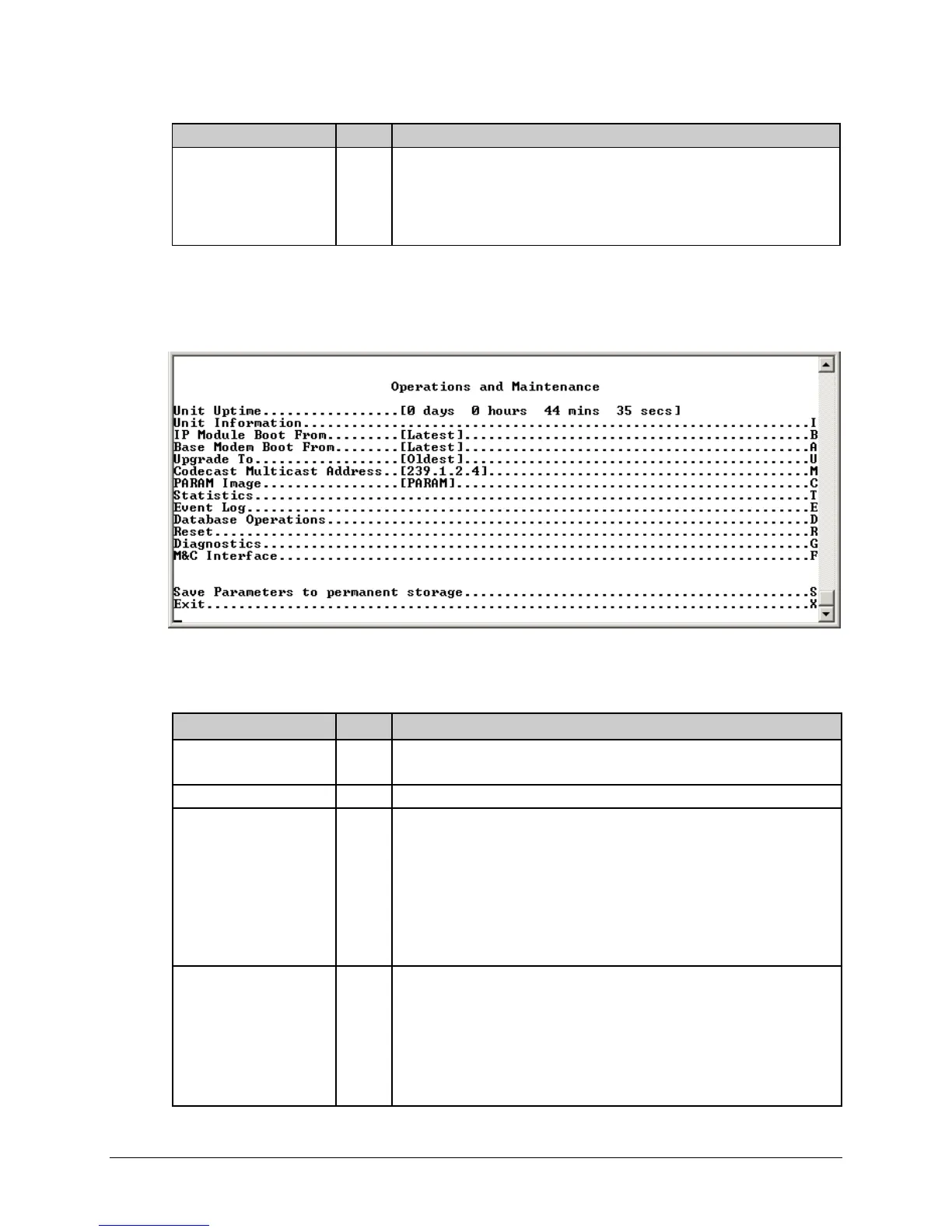
14.2.11 Operations and Maintenance Page
Activate the Operations and Maintenance page from the Main Menu page.
Figure 14-35. Operations and Maintenance page
The Operations and Maintenance page contains the following options/fields:
Selection Entry Description
Unit Uptime
[RO]
Displays time in days, hours, mins and secs since the last time the IP Module
was rebooted.
Unit Information I Displays unit current operational Software information.
IP Module Boot From B Determines which version of the IP Module software package (includes
Application, FPGA, and FFPGA) is loaded upon bootup. The possible options
are:
0 – Latest: Boot the newest software package based upon date.
1 – Image1: Boot the software package loaded into the first slot in permanent
storage.
2 – Image2: Boot the software package loaded into the second slot in
permanent storage.
Base Modem Boot From A Determines which version of the Base Modem firmware is loaded upon boot-
up. The possible options are:
0 – Latest: Boot the newest software package based upon date.
1- Image1: Boot the software package loaded into the first slot in permanent
storage.
2 – Image2: Boot the software package loaded into the second slot in
permanent storage.



 To Next Page