CDM-570/570L Satellite Modem with Optional IP Module Revision 12
Ethernet IP Module - CLI and Telnet Operation MN/CDM570L.IOM
14–3
Selection Entry Description
Save Parameters to Flash S
Saves the current configuration of the NP Module to permanent storage.
This configuration is restored on each successive power cycle.
Exit Menu X
Exits the current menu and returns to the parent menu. Alternately, press
the Esc key to perform the same action.
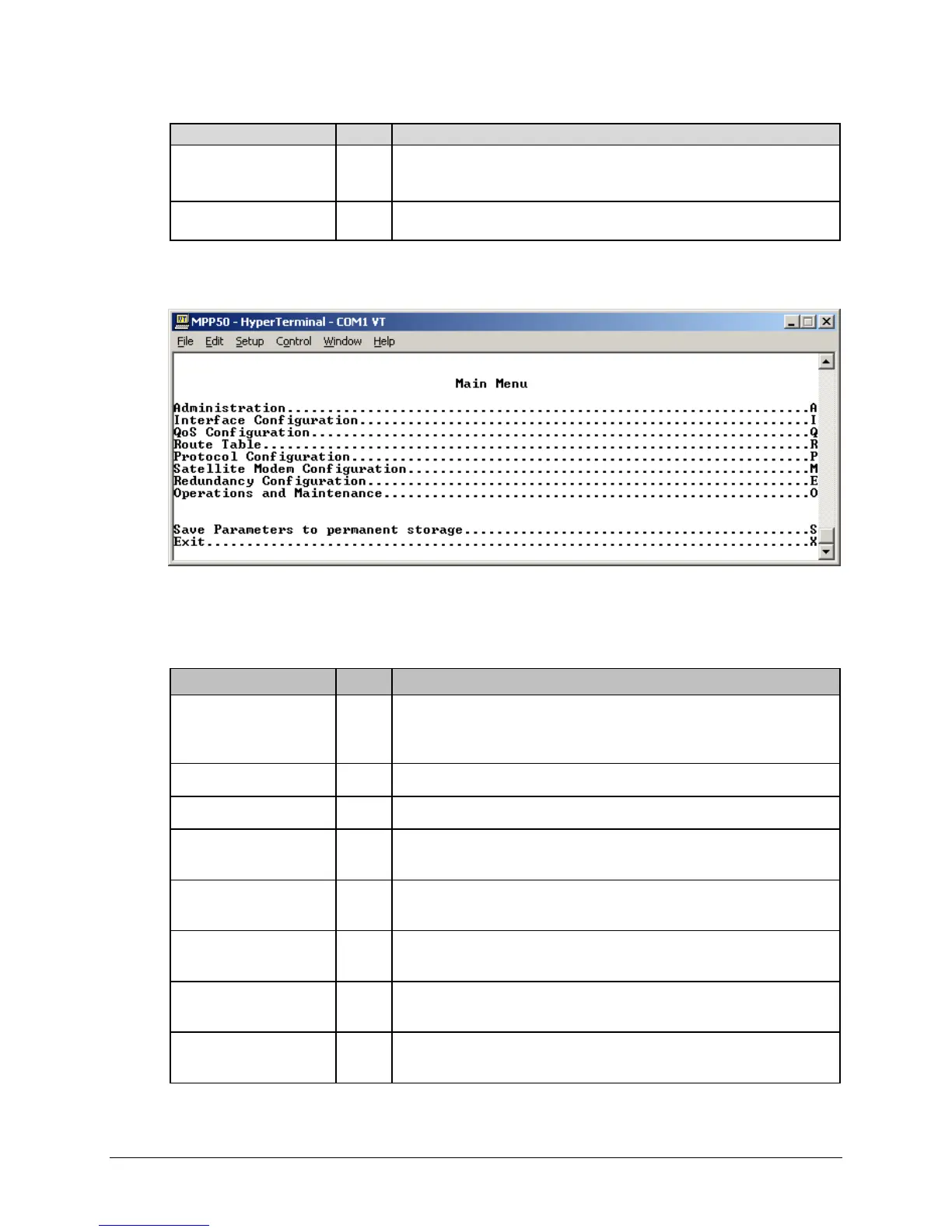
14.2.1 Main Menu Page
Figure 14-1. Main Menu page
The Main Menu page has the following options/fields:
Selection Entry Description
Administration A
Provides a basic set of standard administrative functions to the IP Module.
When connected via Telnet, navigation to this menu is restricted to the
Admin user.
Interface Configuration I Configures the Ethernet and Satellite interfaces.
QoS Configuration Q Defines QoS rules for up to 32 different types of flows.
Route Table R
Defines how the IP Module will route packets that it receives on its Ethernet
and Satellite interfaces.
Protocol Configuration P
Configures various protocols, including ARP and IGMP, used by the IP
Module.
Satellite Modem
Configuration
M
Displays menus that are used to configure and monitor the Base Satellite
Modem.
Redundancy
Configuration
E Configures 1:1 IP Redundancy.
Operations and
Maintenance
O
Configures various options for system control and maintenance; provides
Statistics and diagnostic tools for troubleshooting purposes.
14.2.2



 To Next Page