CDM-570/570L Satellite Modem with Optional IP Module Revision 12
Ethernet IP Module - CLI and Telnet Operation MN/CDM570L.IOM
14–52
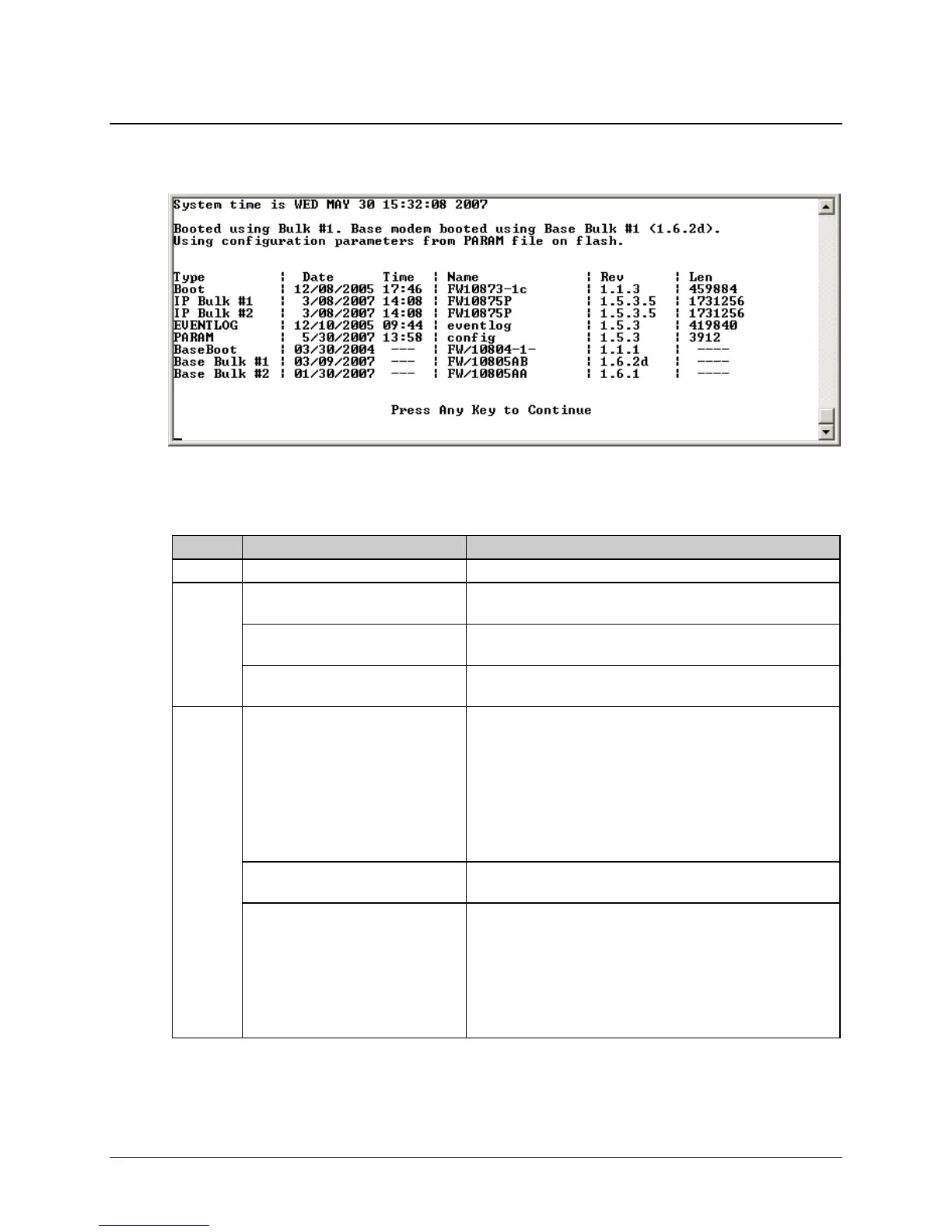
14.2.11.1 Unit Information Page
Activate the Unit Information page from the Operations and Maintenance page.
Figure 14-36. Unit Information page
The Unit Information page displays the following information:
Info Set Item Description
1 Current System time DAY MONTH DATE hh:mm:ss YEAR
2
Image # that the IP Module is
currently booted from
By default displays Latest, unless “IP Module Boot From” is
set to Image #1 or Image #2
Image # that the base modem is
currently booted from.
By default displays Latest, unless “Base Modem Boot From” is
set to Image #1 or Image #2
PARAM file that the IP Module is
currently configured from
Displays PARAM file from Flash or Factory Default if no
parameter file is found in flash memory.
3
Currently Loaded IP Module and
Base Modem SW:
• Boot
• IP Bulk #1
• IP Bulk #2
• BaseBoot
• Base Bulk #1
• Base Bulk #2
Displays Build Date, CEFD FW#, Revision #, and size of each
IP Module and Base Modem SW file:
• Boot file for the IP Module and the Base Modem.
• Bulk file contains all of the SW files for the IP Module
and Base Modem and there are two slots available.
EVENTLOG
Displays the date/time that the EVENTLOG file was last
updated.
PARAM Displays the date/time that the PARAM1 file was last updated.
Also shows what user interface was used to last update the
PARAM file.
• From CLI, displays ‘console’
• From Web, displays ‘http’
• From Telnet, displays the Telnet user login name
• From SNMP, displays ‘snmp’



 To Next Page