System 3505 Installation & Operation Manual
Digitize, Inc. 700248-0002 Rev. C 02/16
Specification Subject to Change Without Notice
5-10
but both one and two funciton tone boxes are present (i.e., 5-1, 5-2, or 4-2 and 4-1). By using the
‘-A” seletionc, the System 3505 will check each box number decoded to see if a single or dual
funciton tone setting was enetered for the daily test. It will use this information to determin if the
box should be decoded as a single or dual toane box.
-1= All boxes decoded will have 1 FUNC tone. This selection means that all box signals (e.g.,
alarms or troubles) will be processed via a single tone.
-2= All boxes decoded will have 2 FUNC tones. This selections means that all box signals will
be assigned two FUNC tones through which they are processed.
-V= Variable FUNC tone(s) and decode/filter based on selection made in the 12SET menu.
NOTE: within the 12 Set menu those boxes programmed for Variable FUNC tones with the 11
SET menu must have a “-a” added to their box number when setting up daily tests. Boxes with
the –V setting will not test correctly if not entered with the “–a” extension within the 12 set menu.
Selection of this option is not recommended. This selection was developed for a custom
applicaton that was abandoned by the user as it was eventually unneeded. It is anticipated that
this section may be removed in future software releases.
2=Carrier ALM Time Setting
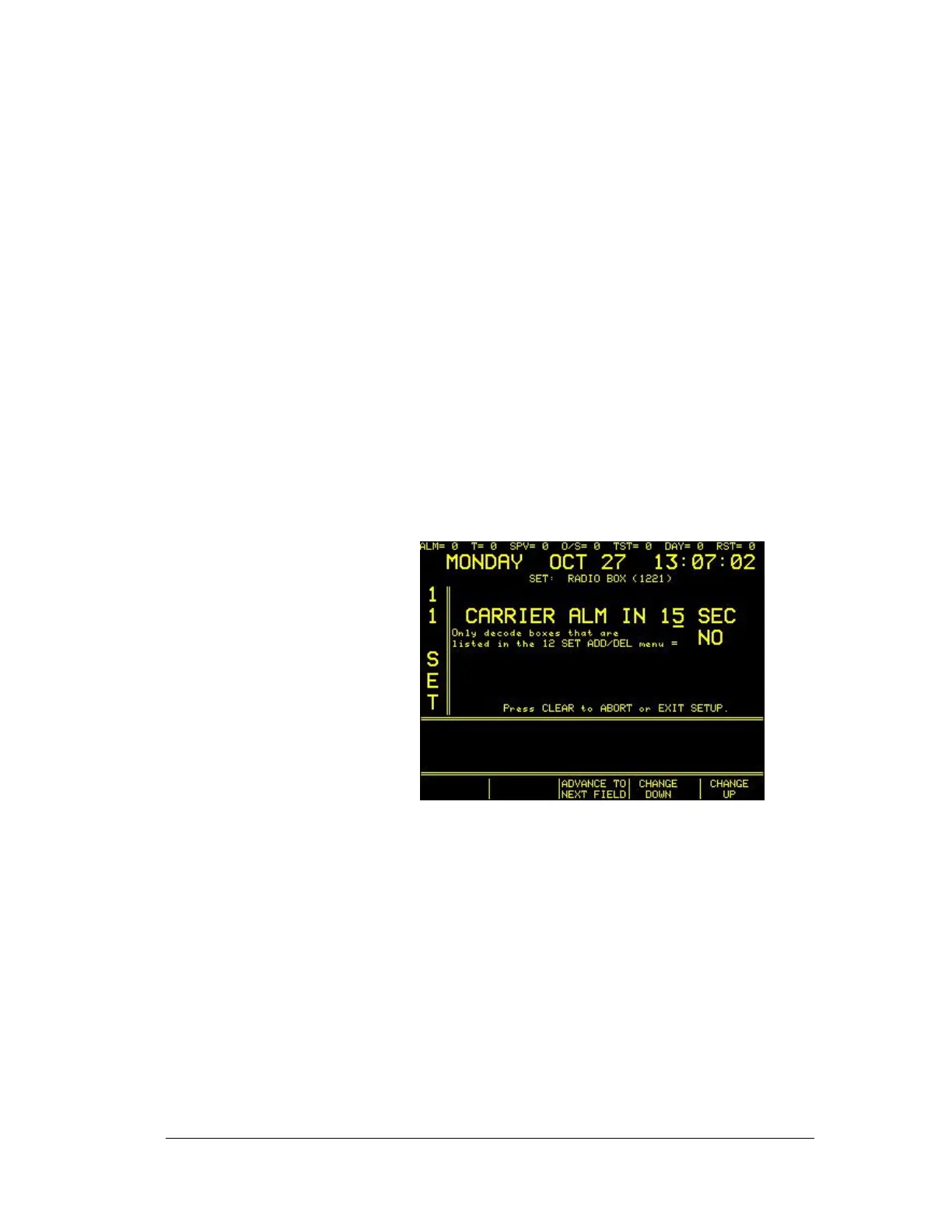
Enter “2” at the main screen to select CARRIER/NEG BX set up. The display will now read:
CARRIER ALM Selections:
Use this menu to define within how many seconds of detection an alarm Carrier data will be sent
to the System 3505. The factory default is 15 seconds, which is the time required to meet codes.
However, this selection may cause an excessive amount of carrier fault indications, thus it is not
uncommon for the user to change this to higher time values (up to 90 seconds) to prevent false
activatons based upon background noise.
Use the ↑↓ keys to change selections; use FUNC to move between fields (alternatively, the
programmable keys will activated in this menu-- “ADVANCE TO NEXT FIELD”, “CHANGE
DOWN”, and “CHANGE UP”—can be used to navigate this menu).
After entering the elapsed time, press FUNC to move to next field.
“Only decode boxes that are listed in the 12 SET ADD/DEL menu=”
If set to YES, then solely boxes that have been added through the 12 SET menu will be
processed. If set to NO, the System 3505 will process all incoming box codes. Use ing the “Yes”





 To Next Page