ESAB Cutting Systems
CROSSBOW Page 101
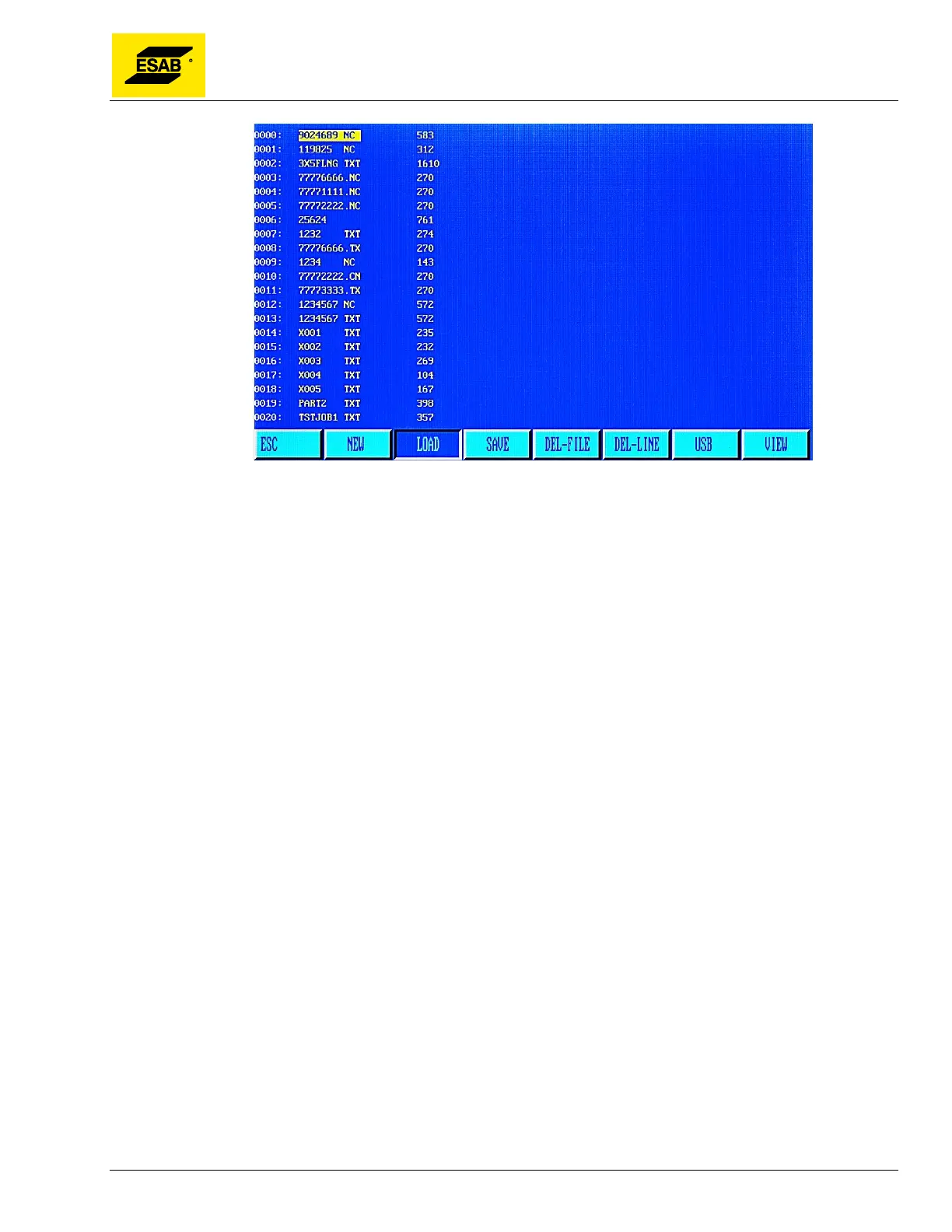
Figure 79: Edit Mode, LOAD Screen
Move the cursor using the Up and Down arrow keys to highlight different programs. Use the PREVIEW
function by pressing the【F7】key to see a graphic of the highlighted program. If 【ESC】 key is
pressed, the load function will be abandoned. To make a selection, press the【ENTER】key and the
highlighted program will be loaded into the program editor.
4.23.3 【F3】SAVE
When finished editing a program, press【F3】to save it to program memory. The user will be prompted
to enter a file name. If an existing program was edited, the system will show the existing file name,
which can be changed if desired. Use the number keypad to type a file name, then press【ENTER】to
save the file. Press【ESC】to abandon the changes without saving.
Notes: The program name and extension name should never exceed 12 characters.
4.23.4 【F4】DEL-FILE
This function is used to delete a program from the CNC’s memory. From the main Edit Menu, in the
Editor, select DEL-FILE by pressing the【F4】key. A listing of files in the CNC’s memory will be shown
on screen. Use the Up and Down arrow keys to scroll through the list and highlight the file to be
deleted. Once the desired file is highlighted, press the【ENTER】key to delete the file.
4.23.5 【F5】DEL-LINE
Deletes the highlighted line of program code in the editor. Position the cursor on the desired line using
the Up and Down arrow keys, then press the【F5】key to delete that line of code.
4.23.6 【F6】USB
Press【F6】to accesses the USB Access Menu. See section 4.24 for details.



 To Next Page