ESAB Cutting Systems
CROSSBOW Page 150
5.6.5 Switching Input Voltage
If the input voltage needs to be switched between 220 VAC or 110VAC, it must be done by an internal
switch on the main power supply. This power supply is accessed through the front of the unit by
removing the CNC. The Central Unit cover does not need to be removed.
1) Remove all incoming power from the unit.
2) Place a towel or other soft material in front of the Central Unit to avoid scratches or damage to
the CNC.
3) Remove the CNC bezel by removing the four screws at the corners of the CNC panel.
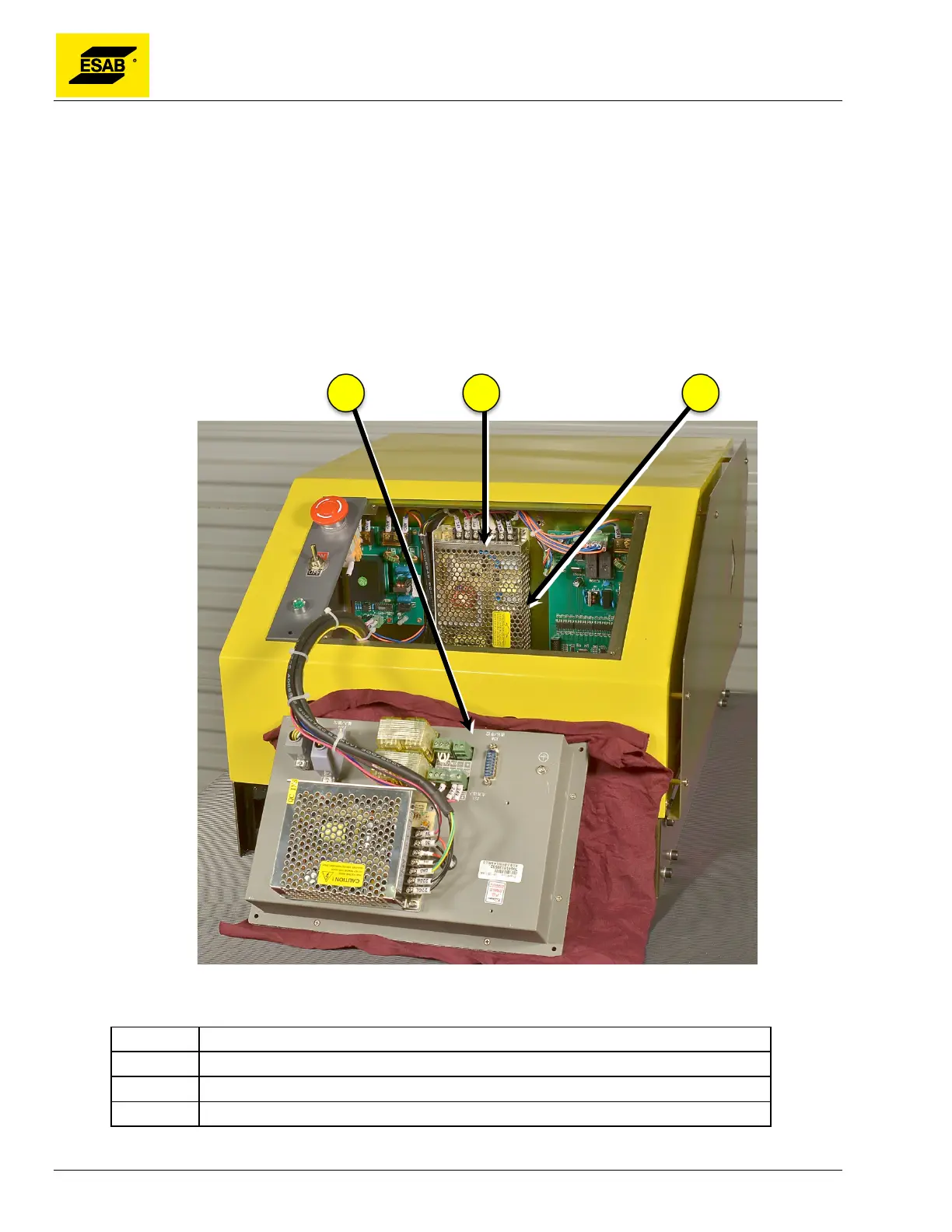
4) Carefully remove the CNC from the Central Unit, turn it over, and set it face-down in front of
the Central unit. Main Power Supply is mounted on internal divider wall directly behind CNC.
Figure 116: CNC Unit Removed
Number Description
1 CNC Unit
2 Main Power Supply (24 Volt DC)
3 Input Voltage Switch Location



 To Next Page