ESAB Cutting Systems
CROSSBOW Page 79
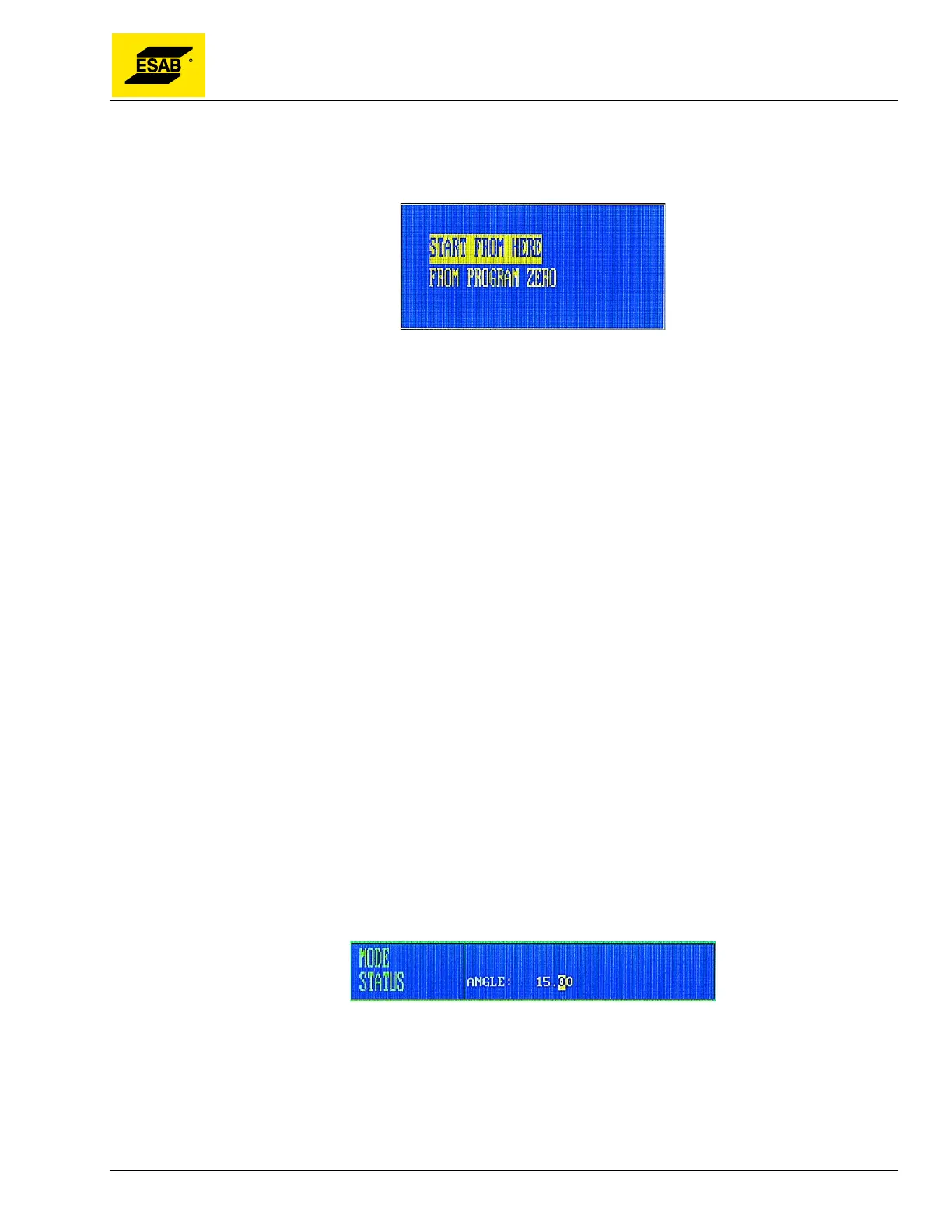
To run the outline of the program, press the【F1】key. If the machine is already at the Program Zero
Point, the machine will start moving immediately. If the machine is not at the Program Zero Point, a
dialog box will appear:
Figure 49: Selecting the Start Point
Select one of the two options, then press START or ENTER.
Selecting START FROM HERE will start running the outline of the program from the current torch
position.
Selecting FROM PROGRAM ZERO will first move the torch back to the last set Program Zero Point,
then start running the outline of the program from there.
During running of the outline, if the torch goes off the edge of the plate, you can press 【STOP】, then jog
the torch until it is above the plate, then press【START】again. A prompt will appear in the
Mode/Status Area asking “RELOCATE-YES/NO?”. Press 【ENTER】 to confirm relocating the
program, or press 【ESC】 to abandon the change. This operation can be repeated as necessary to fit
the program onto the plate.
4.12.2 【F2】WENTAI
The CNC is capable of running “WENTAI” based programs. WENTAI is a programming method typically
used in the sign industry for cutting characters with a router. This function is not used on the
CROSSBOW.
4.12.3 【F3】ROTATE (Program Rotation)
This function allows manual entry of a rotation angle for the entire program. This can be useful when a
part needs to be rotated by a fixed amount, such as 45 or 90 degrees, to fit on a plate.
Press the【F3】key, an entry field will appear in the Mode/Status area, as shown below:
Figure 50: Entering a Rotation Angle
Type in the desired angle, then press Enter. The Mode/Status area will display the “ ROTATE”
indicator, and the angle of rotation is also displayed in the Operating Parameters area on screen.



 To Next Page