ESAB Cutting Systems
CROSSBOW Page 148
5.6.3 Servicing Operator Panel Components
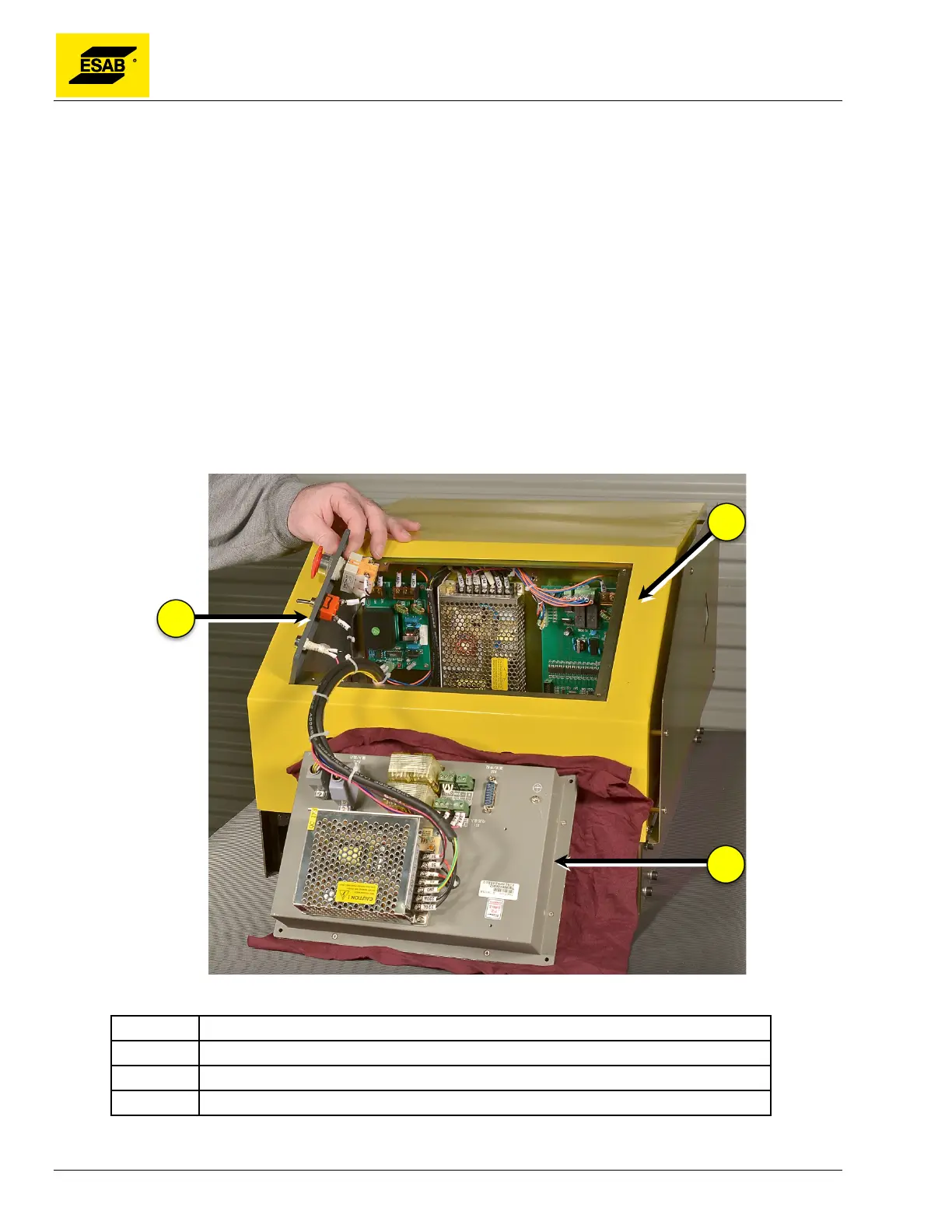
Operator panel components are easily accessed by removing the Control Switch Panel and CNC from
the front of the unit. The Central Unit cover does not need to be removed.
1) Remove all incoming power from the unit.
2) Place a towel or other soft material in front of the Central Unit to avoid scratches or damage to
the CNC.
3) Remove the CNC bezel by removing the four screws at the corners of the CNC panel. Set it
aside.
4) Carefully remove the CNC from the Central Unit, turn it over, and set it face-down in front of
the Central unit. Unless replacing the CNC, there is no need to disconnect any wiring.
5) Remove the two screws mounting the Control Switch Panel.
6) Lift out the Control Switch Panel
All electrical components of the Operator Panel and the Central Unit can now be easily accessed and
serviced as required.
Figure 114: Servicing Front Panel
Number Description
1 Central Unit
2 Control Switch Panel
3 CNC Unit



 To Next Page