ESAB Cutting Systems
CROSSBOW Page 80
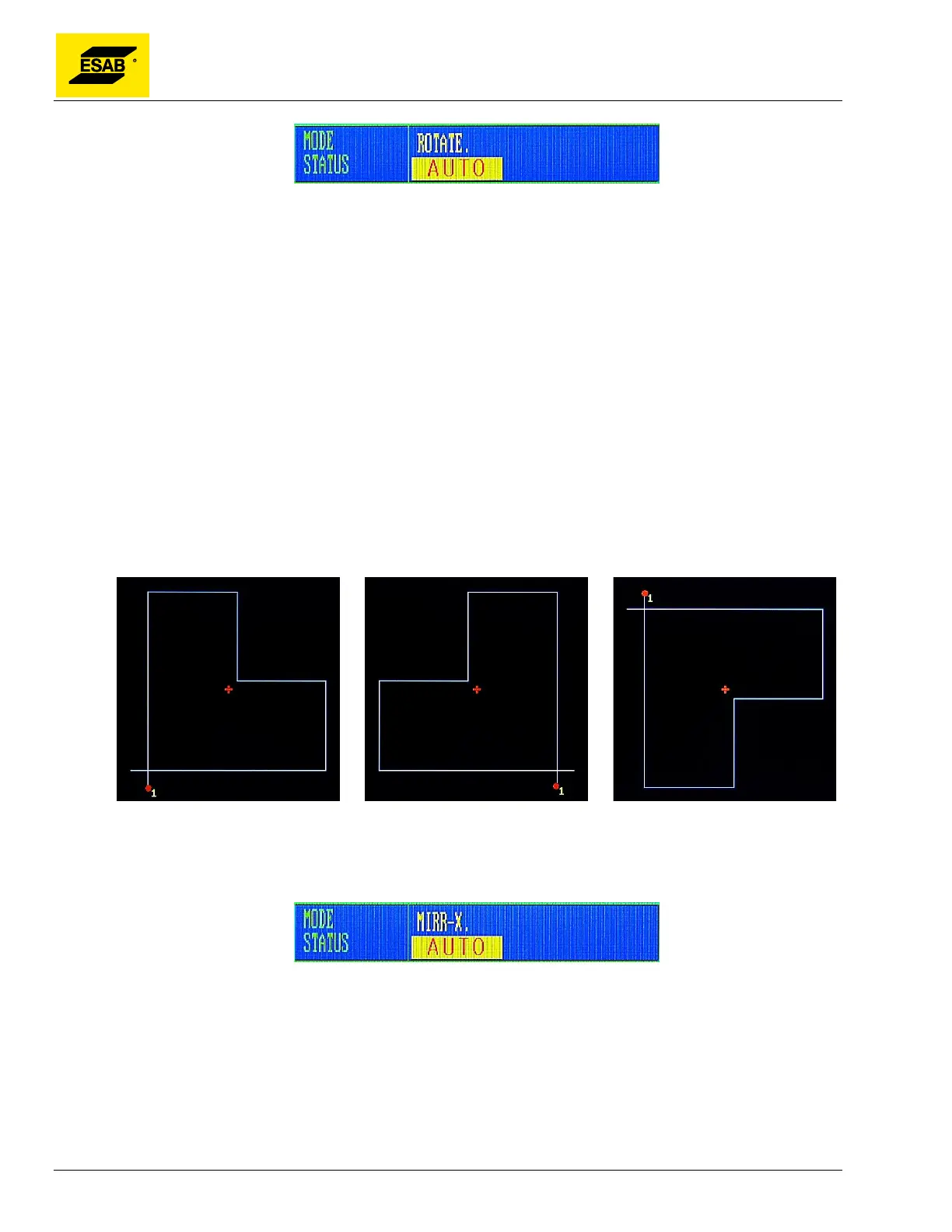
Figure 51: Program Rotation Indicator
Press the【F4】key to preview the rotated program.
To turn off Program Rotation, go back to Auto Mode, More menu, and press the【F3】key again. The
rotation angle is stored and can be turned on again or changed by repeating procedure.
Note: A positive rotation angle results in a counterclockwise program rotation.
4.12.4 【F4】MIRROR
With this function, a part program can be flipped to create a mirror image. It is possible to select X
Mirror, Y Mirror and No Mirror by repeatedly pressing the【F4】key.
When X Mirror is selected, the program will be flipped in the X-Axis (Left/Right).
When Y Mirror is selected, the program will be flipped in the Y-axis (Up/Down).
Figure 52: MIRROR MODES
The Mirror Mode is displayed on screen in the Mode/Status Indicator Area.
Figure 53: MIRROR Mode Indicator
4.12.5 【F5】SCALE
This function allows the user to adjust the scaling factor for part programs, so they may be cut at larger
than, or smaller than original size. When the【F5】key is pressed, the control will prompt the user to
enter a scaling factor, where 1.000 = 100%.



 To Next Page