ESAB Cutting Systems
CROSSBOW Page 67
4.8 Home Screen and Main Menu
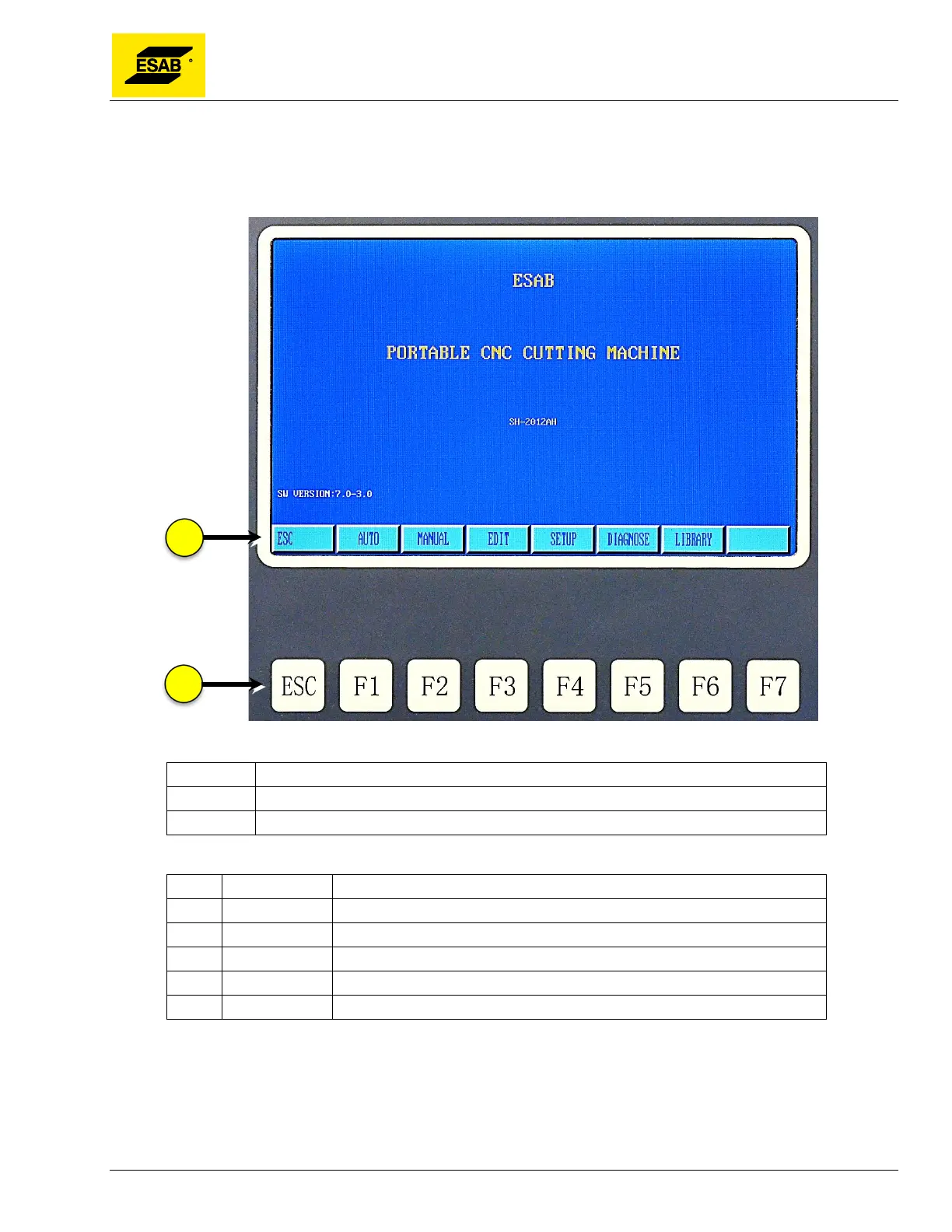
After the machine is powered up, the LCD screen will display the Home Screen with the Main Menu
shown below:
Figure 41: Home Screen and Main Menu
Number Description
1 Main Menu
2 Function keys
[F1] AUTO Run programs to cut shapes or nests automatically
[F2] MANUAL Manually jog the machine and position the torch
[F3] EDIT Create or modify programs in an editor, read-in programs from USB
[F4] SETUP Set system parameters, speeds, select plasma or oxy-fuel operation
[F5] DIAGNOSE Displays input & output status (not used on Crossbow)
[F6]
LIBRARY
Create parts or nests from the Shape Library



 To Next Page