ESAB Cutting Systems
CROSSBOW Page 85
4.15 Functions Available During Program Pause
4.15.1 Program Pause Screen
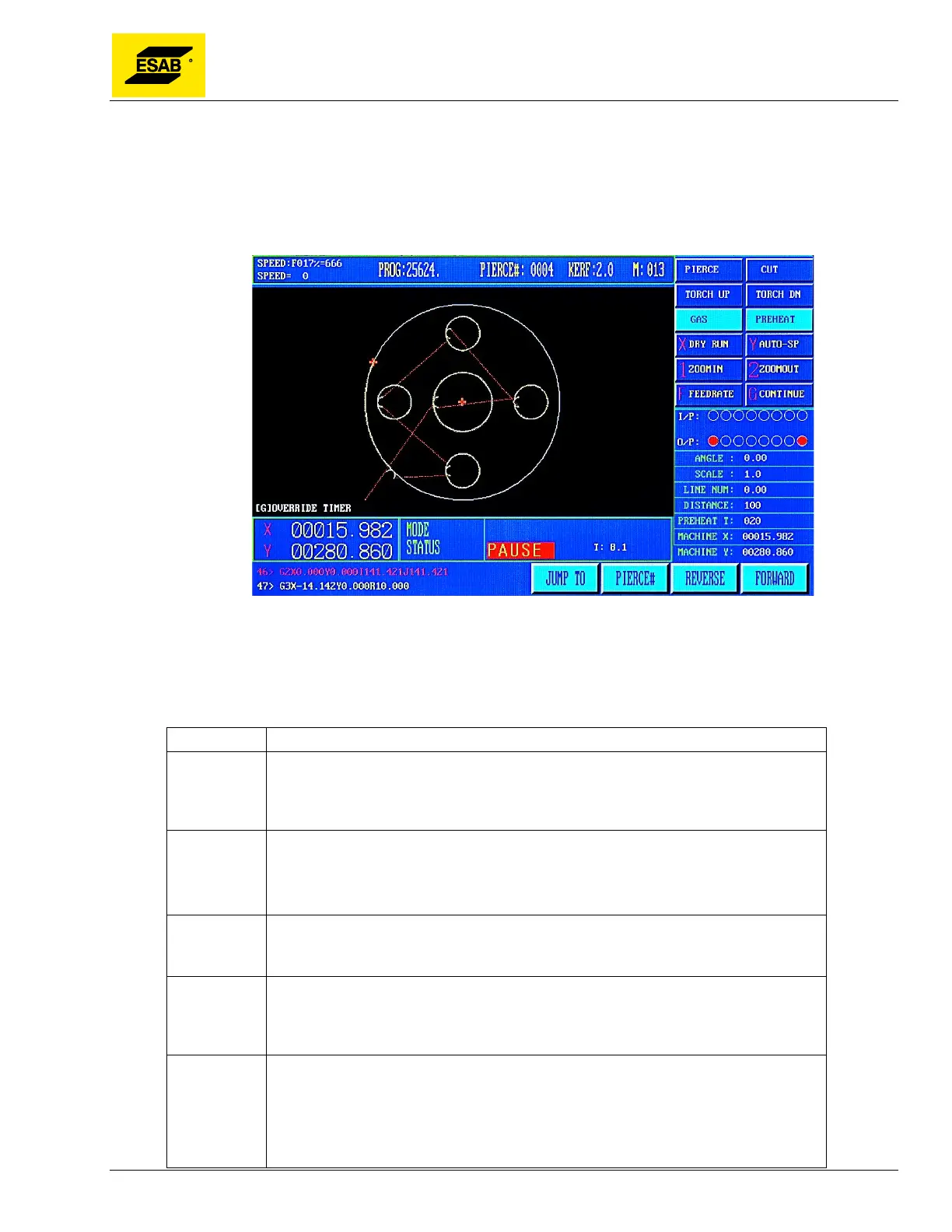
When a program is paused, the Pause Menu appears, as shown below.
Figure 60: Pause Display
4.15.2 Key Panel Functions
Only the following functions are enabled on the CNC key panel:
Key Function
【START】 Re-Start Program
Pressing 【START】immediately following a pause will re-start program execution.
However, the cutting process will have to be manually re-started if the program was
paused in the middle of a cut.
【↑】
【↓】
【←】
【→】
Jog Keys
When a program is paused, the machine can immediately be jogged off path if
necessary to relocate the program, service the torch, or adjust the plate. The
machine will move at Jog Speed.
【ESC】 Park Program
Pressing the 【ESC】 key while the program is paused will cause the CNC to exit
abandon the running program and return to the main Auto Mode Menu.
【F】 Enter Feed Rate
A new speed can be entered directly by pressing the【F】key. After pressing the
【F】key an input will appear at the top of the screen, and the actual Feed Rate
value can be typed in using the number keypad.
【F↑】 Feed Rate Increase
Pressing 【F↑】on the panel will slowly increase the Feed Rate Override
Percentage, and the resulting Cutting Speed. The rate is increased more slowly
when the program is running, and more quickly when the program is paused. To
make large adjustments to the cut speed, the program should be paused and a new
feed rate entered.



 To Next Page