ESAB Cutting Systems
CROSSBOW Page 114
4.26.2 Shape Evaluation Screen
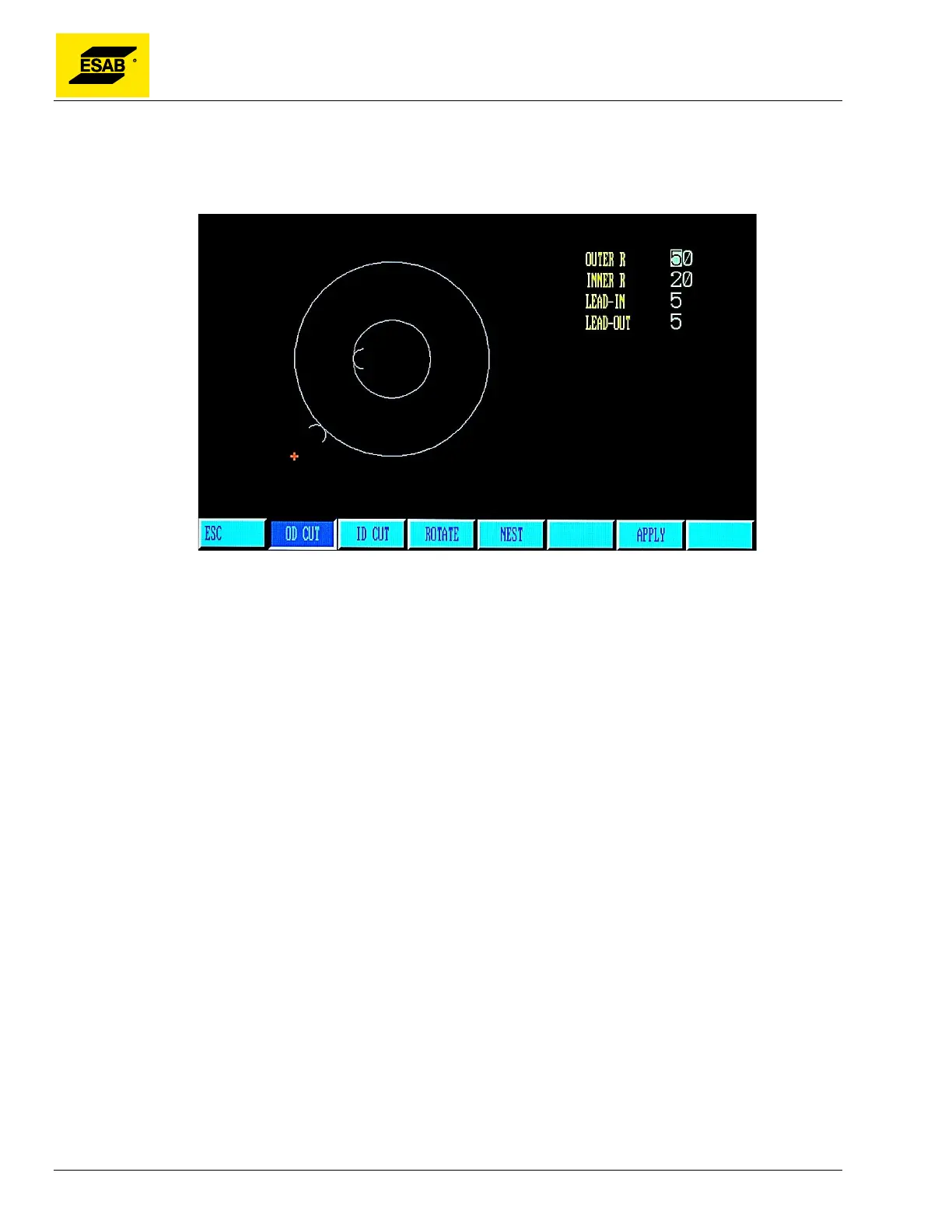
When a shape is selected, it will appear with a list of parameters applicable to that shape, as shown
below:
Figure 91: Shape Library Parameter Entry
Use the number keypad, the arrow keys【↑】【↓】and the 【ENTER】 key to input the desired values.
When parameters are entered, the CNC will check the dimension and show a warning if a problem is
detected. However, not all potential problems can be calculated, so it is important to be sure to enter
the correct dimensions.
The available menu functions are described below.



 To Next Page